I created a new agenda template (Top Tips) for 9th October by saving an existing agenda. However, the "Club Meeting" header is defaulting to "Club Meeting - #1", and I am unable to amend it. I have deleted it and saved, and I have renamed it and saved, to no avail. Why is this occurring?
Macquarie Park Toastmasters (#3240661) - New Agenda Template Query
Locked 5 replies · 196 views
You have to manually change the Meeting Title then it will save with the new title
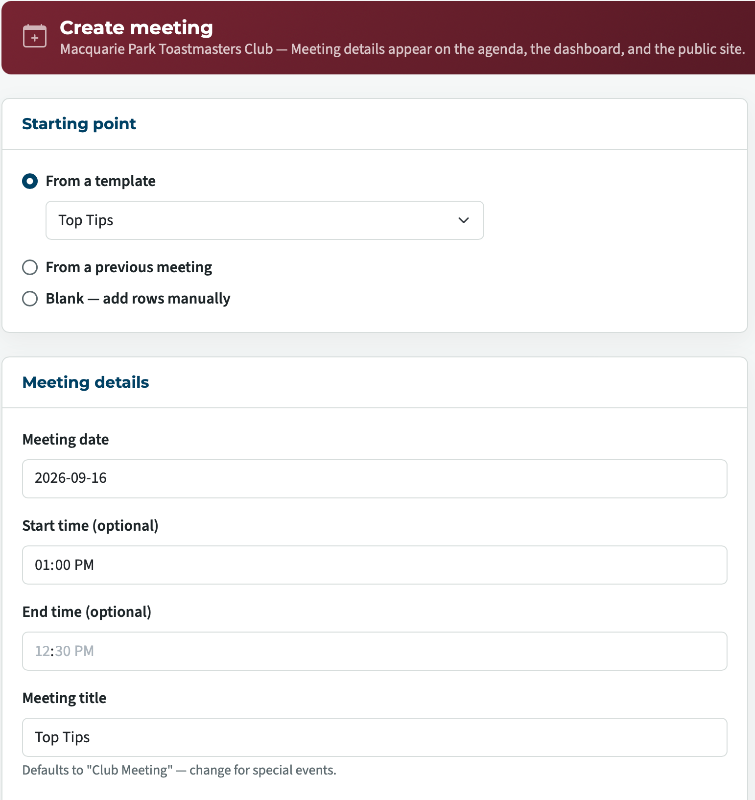
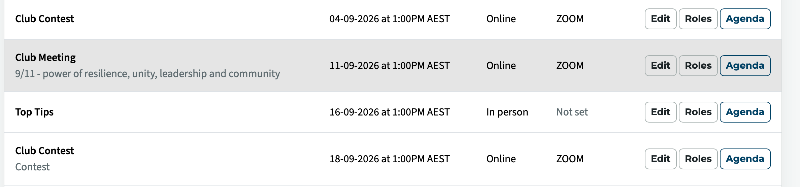
Thank you,
Brian McDonald DTM
Silver and Wiser Online Toastmasters Club #777940
Technical Support Consultant and Developer for FreeToastHost
Brian McDonald DTM
Silver and Wiser Online Toastmasters Club #777940
Technical Support Consultant and Developer for FreeToastHost
Thanks, I tried that; maybe I'm going about it the wrong way? See the attachment for "Edit Meeting" - the meeting title is "Club Meeting". Yet the title still defaults to "Club Meeting - #1" despite overwriting it and saving it. So does that mean that I have to delete the current agenda and recreate it as per your example?
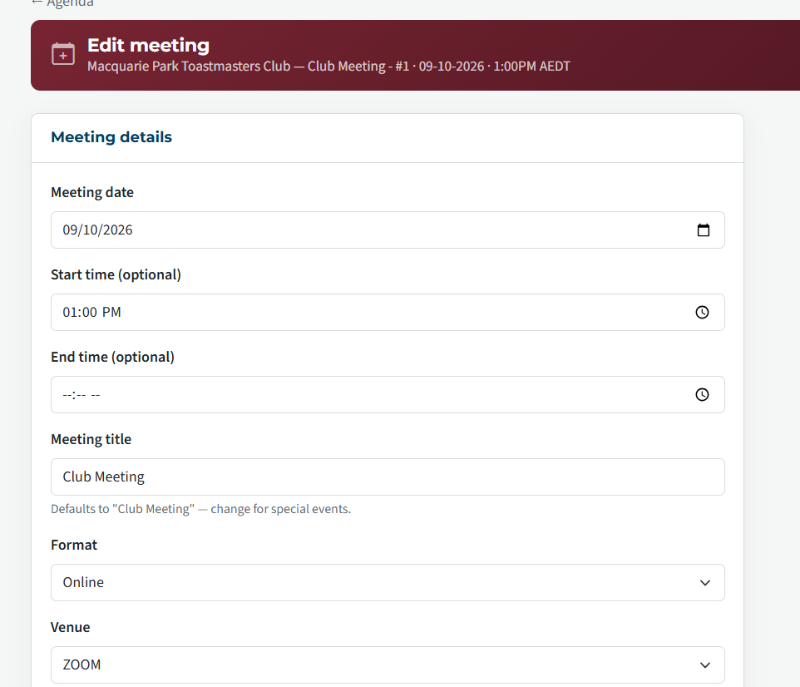
Not sure what you are doing, when I manually change it and save it sticks.

Thank you,
Brian McDonald DTM
Silver and Wiser Online Toastmasters Club #777940
Technical Support Consultant and Developer for FreeToastHost
Brian McDonald DTM
Silver and Wiser Online Toastmasters Club #777940
Technical Support Consultant and Developer for FreeToastHost
That's weird! I just deleted your amendment and saved; still the same issue. Could there be something wrong with my profile? I'll delete it, create a new one, and see if it resolves the issue. .
Last edited 9 Sep 2026, 9:28 a.m. by Patricia Pines: add info
That worked for me, not sure why. Thanks for your help.