Under the Resources drop-down tab and sub-tab: "Public Downloads", is there any plan after September to bring back the clickable folder icon (that hides the contained files within), as was the case with the FTH3 version of "Public Downloads"? Having such a facility for each folder would make it easier for a user to scroll to find a particular file under a particular folder (eg: hide a group of files in their designated folder until required to open - as FTH3).
I'm web admin for Club: 5342.
Also, after September, will web admins have the option to delete the other two sub-tabs under the "Resources" drop-down tab (eg: "Toastmasters Resources" & "Toastmasters Video")?
Perhaps the web admins may be given the option to change the main menu tab from "Resources" to just "Downloads" (no drop-down)?
I will be hoping for the same for the option to delete the "Meet Our Members" tab (no use to our club as we use FTH4 for marketing & text/video information purposes only - no club member has or never will, have log-in access to our website - that is restricted to the web admin only)
Main Menu - Resources Tab
Locked 10 replies · 558 views
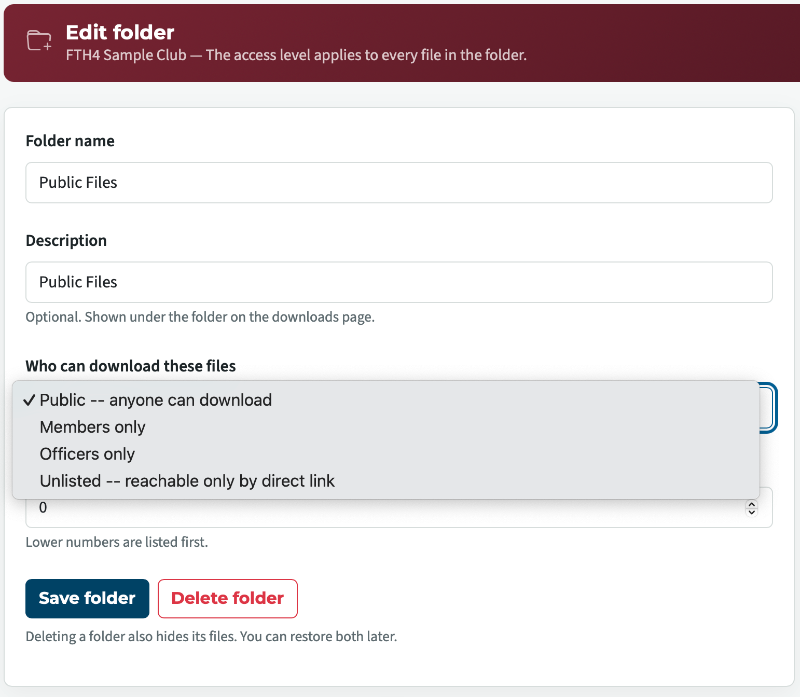
You can already make folders hidden.
Thank you,
Brian McDonald DTM
Silver and Wiser Online Toastmasters Club #777940
Technical Support Consultant and Developer for FreeToastHost
Brian McDonald DTM
Silver and Wiser Online Toastmasters Club #777940
Technical Support Consultant and Developer for FreeToastHost
Thanks Brian, I'm already aware for the process of hiding Folders in the sub-tab "Public Downloads". My 1st question above was in relation to if there might be any plan after the end of September review of FTH4, to bring back the clickable folder icon (that hides the contained files within), as was the case with the FTH3 version - see screen shot below:
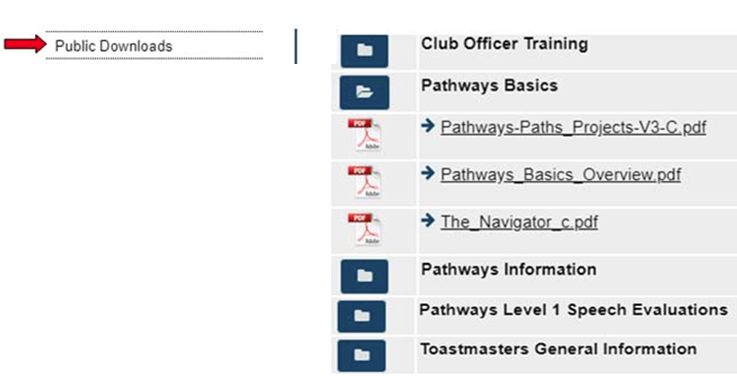
There aren't little folders any more, they are separated into their folder groupings.
Are you looking for an expand and contract styled of feature?
Are you looking for an expand and contract styled of feature?
Thank you,
Brian McDonald DTM
Silver and Wiser Online Toastmasters Club #777940
Technical Support Consultant and Developer for FreeToastHost
Brian McDonald DTM
Silver and Wiser Online Toastmasters Club #777940
Technical Support Consultant and Developer for FreeToastHost
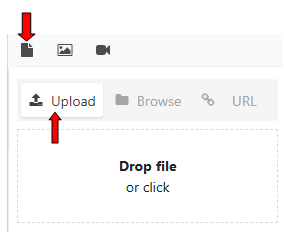
 Hi Brian, I'm not sure I understand what you mean by your question "Are you looking for an expand and contract styled of feature?". I guess the answer to my query is to minimise the number of files posted on the sub-tab "Public Downloads" to facilitate effective quick navigation when someone is looking for a particular file.
Btw, I looked at a possible alternative by trying to add a file to a particular folder under the "Club Pages & Links" tab, but the result was a failure - just an incomplete line of text - see above (It looks like only images & video links can be added to such folders):
Last edited 15 Sep 2026, 11:10 a.m. by Tom O'Keeffe
You cannot put files in the Pages and Links area. You can put links to files there is you want to.
Files are in the Public Downloads area under Resources.
https://5342.toastmastersclubs.org/downloads/
What I meany by expand and collapse, is to only show the section headers with an indicator to expand to see the full section list and a corresponding symbol to collapse the list back to the header.
Files are in the Public Downloads area under Resources.
https://5342.toastmastersclubs.org/downloads/
What I meany by expand and collapse, is to only show the section headers with an indicator to expand to see the full section list and a corresponding symbol to collapse the list back to the header.
Thank you,
Brian McDonald DTM
Silver and Wiser Online Toastmasters Club #777940
Technical Support Consultant and Developer for FreeToastHost
Brian McDonald DTM
Silver and Wiser Online Toastmasters Club #777940
Technical Support Consultant and Developer for FreeToastHost
Yes, under “Downloads”, just showing the section headers with an indicator to expand to see the full section list and a corresponding symbol to collapse the list back to the header is what I’m suggesting. Hopefully, that facility will be considered during the pending FTH4 review. I’m in the process of deleting several posted files, in any case.
On the home page of our FTH4 club (#5342) website, to assist with ease of navigation, I have added a weblink (called “Downloads”) that beings people direct to the files under “Downloads” instead of clicking the main menu tab “Resources” and the sub-tab “Public Downloads”. As a bonus, the “Downloads” page opens in a new window.
Thanks for clarifying that files cannot be saved in folders located in the “Pages & Links” section.
On the home page of our FTH4 club (#5342) website, to assist with ease of navigation, I have added a weblink (called “Downloads”) that beings people direct to the files under “Downloads” instead of clicking the main menu tab “Resources” and the sub-tab “Public Downloads”. As a bonus, the “Downloads” page opens in a new window.
Thanks for clarifying that files cannot be saved in folders located in the “Pages & Links” section.
1) Most of your files are listed as public but in reality they are for your members, you might want to change those folders.
2) you now how the option to show a folder as collapsed ot expanded on the Public and Member pages.
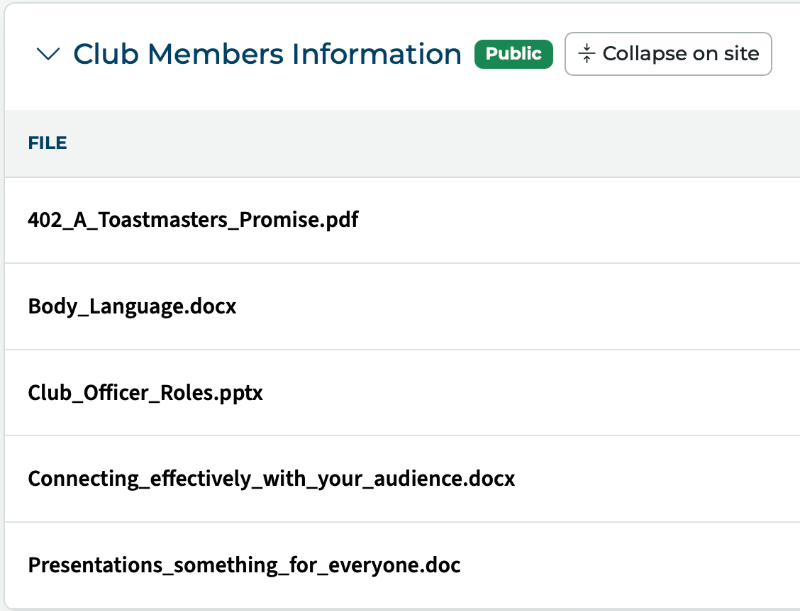
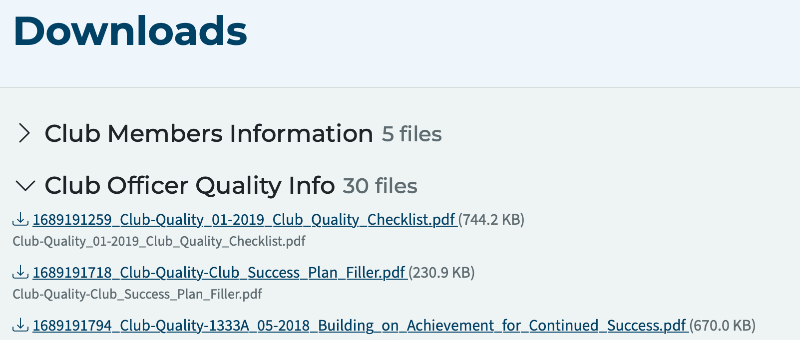
2) you now how the option to show a folder as collapsed ot expanded on the Public and Member pages.
Last edited 16 Sep 2026, 10:33 a.m. by Brian
Thank you,
Brian McDonald DTM
Silver and Wiser Online Toastmasters Club #777940
Technical Support Consultant and Developer for FreeToastHost
Brian McDonald DTM
Silver and Wiser Online Toastmasters Club #777940
Technical Support Consultant and Developer for FreeToastHost
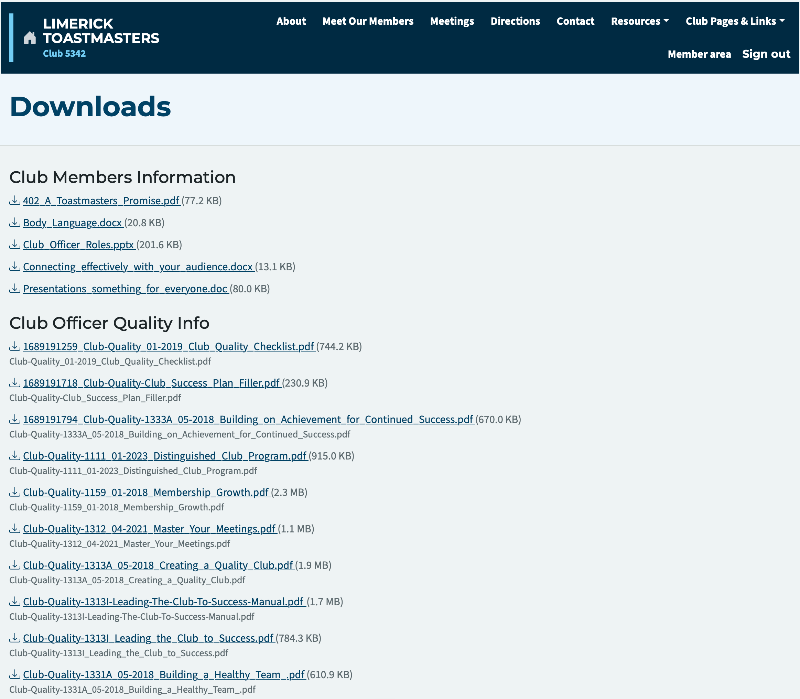
Thanks Brian for adding that individual folder collapse (as default) and click to open / expand as required in order to download a particular file within that folder.
The "Download" section is now looking like I was hoping it could be - see below
All our files must be designated “Public” as we do not use the specific FTH4 facilities for club members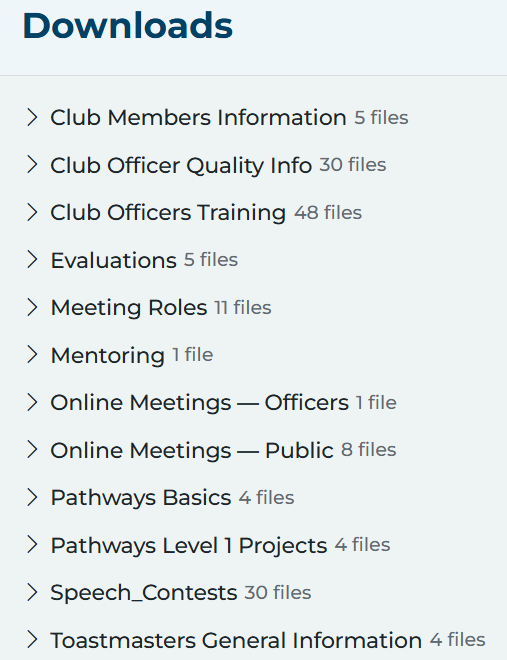
The "Download" section is now looking like I was hoping it could be - see below
All our files must be designated “Public” as we do not use the specific FTH4 facilities for club members
Maybe time to rethink that and let FTH assist your club.
Thank you,
Brian McDonald DTM
Silver and Wiser Online Toastmasters Club #777940
Technical Support Consultant and Developer for FreeToastHost
Brian McDonald DTM
Silver and Wiser Online Toastmasters Club #777940
Technical Support Consultant and Developer for FreeToastHost
We are a small club of around 30-35 members, that often rotates every few years, so we use Mailchimp (Agendas), Gmail and WhatsApp messages to communicate with each other. Thanks anyway.