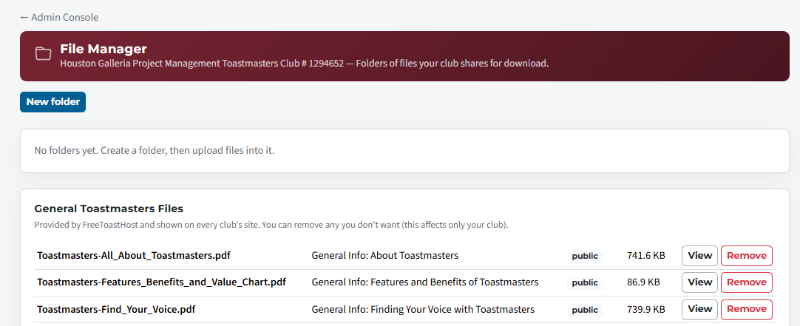
In the FreeToastHost Documentation "https://support.toastmastersclubs.org/doc/fth4/uploading-and-organising-files" at the bottom of all FTH4 sites, including our "Club 1294652" site, under Uploading and organising files, it shows uploading files to folders such as "Contests" & "members". In a support response "#105149", Heni is using File Manager on a members folder. On our website, the only files that I can see from the Admin Console File manager are 13 pdfs that we had uploaded to the FTH3 site for TM documentation. I see that I can create folders and upload more files.
But, if use the "Edit Main Page" option in Admin console, then "Insert Image", "Browse", I see lots of images.
Is it possible to access existing files, such as image files, with File Manager?
What files Can the File Manager in the Admin console be used to Manage
1 reply · 172 views
The image icon on the editor on webpages gives access to system provided images as well as any images you upload to display on webpages. You can upload and delete those in the tool, and also edit their properties such as size, position on your webpage.
The file manager is for files that you want to display or make available for download, as described in the document you refer to. These could include images, e.g. online backgrounds. The webpage images are not included in the file manager module.
The file manager is for files that you want to display or make available for download, as described in the document you refer to. These could include images, e.g. online backgrounds. The webpage images are not included in the file manager module.
FreeToastHost Ambassador
VPE & Webmaster HOT Toastmasters 2026-2027 https://hot.toastmastersclubs.org/
VPE & Webmaster Redlands Toastmasters 2026-2027 http://redlands.toastmastersclubs.org/
VPE & Webmaster HOT Toastmasters 2026-2027 https://hot.toastmastersclubs.org/
VPE & Webmaster Redlands Toastmasters 2026-2027 http://redlands.toastmastersclubs.org/
Log in to reply.