Hello,
When I went back into our Directions page, I noticed that the Google Maps image is not where it used to be, right below the room image, and I have not done anything to the HTML code,
which I've pasted below.
<iframe src="https://www.google.com/maps/embed?pb=!1m18!1m12!1m3!1d3483.0724056873437!2d-81.04878235206372!3d29.191995146720785!2m3!1f0!2f0!3f0!3m2!1i1024!2i768!4f13.1!3m3!1m2!1s0x88e6d96b2c9b8d53%3A0x7709dbb03447960f!2sCollege+of+Business%2C+600+S+Clyde+Morris+Blvd%2C+Daytona+Beach%2C+FL+32114!5e0!3m2!1sen!2sus!4v1505063320673" width="600" height="450" frameborder="0" style="border:0" allowfullscreen></iframe>
#1134 Google Maps off
15 replies · 561 views
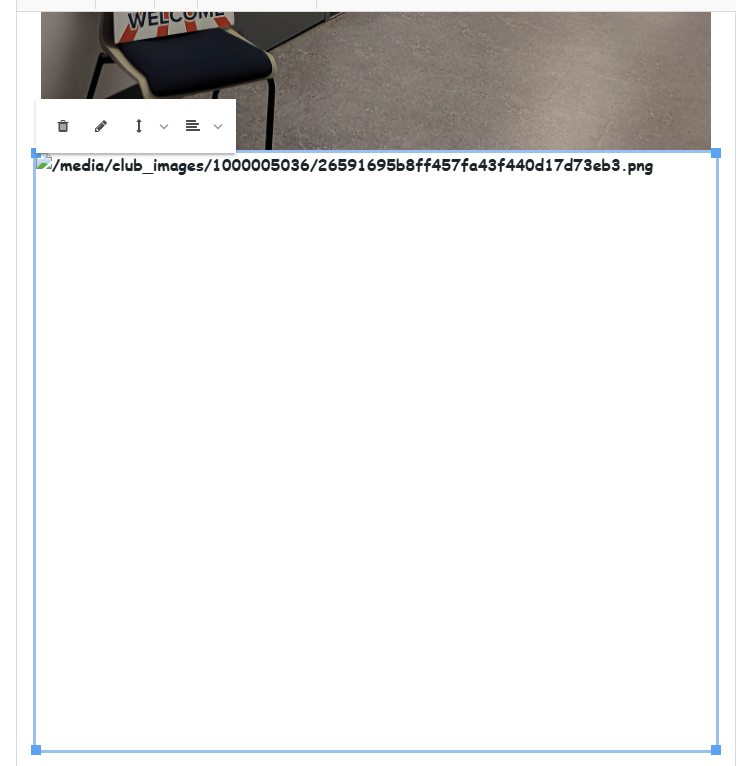
There's an empty/broken image forcing the separation between the room image and the map.
Side note in case you have a preference; if you use an address instead of the iframe, the map will be full width of the page content.
Side note in case you have a preference; if you use an address instead of the iframe, the map will be full width of the page content.
Richard Taylor
TM Club #7045
TM Club #7045
How do I fix it? Like I said, I have not touched the HTML. The coding was already entered, and it was centered in the proper place earlier.
Only the Club Admin can edit the Meeting Info/Directions page. Based on what I see on 1134's officer assignments & access settings page, I assume that Brian B. has shared the club admin login credentials so it may be a matter for your club to review how many people have access to 1134's full admin console.
Someone edited the content on the Meeting Info/Directions page and left that broken image in place. It can simply be deleted to remove the gap;
https://1134.toastmastersclubs.org/clubs/1000005036/admin/meeting-info/
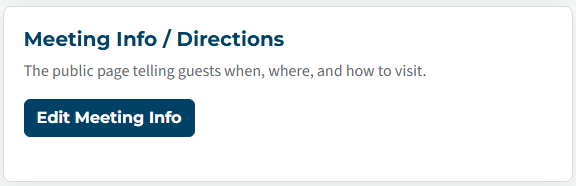
Select the broken image (so the blue border and the pop-up menu appears) then select the trash can icon.
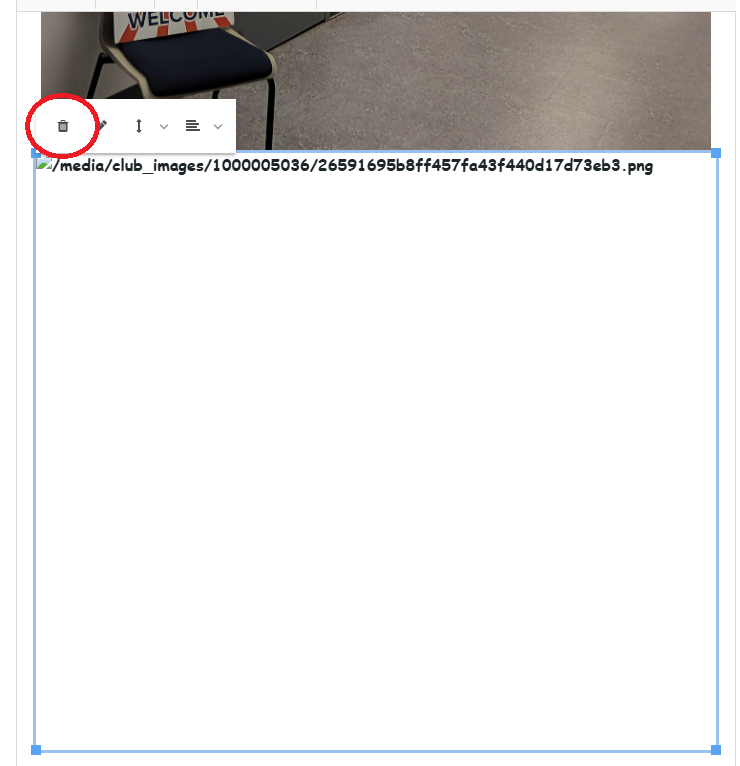
Someone edited the content on the Meeting Info/Directions page and left that broken image in place. It can simply be deleted to remove the gap;
https://1134.toastmastersclubs.org/clubs/1000005036/admin/meeting-info/
Select the broken image (so the blue border and the pop-up menu appears) then select the trash can icon.
Richard Taylor
TM Club #7045
TM Club #7045
I understand that only the admin person can fix it, and Brian recently resigned and handed the reigns over to me, and I'd like to be able to fix the problem, if I knew where to start and what to do.
Have the new ClubAdmin follow these directions
https://www.toastmastersclubs.org/welcome/change-admin/
https://www.toastmastersclubs.org/welcome/change-admin/
Thank you,
Brian McDonald DTM
Silver and Wiser Online Toastmasters Club #777940
Technical Support Consultant and Developer for FreeToastHost
Brian McDonald DTM
Silver and Wiser Online Toastmasters Club #777940
Technical Support Consultant and Developer for FreeToastHost
He just passed the login info over to me.
Then you have everything you need.
Thank you,
Brian McDonald DTM
Silver and Wiser Online Toastmasters Club #777940
Technical Support Consultant and Developer for FreeToastHost
Brian McDonald DTM
Silver and Wiser Online Toastmasters Club #777940
Technical Support Consultant and Developer for FreeToastHost
I just need help on how to fix the issue.
Please & Thank you!
Please & Thank you!
Richard gave you the instructions on how to remove the missing picture.
Thank you,
Brian McDonald DTM
Silver and Wiser Online Toastmasters Club #777940
Technical Support Consultant and Developer for FreeToastHost
Brian McDonald DTM
Silver and Wiser Online Toastmasters Club #777940
Technical Support Consultant and Developer for FreeToastHost
Hmm?? Somehow I must have overlooked it. Let me go back and check.
That worked! Thank you! Just curious if there's a way to move it up closer to the top.
The directions page looks properly spaced out.
Thank you,
Brian McDonald DTM
Silver and Wiser Online Toastmasters Club #777940
Technical Support Consultant and Developer for FreeToastHost
Brian McDonald DTM
Silver and Wiser Online Toastmasters Club #777940
Technical Support Consultant and Developer for FreeToastHost
You could remove some of the content to move to map higher, or put the driving links 2 to a line.
Thank you,
Brian McDonald DTM
Silver and Wiser Online Toastmasters Club #777940
Technical Support Consultant and Developer for FreeToastHost
Brian McDonald DTM
Silver and Wiser Online Toastmasters Club #777940
Technical Support Consultant and Developer for FreeToastHost
Ok, but when I typed in the address, it was placed at the very bottom by default.
correct.
Put less stuff above it if you want it closer to the top.
Put less stuff above it if you want it closer to the top.
Thank you,
Brian McDonald DTM
Silver and Wiser Online Toastmasters Club #777940
Technical Support Consultant and Developer for FreeToastHost
Brian McDonald DTM
Silver and Wiser Online Toastmasters Club #777940
Technical Support Consultant and Developer for FreeToastHost
Log in to reply.