Dear FTH4-Support team,
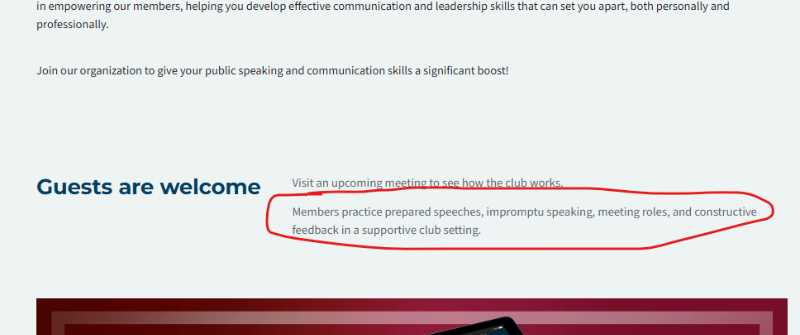
1. We would like to edit the full text on the main page in the bottom next to "Guests are welcome", but it only allows us to edit the upper part when we want to edit the public website. Where can we edit the part below? (see picture "Edit text on main page" in attachment)
2. We would also like to edit the public website in the top a bit and wanted to ask
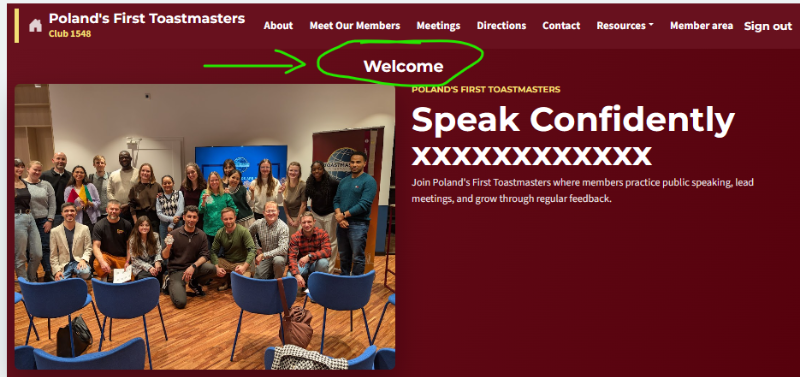
- Is it possible to make the marked text "Welcome" bigger (like 4 font sizes from 12 -> 16 for example) ? See attachment "Bigger text"
- Is it possible to not display the golden text of "Poland's First Toastmasters"? (below the word "Welcome" on the attached "Bigger text" photo)
- Is it possible to make instead the main heading "Speak Confidently xxxxx" golden?
Best regards
Markus Ogrizek
Poland's First Toastmasters (1548)
Editing different pages
3 replies · 152 views
ClubAdmin dashboard
You can change the circled text in Manage Website
You can change the word Welcome in Manage Website you cannot change its position or size.
You can change the circled text in Manage Website
You can change the word Welcome in Manage Website you cannot change its position or size.
Thank you,
Brian McDonald DTM
Silver and Wiser Online Toastmasters Club #777940
Technical Support Consultant and Developer for FreeToastHost
Brian McDonald DTM
Silver and Wiser Online Toastmasters Club #777940
Technical Support Consultant and Developer for FreeToastHost
Hmm could you tell me where I can find the bottom text paragraph to edit it?
When I click on "Manage Website" I only find the the first paragraph to edit, but not the second.
When I click on "Manage Website" I only find the the first paragraph to edit, but not the second.
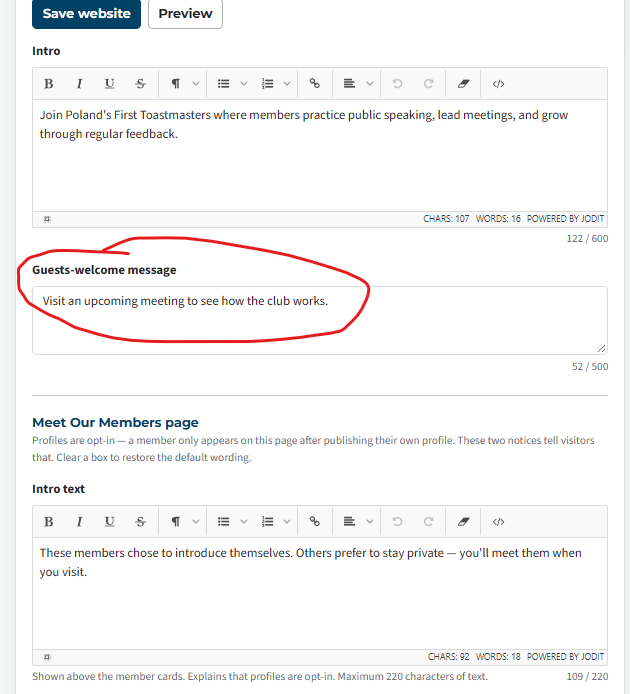
If you cannot find it I guess I was wrong and you cannot change it.
👍 Thanked by Markus
Thank you,
Brian McDonald DTM
Silver and Wiser Online Toastmasters Club #777940
Technical Support Consultant and Developer for FreeToastHost
Brian McDonald DTM
Silver and Wiser Online Toastmasters Club #777940
Technical Support Consultant and Developer for FreeToastHost
Log in to reply.