Toastmasters International — Club & District Websites
FreeToastHost 4

Support and Development Site

Forum index Recent topics

FreeToastHost Sites Unreachable Through Starlink — Connection Timeout - Club 652

3 replies · 146 views

Hello FreeToastHost Support,I'm experiencing a connectivity issue affecting multiple FreeToastHost websites, including our club's website:https://communicatorsplus.toastmastersclubs.org/I've isolated the problem to my Starlink internet connection.Diagnostic findings:
  • The website loads normally on my Mac when connected through an iPhone cellular hotspot.
  • The same Mac and browser cannot access it through Starlink.
  • The FreeToastHost sample club website is also inaccessible through Starlink.
  • DNS resolves both websites to 50.19.253.65.
  • HTTPS connections to 50.19.253.65 on TCP port 443 time out after approximately 10 seconds.
  • An independent TCP connection test using 
    nc
     also times out.
  • A traceroute successfully traverses Starlink and reaches GTT's Dallas network before subsequent hops stop responding.
  • Testing through a VPN did not restore access.
Could you please check whether your server, firewall, or hosting provider is filtering or dropping connections originating from Starlink?If no filtering is present, could you advise whether your hosting provider can investigate the network path to 50.19.253.65?My Starlink public IP address is: [INSERT PUBLIC IP]Thank you for your assistance.   Communicators Plus Club 6525

Regard, 
RobertDiagnostics
Club: Communicators Plus 6525
Destination: 50.19.253.65
DNS: Both communicatorsplus.toastmastersclubs.org and sampleclub.toastmastersclubs.org resolve to 50.19.253.65 via 192.168.1.1

curl -4 -Iv --connect-timeout 10 https://communicatorsplus.toastmastersclubs.org/
Trying 50.19.253.65:443...
Failed to connect to communicatorsplus.toastmastersclubs.org port 443 after 10006 ms: Timeout was reached
curl: (28) Failed to connect

nc -vz -G 10 50.19.253.65 443
nc: connectx to 50.19.253.65 port 443 (tcp) failed: Operation timed out

traceroute -m 15 -w 2 50.19.253.65
1 192.168.1.1
2 100.64.0.1
3 172.16.251.136
4-5 Starlink network 206.224.68.x
6 ae8.cr4-sjc1.ip4.gtt.net (63.141.199.93)
7 ae0.cr14-dal3.ip4.gtt.net (89.149.131.166)
8-15 * * *

Website works via iPhone cellular hotspot on same Mac; fails via Starlink and also failed in VPN test.


FTH does not support VPN, the majority of VPN IP have been blocked for abuse.

Please give me your internet IP when connected to starflink
use a site like https://whatismyipaddress.com/


Thank you,

Brian McDonald DTM
Silver and Wiser Online Toastmasters Club #777940

Technical Support Consultant and Developer for FreeToastHost

Hi Brian,

I'm following up on the connectivity issue accessing our Communicators Plus Toastmasters website (Club 6525) through Starlink.

The website is accessible using my phone's cellular connection, but I cannot access it through Starlink using either Safari or Chrome.

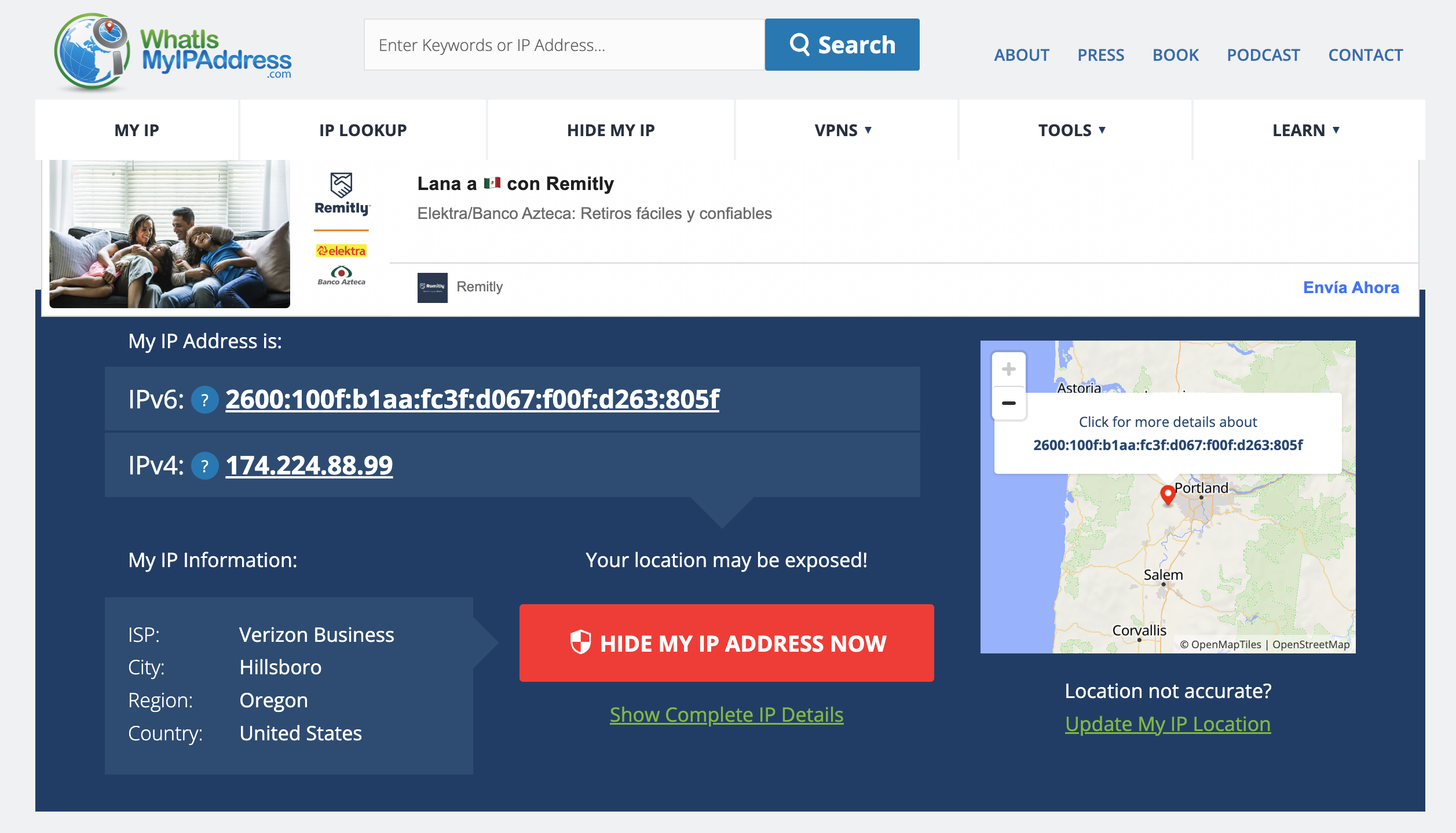
I checked my public IP information, and the results are:

  • IPv4: 174.224.88.99

  • IPv6: 2600:100f:b1aa:fc3f:d067:f00f:d263:805f

  • Reported ISP: Verizon Business

Could you check whether either address is being blocked by the FreeToastHost server or its firewall, or whether there might be another routing issue?

I'd appreciate your help identifying the cause so I can continue working on our club website.

Thank you,

Robert Schluter
Communicators Plus Toastmasters — Club 6525

  • Screenshot_2026-11-06_at_5.09.37PM.png

Hi Brian,

Please disregard the previous email.  Below are the two IP addresses.  I'm following up on the connectivity issue accessing our Communicators Plus Toastmasters website (Club 6525).

I can access the website using my Verizon cellular connection, but attempts through Starlink fail in both Safari and Chrome.

I've now verified the public IP addresses for both connections:

Starlink — Unable to connect

  • IPv4: 98.97.49.89

  • IPv6: 2605:59ca:350c:bc08:cd11:6eec:98c9:8804

  • ISP: SpaceX Services Inc.

Verizon Cellular — Connects successfully

  • IPv4: 174.224.88.99

  • ISP: Verizon Business

Since the website works over cellular but not Starlink, I'm wondering whether the Starlink IP address or address range is being blocked by the FreeToastHost server or its hosting provider.

Would you be able to check the firewall or server logs for blocked connections from the Starlink address? If nothing appears there, perhaps we can narrow down whether it's a routing or IPv6 connectivity issue.

Thank you for your help.

Robert Schluter
Communicators Plus Toastmasters — Club 6525

Log in to reply.