


- Details
- Category: Documentation
-
 By Steve James
 - Hits: 6098
Emailing agendas
Click on the email (envelope) link in the agenda button bar.

A subject which includes the agenda date will be proposed for the email, but it can be edited if you wish.
You can also include a personal message along with the agenda. Compose this in the edit window.
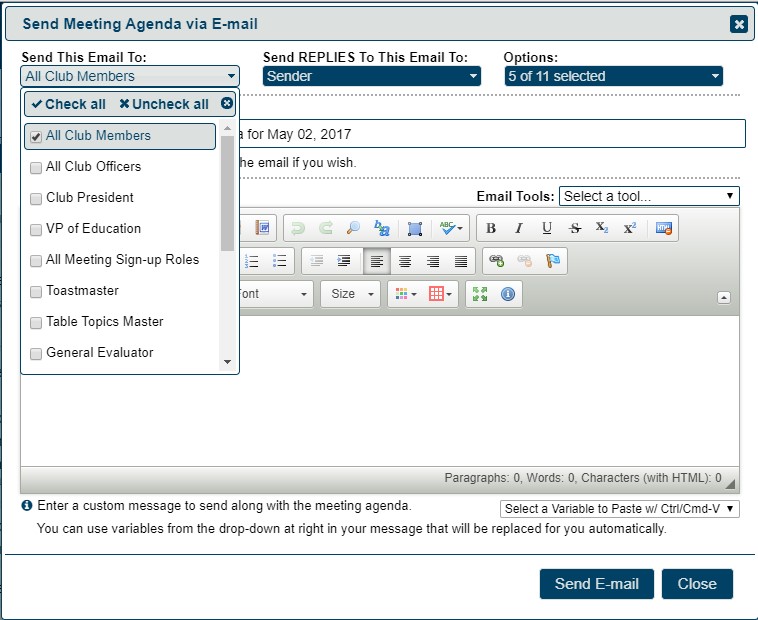
Choose recipients (first pull-down menu). The system remembers your choices but you can change them at any time.
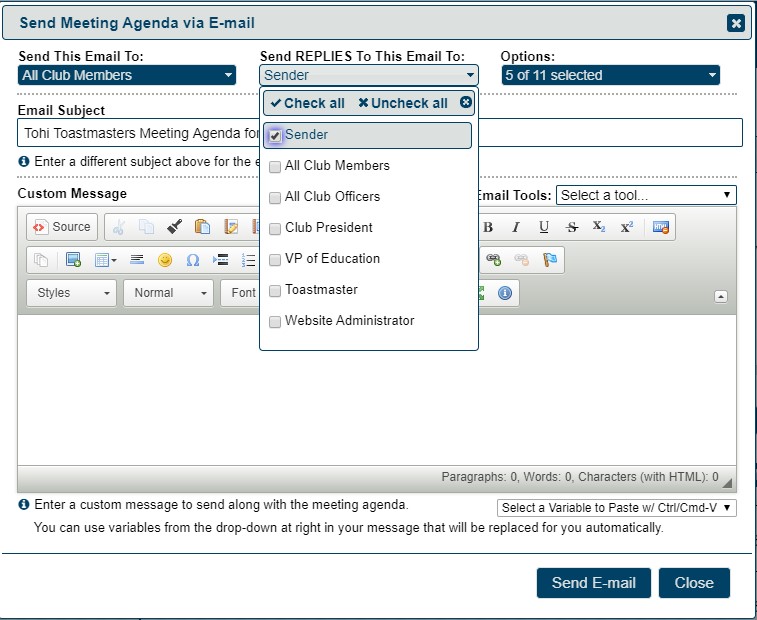
Choose who your replies go to. Before you use "All Club Members", check with your club that they are happy with this.
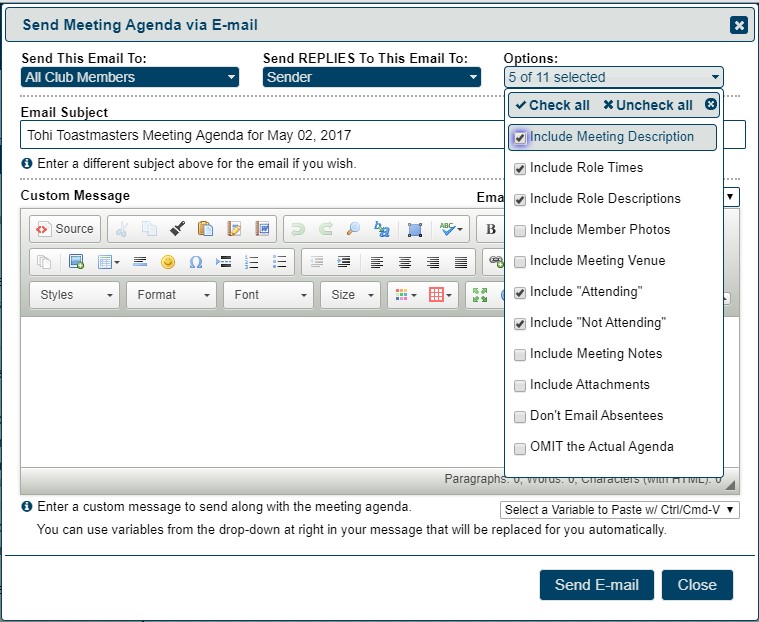
Select options. This determines what goes in the agenda email.
OMIT the actual agenda is useful for following up – you usually don't need to send the whole agenda again.
Selecting Include "Attending" and / or Include "Not Attending" prints a summary of those who have confirmed that they are (or are not) attending.
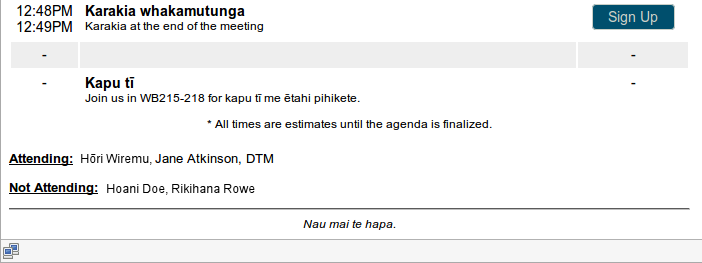
FreeToastHost inserts buttons and links in your agenda email to allow recipients to "respond" to the email. For instance, this lets them sign up for meeting roles right from the emailed agenda. To learn how these "Response Links" in an emailed agenda work, see http://support.toastmastersclubs.org/doc/item/responding-to-emailed-agendas
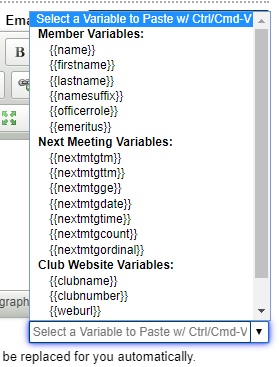
Email Variables
The Email Variables drop-down allows you to select variables to insert into your message that is sent with the agenda. The system will replace the variables with the corresponding values as it emails out the agenda. For instance, inserting the {{name}} variable allows you to "personalize" your message by including each members name in the message sent to them.
Email Tools
These allow you to use templates and signatures.
See separate Email Tools document.

Latest Forum Posts
-
- Editing Sidebar on Agenda
- In Public Forums / General Discussion
- 4 hours 44 minutes ago
-
- Creating New Agenda Template with Incoming Officer...
- In Public Forums / Support Requests
- 6 hours 57 minutes ago
-
- Custome Web Pages
- In Public Forums / Support Requests
- 15 hours 19 minutes ago
-
- Admin Getting Duplicate emails
- In Public Forums / General Discussion
- 15 hours 22 minutes ago
-
- Website administrative access
- In Public Forums / Support Requests
- 2 days 2 hours ago