There is information on a member that is very outdated. It is actually from the 2000s. How does the information get removed from the directory?
Member Directory Club 12
5 replies · 123 views
Your club admin or officer with access to membership management can move past members to the "Former Members" list
Documentation is here: https://support.toastmastersclubs.org/doc/fth4/moving-members-to-other-categories
Documentation is here: https://support.toastmastersclubs.org/doc/fth4/moving-members-to-other-categories
FreeToastHost Ambassador
VPE & Webmaster HOT Toastmasters 2026-2027 https://hot.toastmastersclubs.org/
VPE & Webmaster Redlands Toastmasters 2026-2027 http://redlands.toastmastersclubs.org/
VPE & Webmaster HOT Toastmasters 2026-2027 https://hot.toastmastersclubs.org/
VPE & Webmaster Redlands Toastmasters 2026-2027 http://redlands.toastmastersclubs.org/
What I have access to as the admin, only displays members. The tabs or buttons on the link you sent do not appear on my screen. https://12.toastmastersclubs.org/member-directory/
They are all there with a count beside them
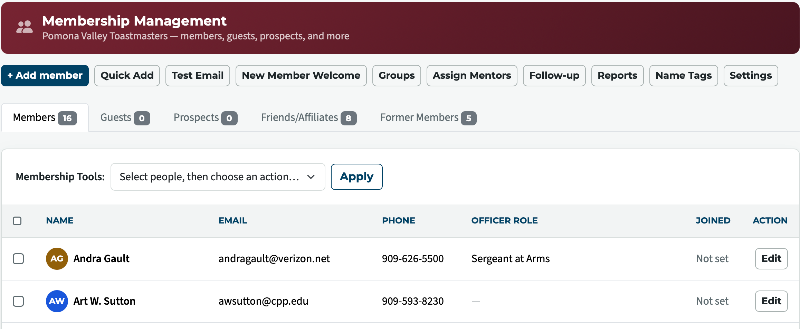
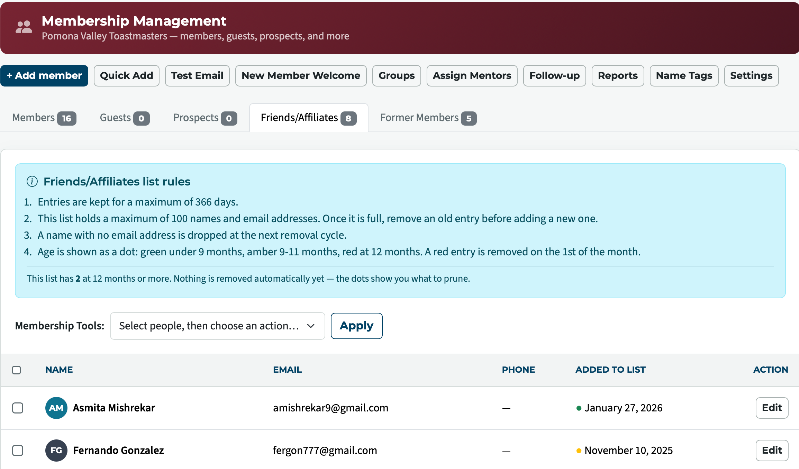
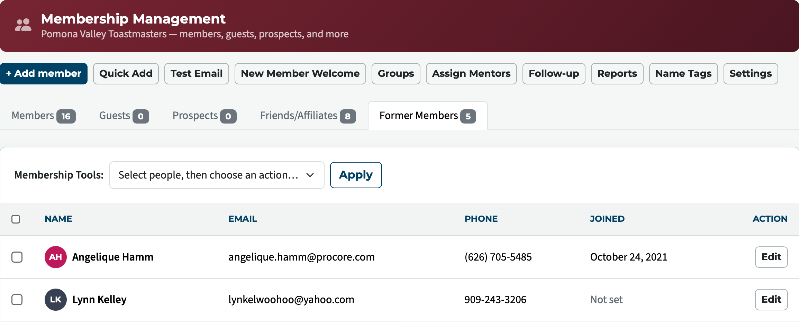
Thank you,
Brian McDonald DTM
Silver and Wiser Online Toastmasters Club #777940
Technical Support Consultant and Developer for FreeToastHost
Brian McDonald DTM
Silver and Wiser Online Toastmasters Club #777940
Technical Support Consultant and Developer for FreeToastHost
Just discovered we have to click on "Add a Member" to edit existing members. This is not intuitive. However, I did get the old information deleted from Mario.
I interpret "Add a Member" to exactly that. I was not trying to add a member, but editing a member. The software needs to be fixed.
I interpret "Add a Member" to exactly that. I was not trying to add a member, but editing a member. The software needs to be fixed.
the Edit button to the right of each persons name will also allow you to EDIT
There is nothing wrong with the software
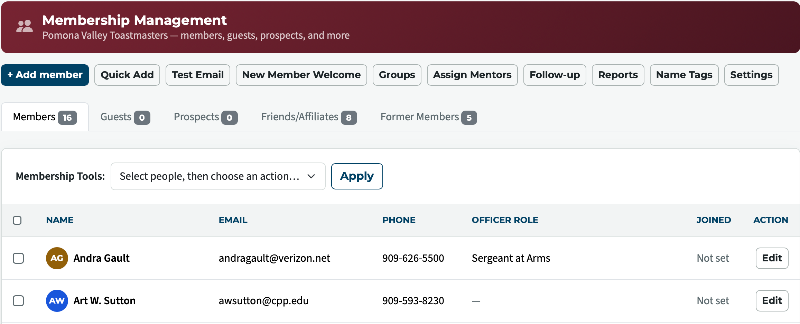
There is nothing wrong with the software
Thank you,
Brian McDonald DTM
Silver and Wiser Online Toastmasters Club #777940
Technical Support Consultant and Developer for FreeToastHost
Brian McDonald DTM
Silver and Wiser Online Toastmasters Club #777940
Technical Support Consultant and Developer for FreeToastHost
Log in to reply.