As VP of Ed for Golden Toastmasters (1640675)--I seen to have button options I don't have as a member of other clubs where I am NOT VP of Ed. (i.e. TicTalkers #6348).
Golden Toastmasters (1640675)- I can edit agenda and role info two ways:
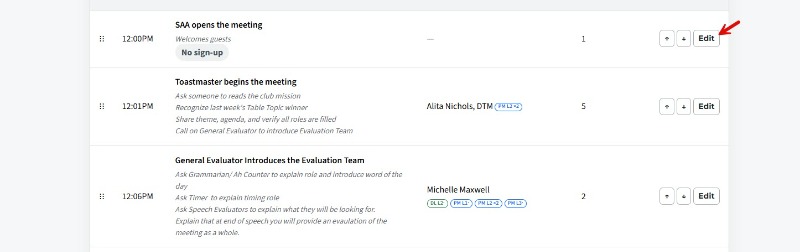
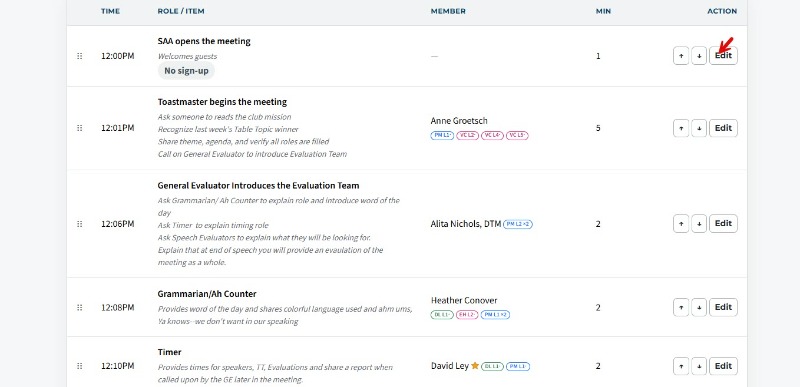
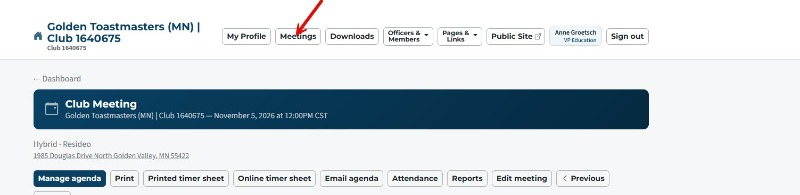
1. Click the Open agenda button on the Dashboard--then click Manage agenda at the top. I then have an Edit button to edit a row. OR
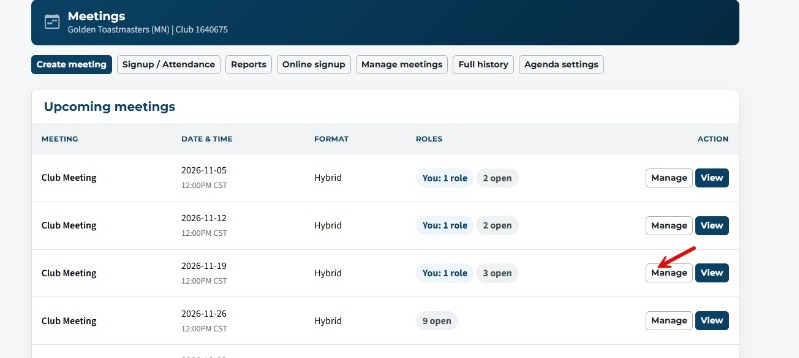
2. I can click Meetings at the top of the dashboard, click the Manage button, and get back to the same Edit button to edit a row.
I am NOT VP of Ed. (i.e. TicTalkers #6348). I don't have the Manage agenda button or Manage button when I click Meetings on the Dashboard. Under Meetings, all I have is a View option.
How or where can club members go when they are speakers---to add their speech titles and speech intros?
OR can't they? Do they have send it via email to the VP of Ed add? Or just email the TM--their speech title and intro info?........
There should be a way for ALL members to edit an agenda and add their speech titles and speech intros.
Adding speech intro and title to the agenda for regular members
Locked 2 replies · 111 views

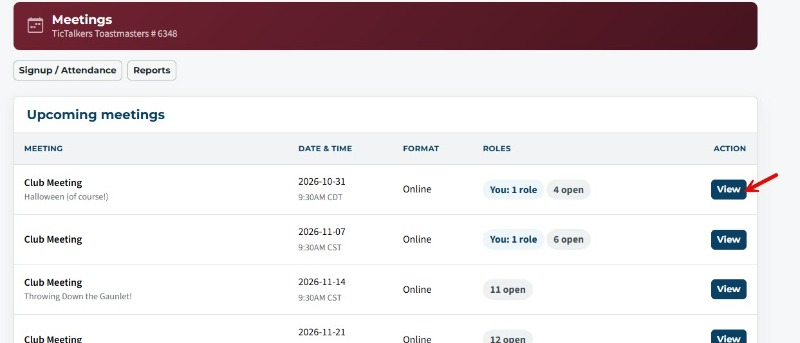
the documentation tells them how to add their details.
https://support.toastmastersclubs.org/doc/fth4/sign-up-meeting-role
https://support.toastmastersclubs.org/doc/fth4/sign-up-meeting-role
Thank you,
Brian McDonald DTM
Silver and Wiser Online Toastmasters Club #777940
Technical Support Consultant and Developer for FreeToastHost
Brian McDonald DTM
Silver and Wiser Online Toastmasters Club #777940
Technical Support Consultant and Developer for FreeToastHost
Thank you Brian.