


- Details
- Category: FTH4
-
By Jane Atkinson
- Hits: 493
Signing up for a meeting role
Go to the agenda that you want sign up to.
You can sign up to a role that is marked "Open" and has a blue sign up button.

Click on the button.
The page will then show your name.
The example given is a linked role (the same role appears more than once on the agenda), and the name appears in all places automatically.
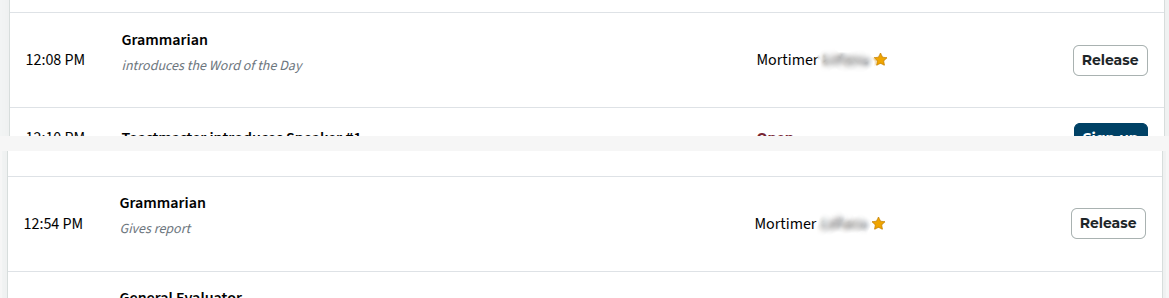
The sign up button has changed to "Release". Use this if you need to remove yourself from the role.
Depending on how many roles you still have in the meeting, you may see the following:
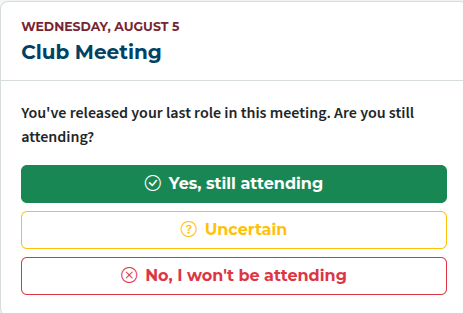
This lets the Toastmaster of the meeting (and any others who get notified) keep track of how many members will be at the meeting.
Signing up for a speech
Signing up for a speech involves an extra step. You need to provide your project details, speech title and speech introduction.
On the saved agenda, once you've signed up for the speech, an extra button (circled) appears for accessing the speech details window.

Enter the title of your speech.
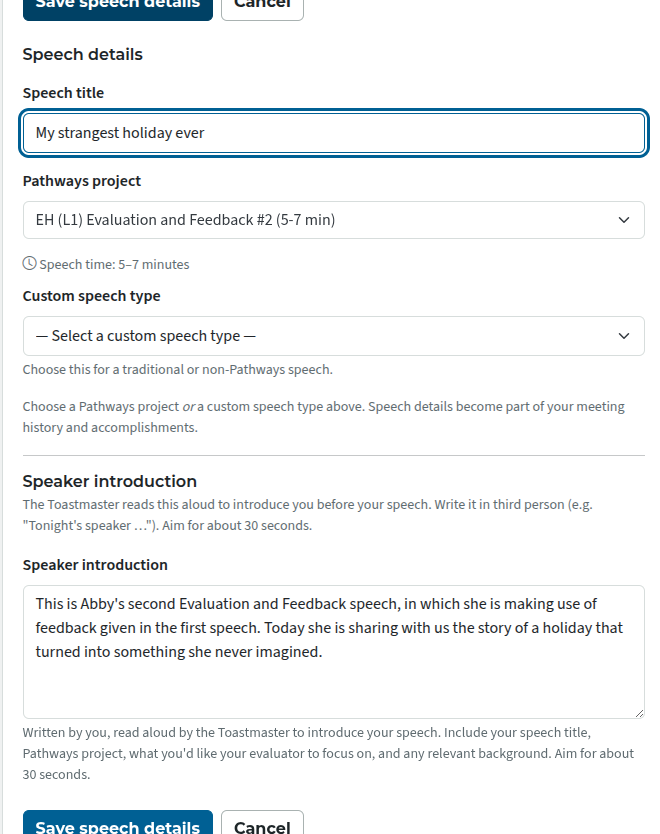
Next, choose your project. Most speeches are (or should be) Pathways projects.
If you have entered Paths in your profile, you will only be able to choose projects from those Paths.
If you haven't already entered a Path in your profile, you will be able to choose from every Path, but take care to chose one you are going to use, so that the speech credit goes towards the correct Path. (If you choose the wrong path, you'll need to ask your VP Education to ask one of the super-admins to change it.)
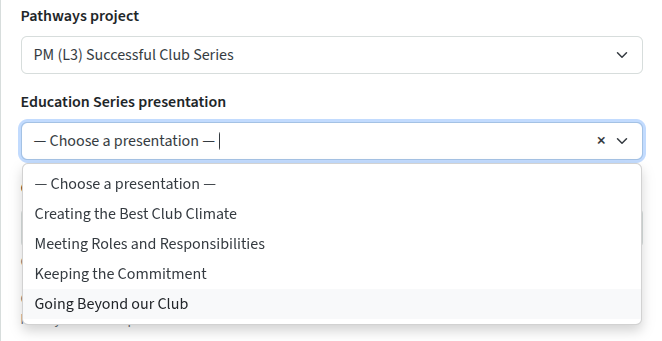
If you are doing an educational presentation, a new drop-down list appears with the choices of topics for your level.
Finally, enter a brief introduction. This should be in the third person, because the person introducing you will be reading it out. Aim for about 30 seconds (approximately 50 words).
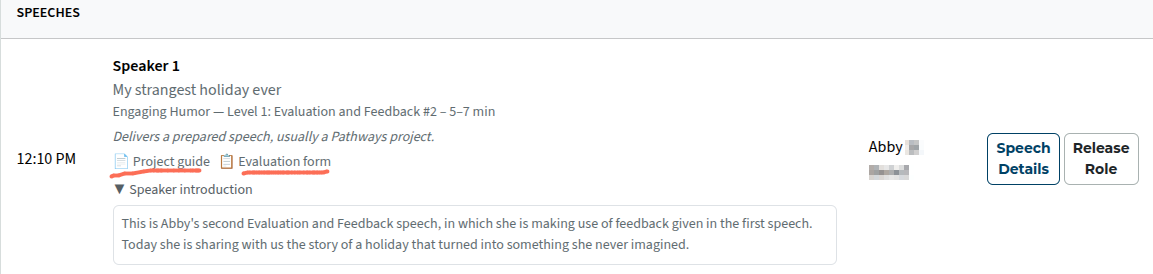
Once you've saved, you see the updated agenda with your speech details and the introduction. There are also the links (underlined) to the project description and evaluation form for you or your evaluator to download.

Latest Forum Posts
-
- header in an Agenda
- In Public Forums / FTH4 Support
- 1 minute ago
-
- Live timer sheet
- In Public Forums / FTH4 Support
- 14 minutes ago
-
- FTH Emails Not Going Through
- In Public Forums / FTH4 Support
- 17 minutes ago
-
- Not able to open club web site
- In Public Forums / FTH4 Support
- 23 minutes ago
-
- Members's input attending is not saved in Attendan...
- In Public Forums / FTH4 Support
- 26 minutes ago