


- Details
- Category: Documentation
-
By Jane Atkinson
- Hits: 31116
Updating club contact on Toastmasters International site
To update your club contact address and website, an officer of your club needs to:
Go to www.toastmasters.org and login to the site.
You will be taken to your home page.
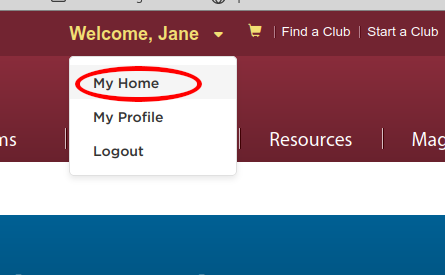
If you are already on a different part of the site, choose "My Home" from the dropdown below your name.
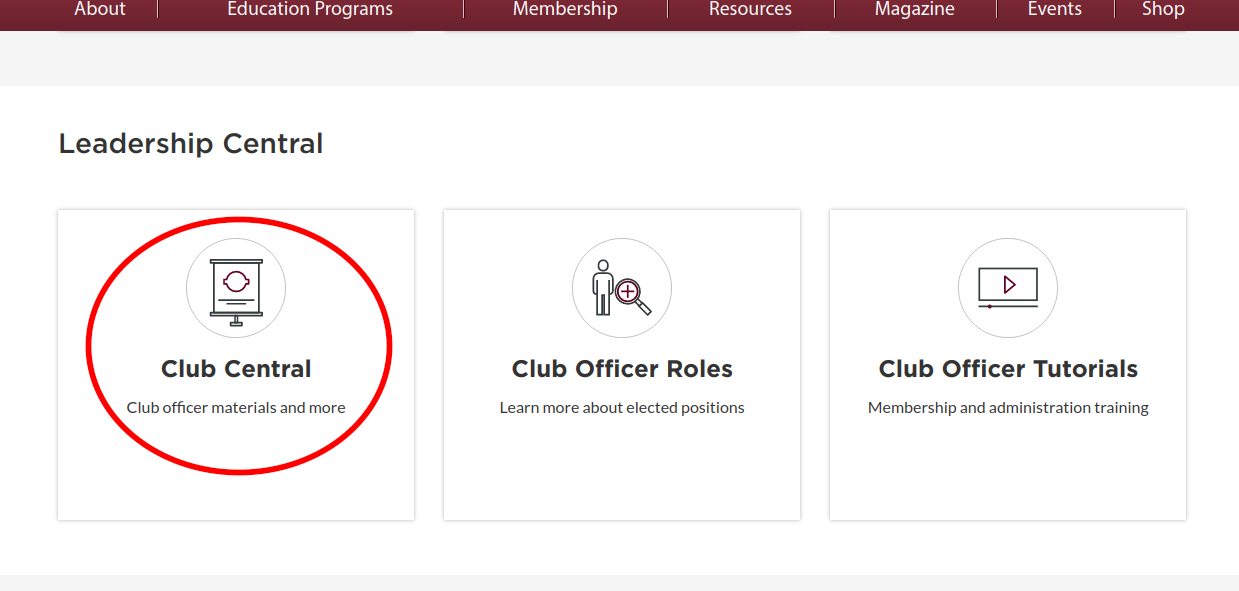
Scroll down to the Leadership Central panel and click on the Club Central button.
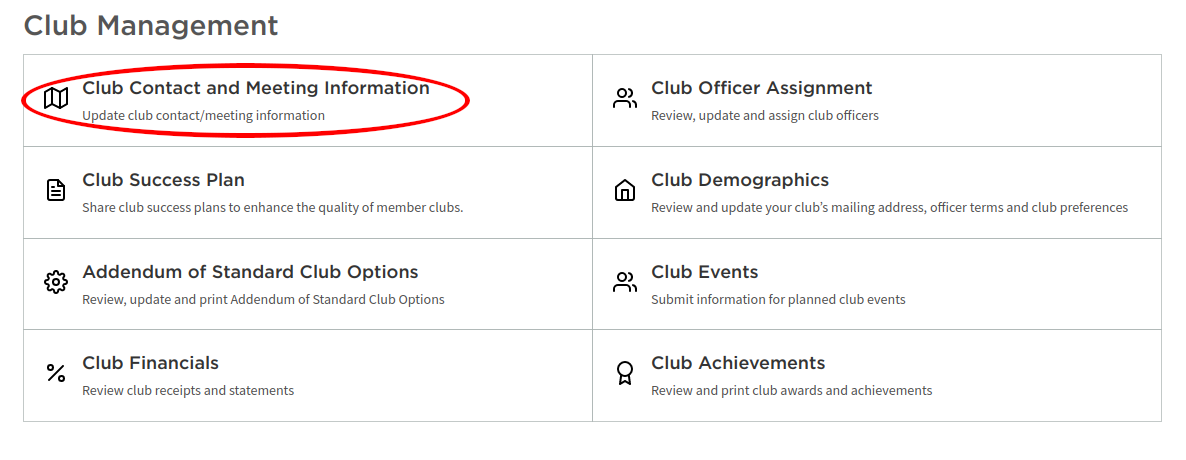
Click "Club Contact and Meeting Information" in the panel.
IMPORTANT: If you are an officer in more than one club, make sure you are editing the right one!
Change the Contact email to the new one and click Save (at the bottom of the page).
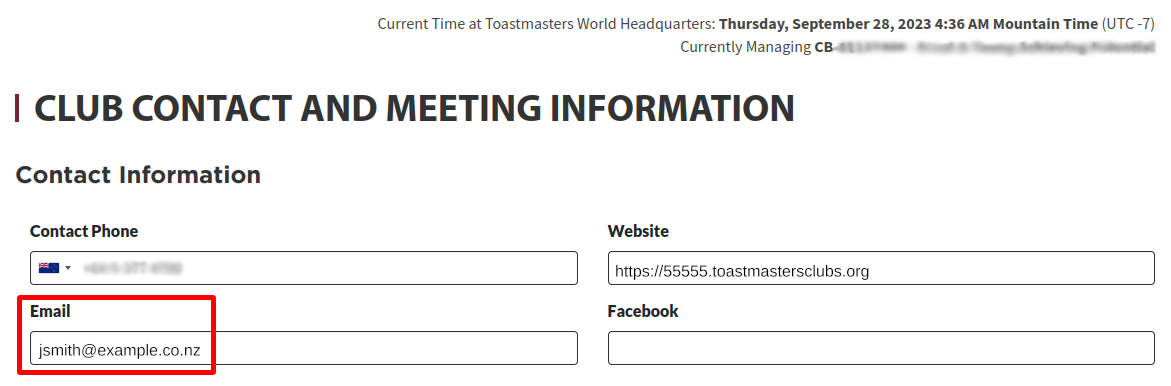
NOTE: It is a good idea to use the club number version of your website address in the Website field, as shown here. This address will always work, even if you change your site alias or domain name.
There may be a delay before the Find a Club listing on the TI website is updated to show the new information.

Latest Forum Posts
-
- Trying to get in to Club #1137 as admin-1137
- In Public Forums / FTH4 Support
- 2 hours 19 minutes ago
-
- Pathways Report Cards for Multi-Club Members
- In Public Forums / FTH4 Suggestions and Improvements
- 2 hours 39 minutes ago
-
- Attaching Meeting Minutes to Agenda
- In Public Forums / FTH4 Support
- 5 hours 38 minutes ago
-
- Member Profile Changes
- In Public Forums / FTH4 Support
- 6 hours 52 minutes ago
-
- Johnstown club 1231
- In Public Forums / FTH4 Support
- 7 hours 12 minutes ago