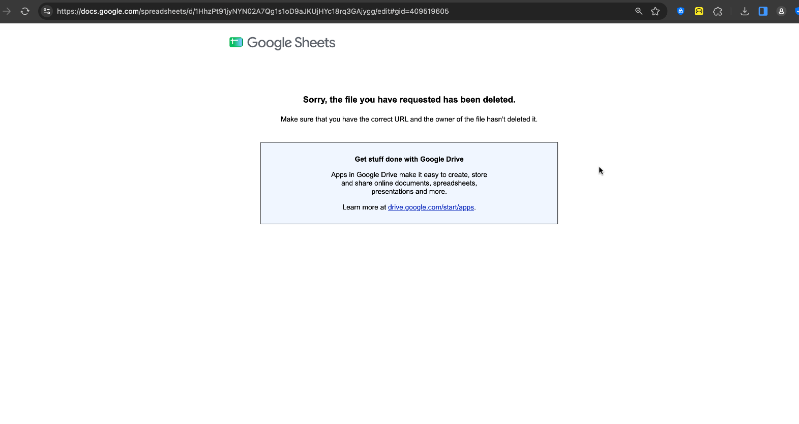
Hi FreeToastHost Support Team!I hope you're doing well!I'm reaching out for a little help with our club's website. We recently migrated to FTH4, and one of our officers noticed an outdated link under Club Pages & Links → Officers → Inquiries and Guests.When we click on it, we're redirected to a Google spreadsheet that appears to have been deleted.I've tried looking through the website settings to figure out how to remove the link, but haven't been able to find where it's managed.The link is only visible when logged in as an officer, so it's not showing on our public website.Could you please point me in the right direction on how to remove this broken link? We'd like to keep the other links and pages intact.Club: The King's Speakers
Club Number: 5612080
Website: https://thekingsspeakers.toastmastersclubs.org/Thanks so much for your help! I really appreciate it!
How to Remove a Broken Link Under Officers
1 reply · 131 views
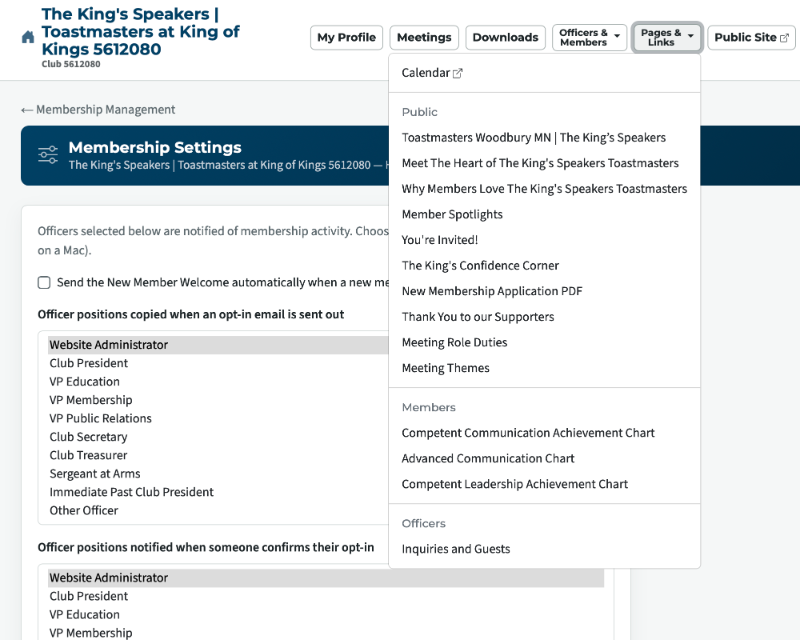
Your club admin or an officer with access to the "Custom Web Pages" module can remove the link/page - documentation here: https://support.toastmastersclubs.org/doc/fth4/creating-and-editing-website-pages
Note none of your officers have been given access to the module yet - your admin can assign officers to modules in "Access Settings": https://support.toastmastersclubs.org/doc/fth4/delegating-website-access
Note none of your officers have been given access to the module yet - your admin can assign officers to modules in "Access Settings": https://support.toastmastersclubs.org/doc/fth4/delegating-website-access
👍 Thanked by Gigi
FreeToastHost Ambassador
VPE & Webmaster HOT Toastmasters 2026-2027 https://hot.toastmastersclubs.org/
VPE & Webmaster Redlands Toastmasters 2026-2027 http://redlands.toastmastersclubs.org/
VPE & Webmaster HOT Toastmasters 2026-2027 https://hot.toastmastersclubs.org/
VPE & Webmaster Redlands Toastmasters 2026-2027 http://redlands.toastmastersclubs.org/
Log in to reply.