


- Details
- Category: FTH4
-
By Jane Atkinson
- Hits: 371
Creating and editing website pages
Some pages are already provided, such as the home page, and just need to be edited. Only custom pages need to be created.
Most pages are edited in the same way.
The one that's a little different is the Meeting Info and Directions page, which has the ability to add a map.
Any page can incorporate a map, but the Info/Directions page has a way to automatically make it easier.
Creating a custom page
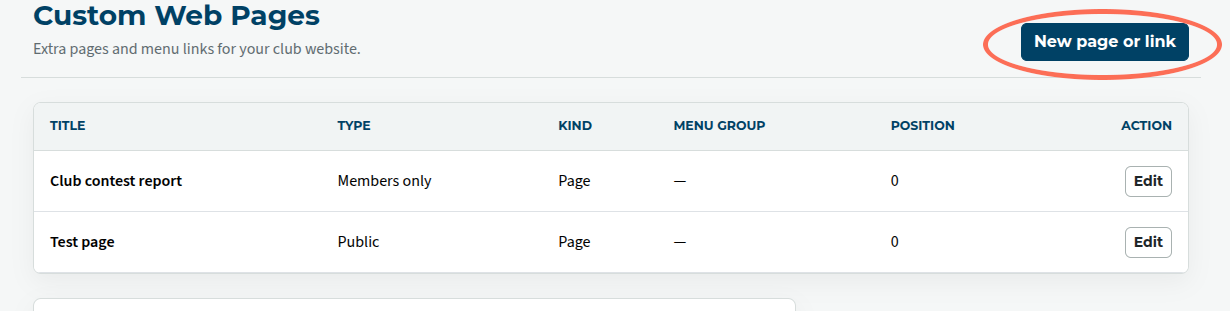
Click on Create Custom Pages, and then on Create new page or link.
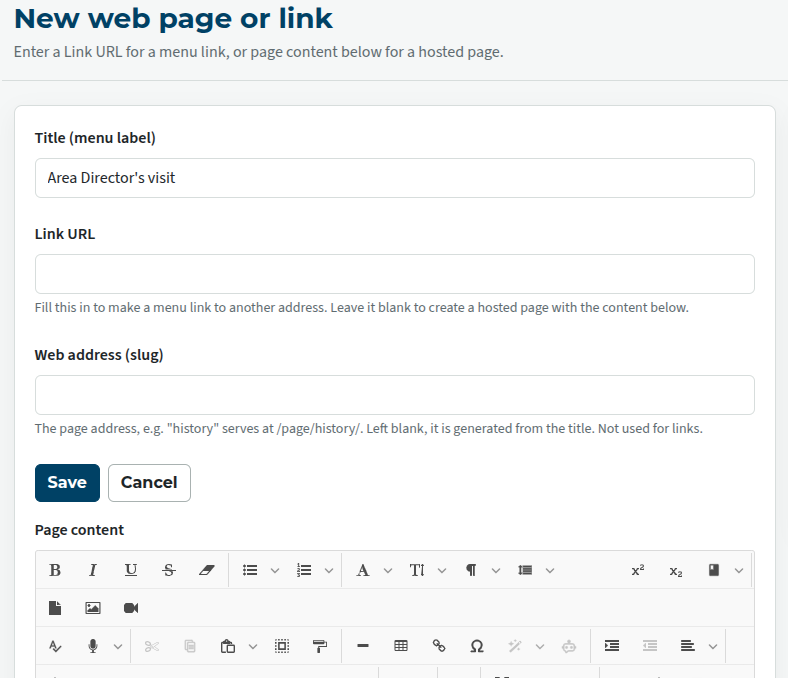
Your page needs to have a title and a link of some kind, either to a page on your site, or to another site.
If the page title is just two or three words (such as "Contest highlights") you can leave it to the system to create a link (on your site) for you. Otherwise, you may prefer to choose a link manually and enter it into the box.
Creating a link
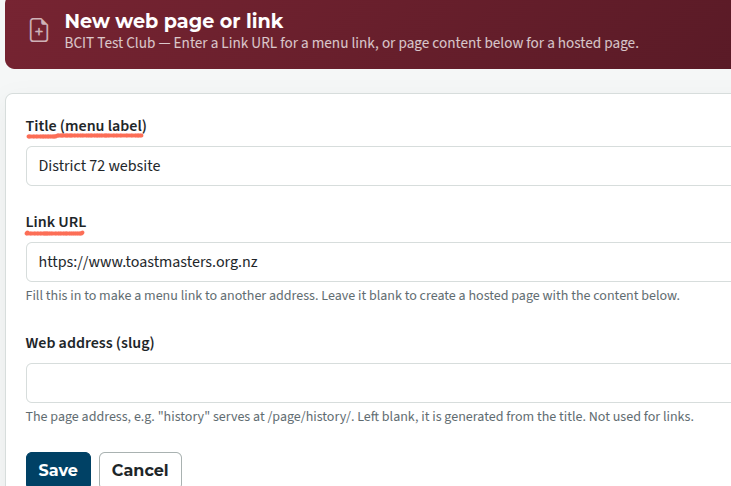
If you are linking to another page on another site, put text ONLY in the first two fields (underlined).
Page background information
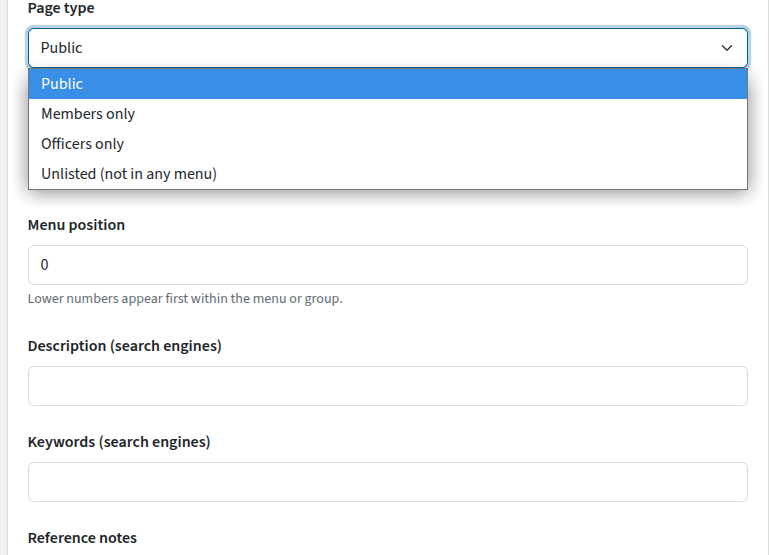
There is another set of page background details below the editing box. The most important one of these is the type of page: Public, Members only, Officers only or Unlisted. The other details can be added later but still matter; don't forget about them.
These details also apply to links.
Now you can continue with content editing, which is the same for new and existing pages (see following).
Editing a page
Use the editor to make the changes that you want, and save.
The editor is similar to many that are used online. If you want to practise using it without the risk of damaging your club website, you can go to https://xdsoft.net/jodit/ and play with the live demo on that page. (Note: "Playground" is for techies wanting to integrate the editor into their sites, and probably not what you are looking for.)
Adding images
Click on the Image icon.
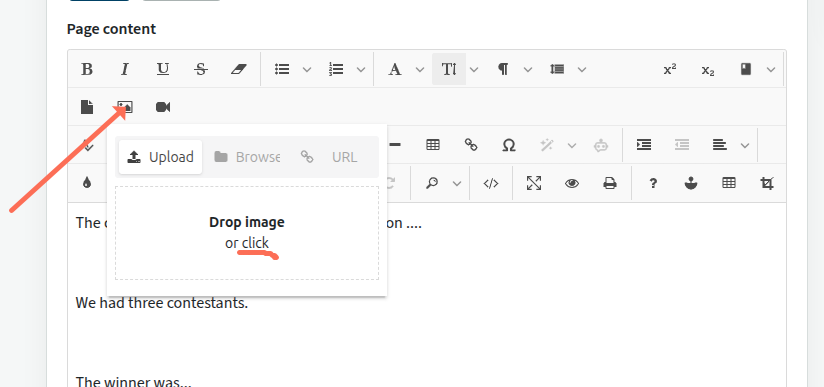
You can now either drag and drop an image onto the grey area, or just click on the grey area and you'll get a dialogue to allow you to upload a file from your computer.
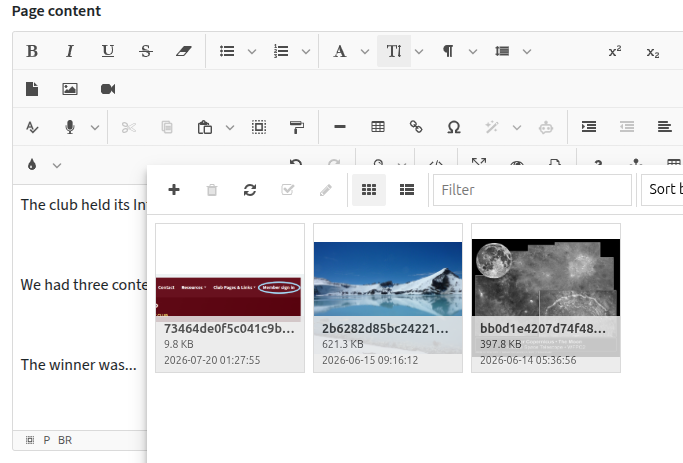
You can choose from images that have already been uploaded by clicking on the list tab. In addition, you can select from a number of stock images from Toastmasters International.
Once the image has been inserted, you can click on it to access additional controls.
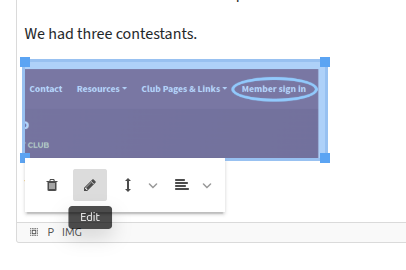
The pencil icon allows you to resize an image to suit your page. Using a percentage (rather than pixel sizes) works best on small screens.
You can use the other controls to get text to flow around your image if you wish.

Latest Forum Posts
-
- header in an Agenda
- In Public Forums / FTH4 Support
- Just now
-
- Live timer sheet
- In Public Forums / FTH4 Support
- 13 minutes ago
-
- FTH Emails Not Going Through
- In Public Forums / FTH4 Support
- 16 minutes ago
-
- Not able to open club web site
- In Public Forums / FTH4 Support
- 22 minutes ago
-
- Members's input attending is not saved in Attendan...
- In Public Forums / FTH4 Support
- 25 minutes ago