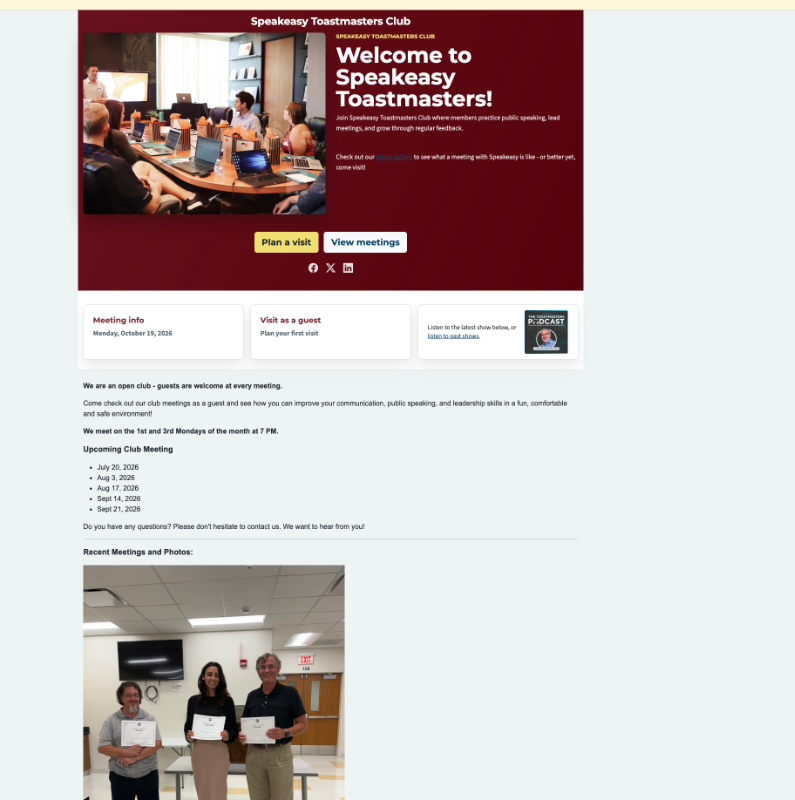
With the merge the UI seems to have combined in a way that we cannot manage or edit certain content. The pictures from the old website show on our new website homepage that is hosted by FTH. However, in our FTH website editor, I cannot 'see' these. I cannot edit them or remove them or access them in anyway. I'd like to remove them and have our photos only on our new photo gallery page so all photos are in one spot to keep the experience clean and professional. We are Club 2325.
Pleae advise if there is another way I can remove these images from our old website from our new homepage. If not, please feel free to do this on the backend.
Thank you
Old Website UI Issue with Merge to FTH. Cannot edit all the content on Homepage
4 replies · 282 views
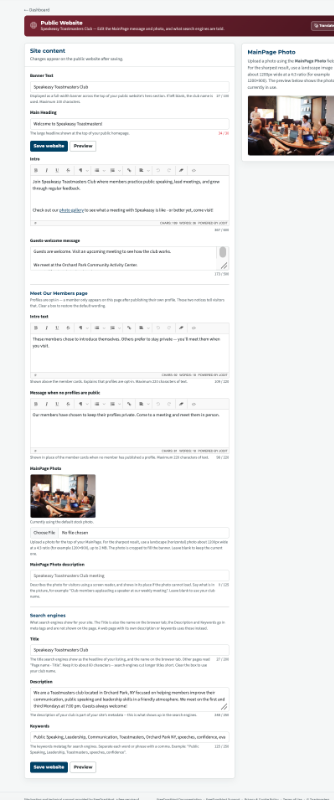
You can edit this section by choosing Edit MainPage.
Last edited 20 Oct 2026, 5:31 p.m. by Joe Gavin
Thank you for the response, but this is not the case. Please view the screenshots I attached in the original post that shows the images on the homepage and the Main Page editor functionality. We do not have any functionality to view, interact with, or modify those pictures.
Ref: image below
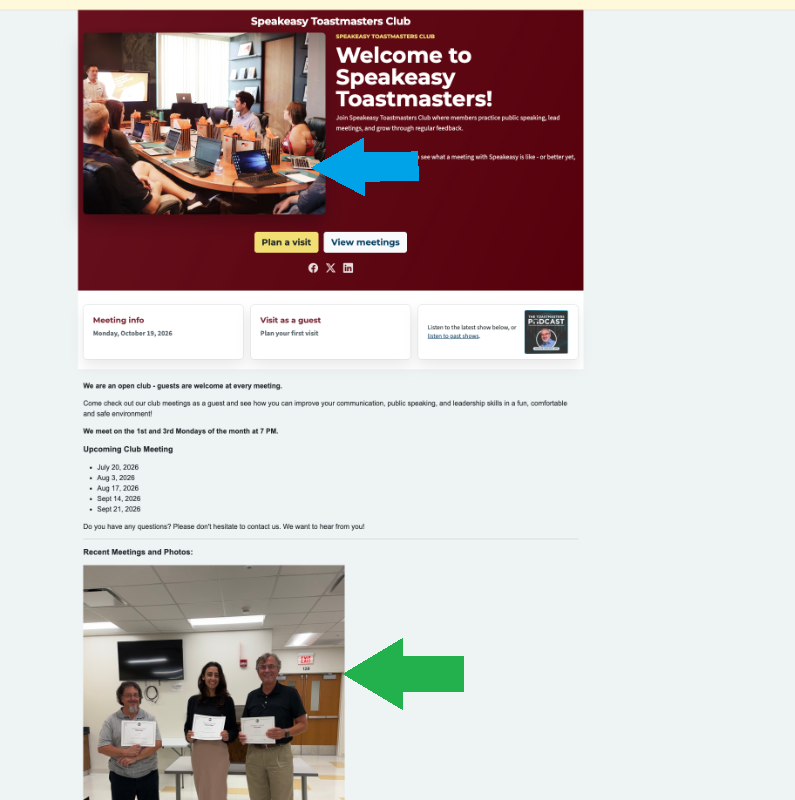
The blue arrow is in the 'Hero' section (area with the maroon background). This picture (and other elements) can be changed in the admin module on this page: Public Website > Manage Website. (the other image you attached).
This section can only be edited by the Club Admin. (Peter R.) See this document:
https://support.toastmastersclubs.org/doc/fth4/default-pages
Green arrow is the Main Page that Joe referenced. In the admin module see: MainPage > Edit MainPage.
This page can be edited similar to any custom page. See this document:
https://support.toastmastersclubs.org/doc/fth4/creating-and-editing-website-pages
This section can be edited by the Club Admin or any officer with Access to Edit the MainPage.
Club 2325 does not have any officers assigned to edit the MainPage or custom pages. Once the Club Admin assigns access to these modules to the VPPR, you will be able to edit them.
The blue arrow is in the 'Hero' section (area with the maroon background). This picture (and other elements) can be changed in the admin module on this page: Public Website > Manage Website. (the other image you attached).
This section can only be edited by the Club Admin. (Peter R.) See this document:
https://support.toastmastersclubs.org/doc/fth4/default-pages
Green arrow is the Main Page that Joe referenced. In the admin module see: MainPage > Edit MainPage.
This page can be edited similar to any custom page. See this document:
https://support.toastmastersclubs.org/doc/fth4/creating-and-editing-website-pages
This section can be edited by the Club Admin or any officer with Access to Edit the MainPage.
Club 2325 does not have any officers assigned to edit the MainPage or custom pages. Once the Club Admin assigns access to these modules to the VPPR, you will be able to edit them.
Last edited 21 Oct 2026, 11:04 a.m. by Richard Taylor
Richard Taylor
TM Club #7045
TM Club #7045
Peter Ralyea is your ClubAdmin you need to talk to him to either give you access or make the changes you want.
If he is not available any more please have the new ClubAdmin follow these instructions.
https://www.toastmastersclubs.org/welcome/change-admin/
If he is not available any more please have the new ClubAdmin follow these instructions.
https://www.toastmastersclubs.org/welcome/change-admin/
Thank you,
Brian McDonald DTM
Silver and Wiser Online Toastmasters Club #777940
Technical Support Consultant and Developer for FreeToastHost
Brian McDonald DTM
Silver and Wiser Online Toastmasters Club #777940
Technical Support Consultant and Developer for FreeToastHost
Log in to reply.