


- Details
- Category: FTH4
-
By Jane Atkinson
- Hits: 922
Website default pages
A FTH 4 website has three default pages that don't have to be created but can be edited.
These are the Main page, the About page and Info-Directions[link] page.
The Meet our Members page can't be edited, but the explanatory note attached to it is editable.
The default content is managed directly from the admin dashboard. (Custom content has a separate area.)
The site's main page
This is what visitors are likely to see when they first visit your site.
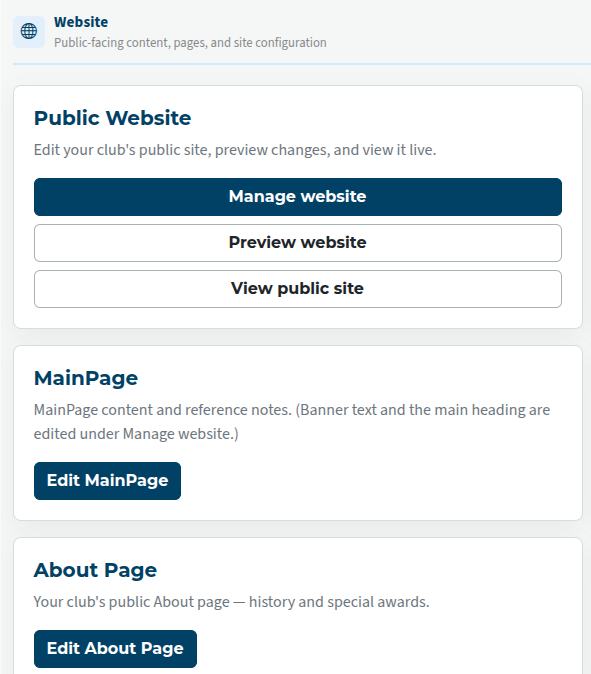
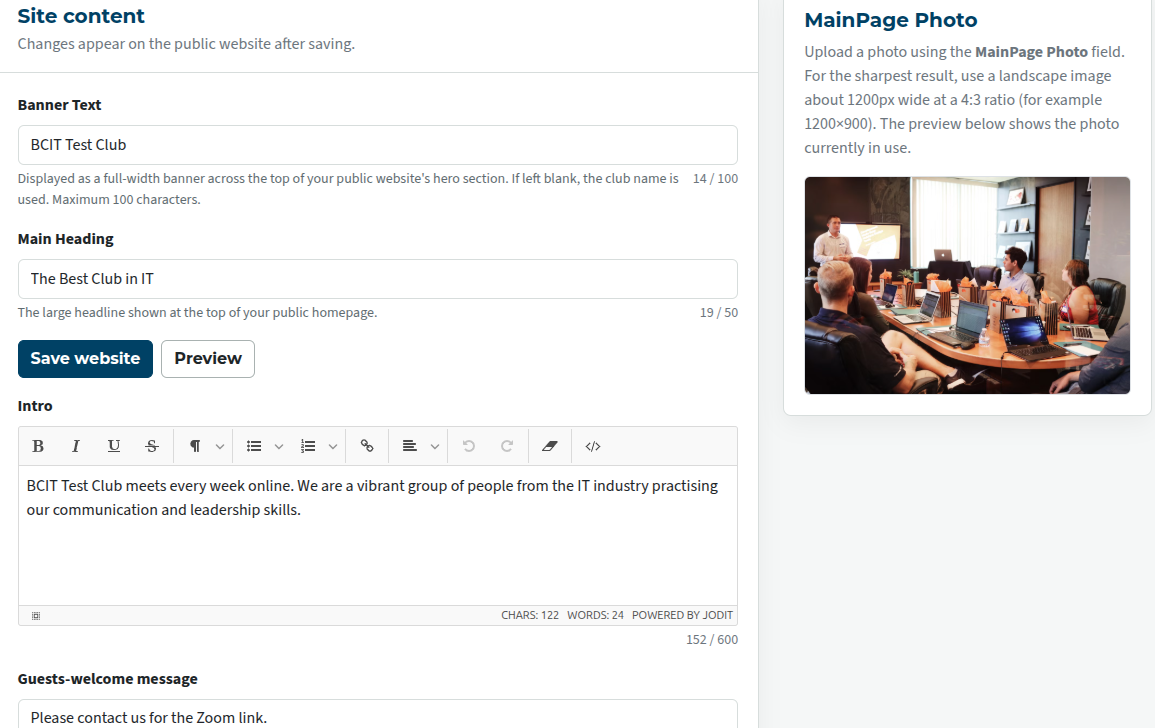
The main page is actually broken up into two admin areas. Use the "Public website → Manage Website" button for the upper part of the main page, and the "MainPage" button for an additional editable area a little further down the page.
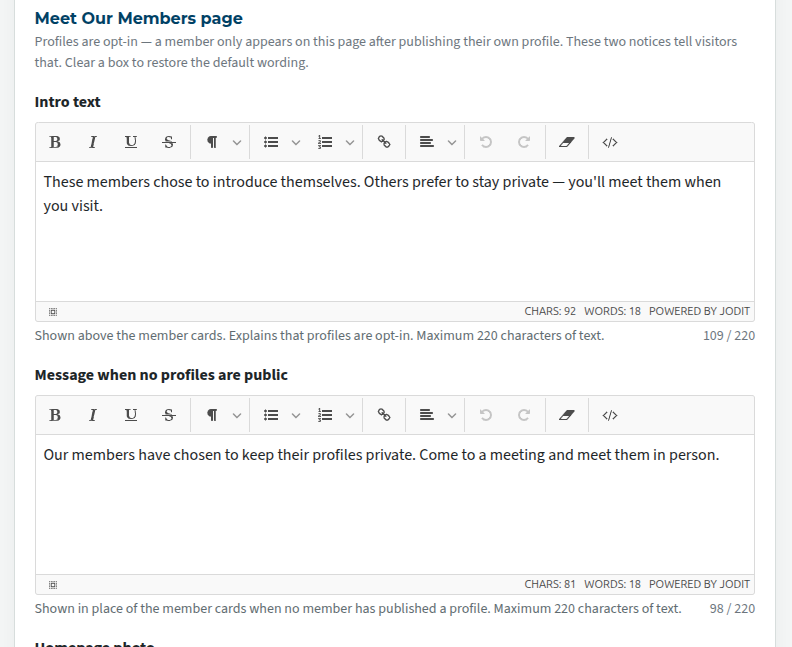
As mentioned elsewhere, the Meet our Members page can't be edited directly by officers or the admin, but there is a small block of introductory text which can be changed to suit your club. You can do this here.
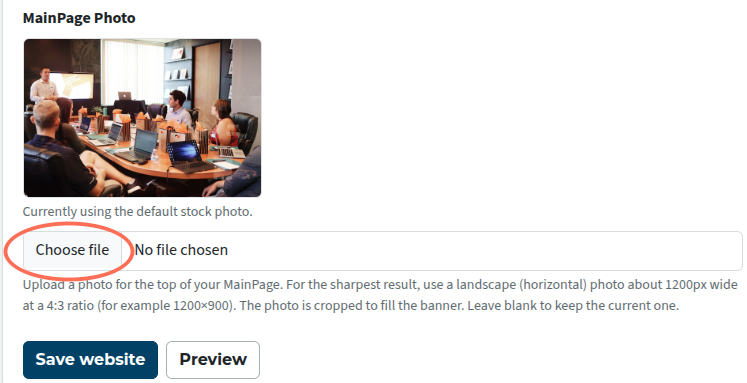
You can use the default photo if you wish, but more likely, you'll want to replace it with one of your own. Please note the technical information about the best kind of photo for the purpose. It will make a difference.
Click on the Choose file button to upload a photo from your computer.
MainPage
This is a separate area for adding text that won't fit in the Manage Website area.
It contains an editor window and a reference notes box. There are no other settings.
The About page
This page is intended to be used to describe your club (history, special awards, milestones) and not be updated very frequently.
For this reason, it remains an admin-only area.
Rather like the "MainPage" area, it has a single edit box plus an area for notes.

Latest Forum Posts
-
- Agenda - Linking of roles when assigning a member
- In Public Forums / FTH4 Support
- 48 minutes ago
-
- Update a member's email address
- In Public Forums / FTH4 Support
- 1 hour 29 minutes ago
-
- Manage Agenda needs delete button on the page
- In Public Forums / FTH4 Support
- 4 hours 31 minutes ago
-
- Agenda email: default Reply-To goes to personal em...
- In Public Forums / FTH4 Suggestions and Improvements
- 8 hours 3 minutes ago