




If you do, make sure to use the recurring role function. That is, ensure that the role name is preceded and followed by asterisks.
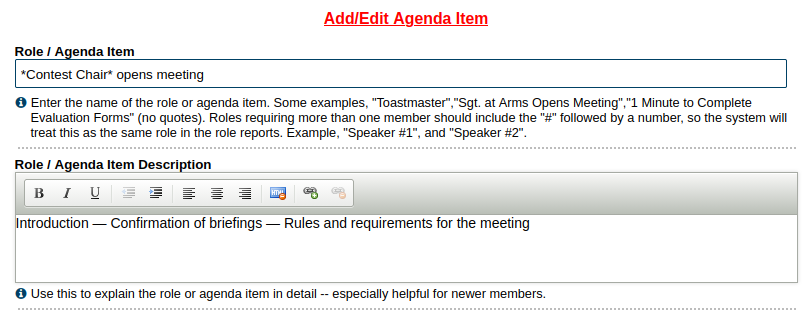
Otherwise, make sure that the "sign up" facility isn't selected.
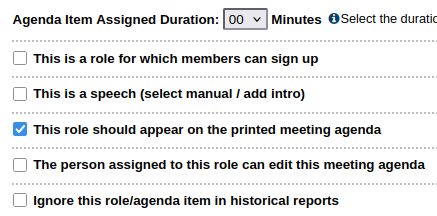
In addition:
- Don't select "This is a speech." Introductions and Pathways projects don't apply to contest agendas.
- Do you want items to be counted for the role reports? Consider this when setting them up. Some, like speeches, you may wish to; others you might prefer not to have recorded. Use the "don't include role in historical reports" item (last box on the list) to do this.
For roles involving Toastmasters from outside your club, make use of the Guest "member" (or even leave the role unassigned) and add the person's name in the role description.

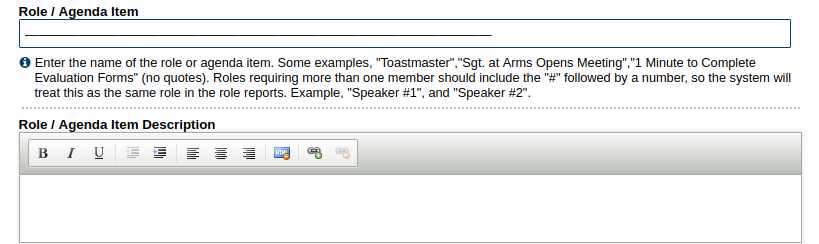
You might want to include a horizontal line to separate major sections. The line can be created with a series of em-dashes (—) (unicode character 2014, for the geeks among us). Try 30 of them and adjust as necessary.
Make sure that you aren't publicising anything that should stay confidential (e.g. voting judges' names).
Of course, at club level, the appearance of people from outside of your club is often a give-away. But there's something to be said for keeping to the rules anyway, and getting members used to what happens at higher-level contests.
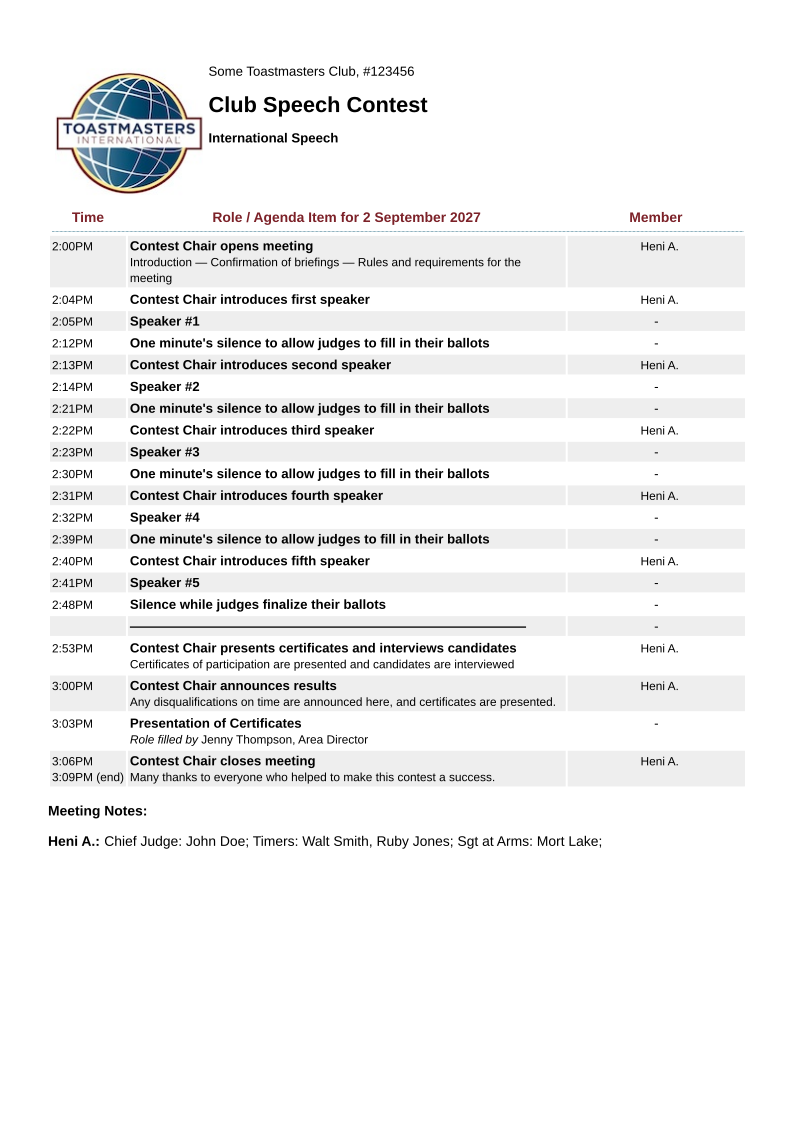
Shown below is an example of a contest agenda.
You can save your completed agenda as a template, for future use.