


- Details
- Category: FTH4
-
By Jane Atkinson
- Hits: 1036
Adding members
There are two ways of adding members to the website.
Mostly, you will probably add individual members, one at a time.
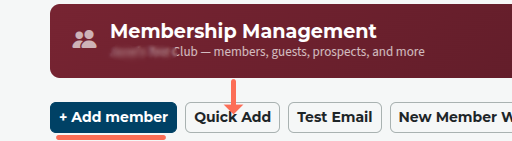
Click on the "Add Member" button (underlined).
Fill in the first name, last name and email address, and save.
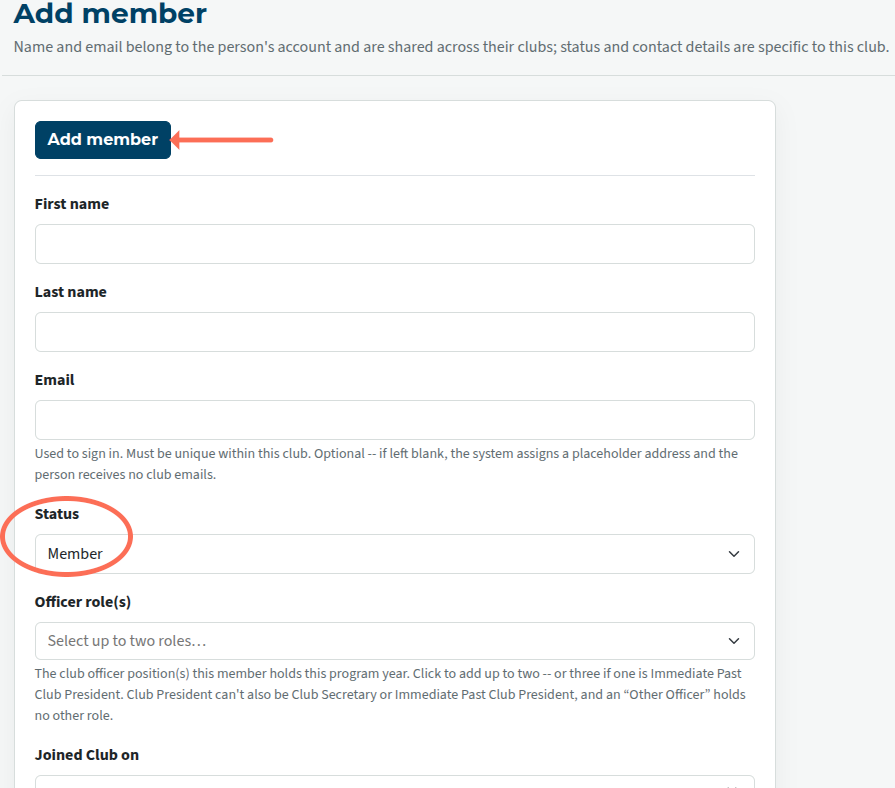
Make sure that you are adding names to the correct list (circled above), especially if you are adding guests' names or other non-members.
Quick Add feature
If you have a number of members to sign up at once, then use the Quick Add feature.
Click on the Quick Add button (arrowed in the top image).
In the list box, enter the name, email address and phone number (if used). Then save.
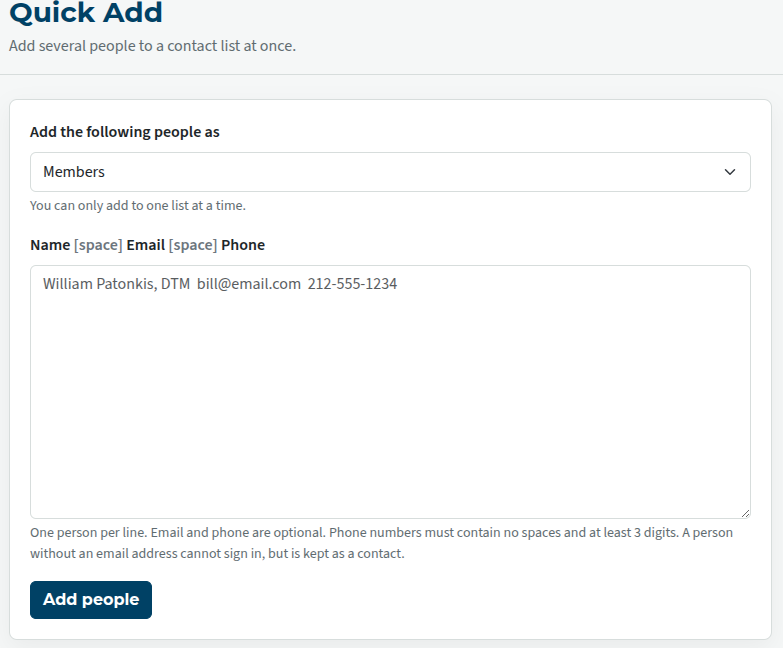
If you already have a list somewhere else (on a spreadsheet, perhaps) you can copy and paste the details from there. Make sure that there are no stray spaces or tabs that may upset the processing of the details.
You can also add people to other tabs: guests, friends, prospects etc
Just make sure that you're working on the right tab. Otherwise, it's the same.
New member approval
To comply with privacy requirements, a new member has to accept their addition to the site. They will be sent an email with a "click to accept" link in it. Once they've clicked on this, the line through their details will be removed and they'll be able to access the site.
It's a good idea to tell them to expect to receive this, in case it ends up in their spam folder.
If a new member's details don't include an email address, the opt-in email goes to the club admin.
Note: In either case, if a member doesn't opt in within 30 days of an opt-in email being sent, their details will be deleted from the site.

Latest Forum Posts
-
- Level 4 - Create a Podcast sets incorrect timing o...
- In Public Forums / FTH4 Support
- 31 minutes ago
-
- Unable to Edit Main Heading
- In Public Forums / FTH4 Support
- 33 minutes ago
-
- "Order" column on Agenda Templates tab.
- In Public Forums / FTH4 Suggestions and Improvements
- 42 minutes ago
-
- GoAccess
- In Public Forums / FTH4 Support
- 46 minutes ago