


- Details
- Category: FTH4
-
By Jane Atkinson
- Hits: 252
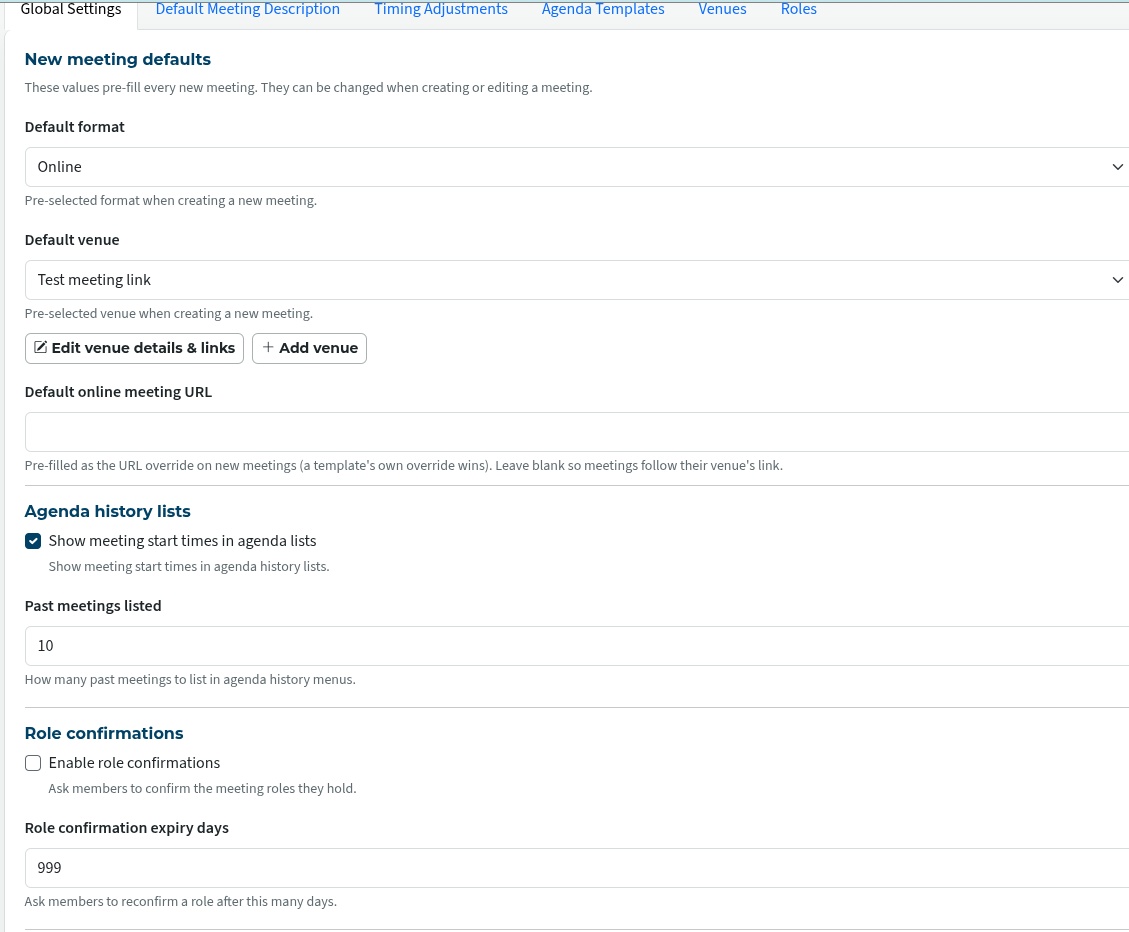
Agenda global settings
Attend to these before creating the first agenda, or you may find you are sending lots of emails and making yourself unpopular.
These settings are found under "Manage Agenda Templates" in the admin console. Most of them are self-explanatory.
Many of them can be overridden in the actual templates and dated agendas.
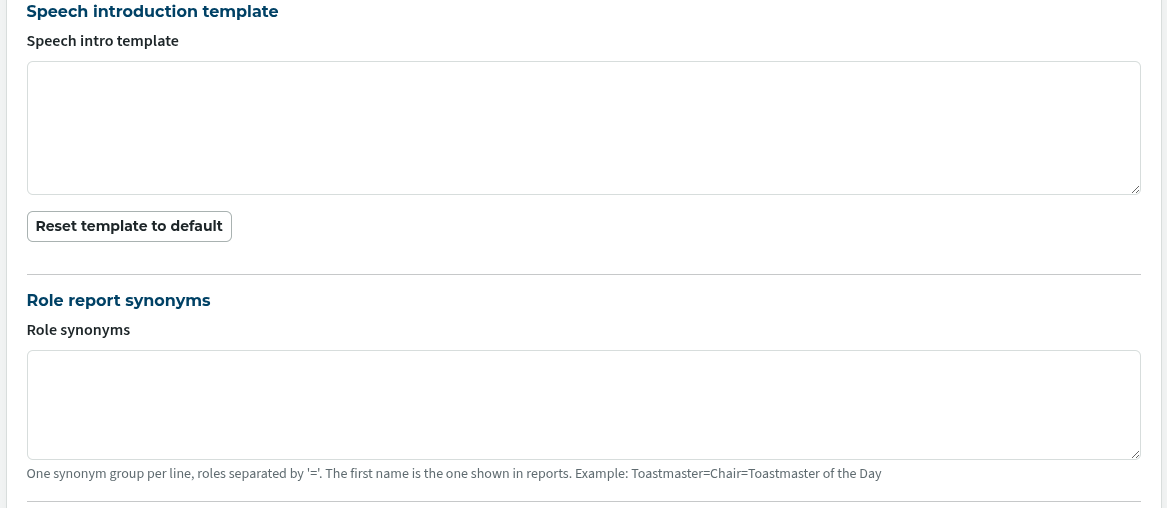
The Role Synonyms field allows variations of a role name to be grouped together for reporting purposes. e.g. Toastmaster, Contest Chair, Toastmaster of the meeting
Use the format "Toastmaster=Contest Chair=Toastmaster of the meeting", and keep each group on a separate line.
The first item in the group is the one that appears in the reports ("Toastmaster" in this case).
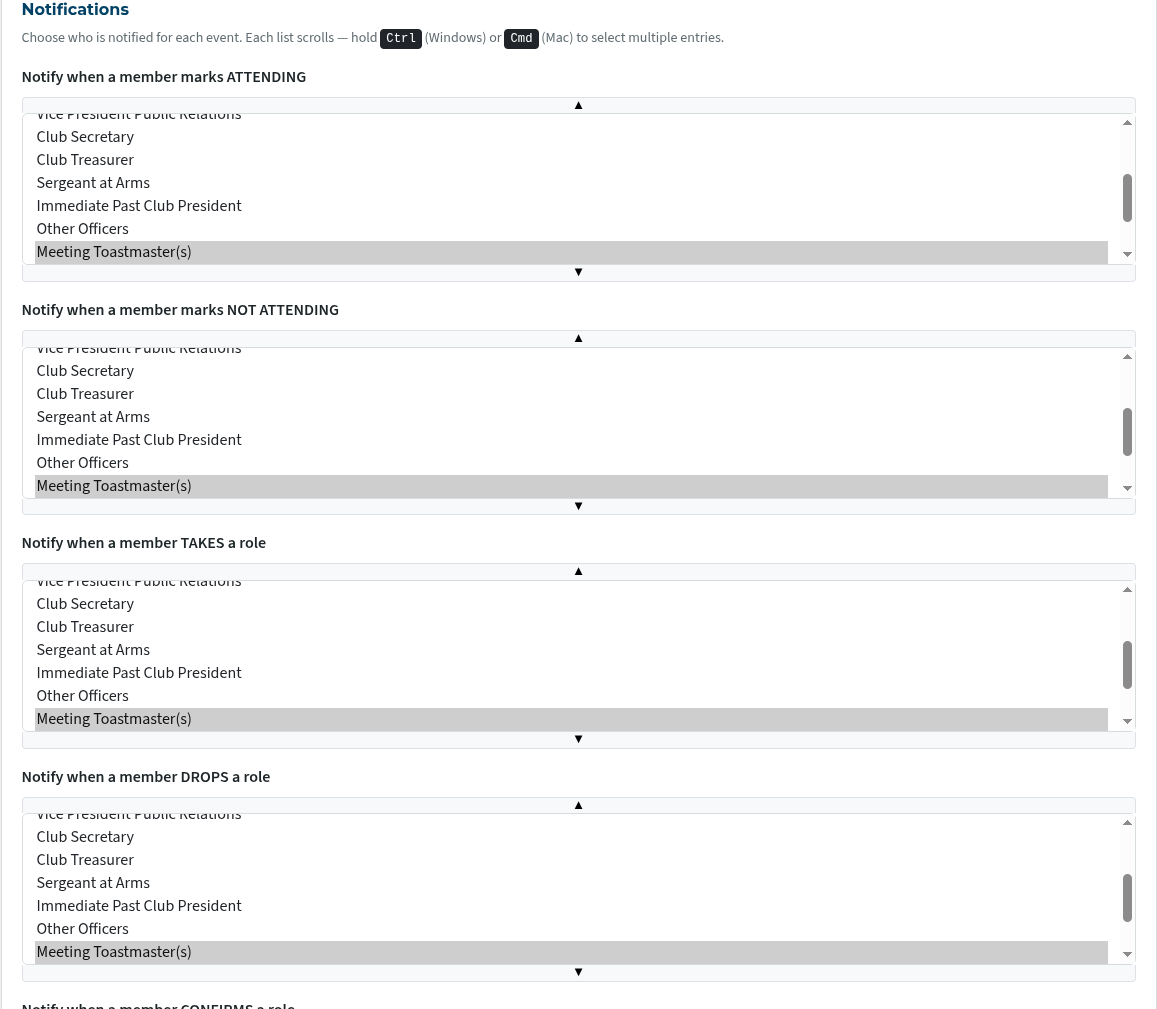
Notifications
This is the area that requires attention so that your site isn't sending too many emails.
Not all of the notifications are shown in the image below.
Use ctrl (Windows and Linux) or cmd (Mac) to make multiple selections.
Notify horizon meetings (image below) indicates how many meetings in advance are affected.
If "3" is selected, as in the image, any change to the next three agendas will be notified. But if there are more than three future agendas and someone makes a change to the fourth or later agenda, it won't be notified.
You can change this to suit your club.
The notifications mentioned so far are of members themselves taking action regarding an agenda.
It is also possible to have notifications sent when an admin or officer adds or removes someone to/from an agenda.
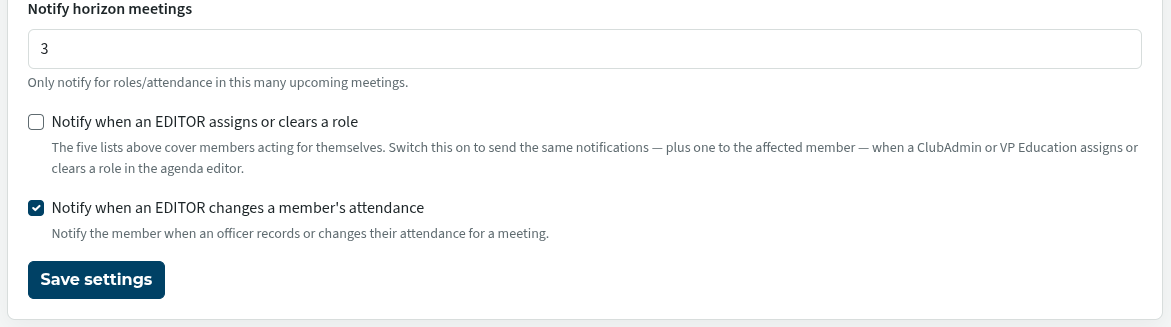
New sites will have these turned off. The settings on sites upgraded from FTH 3 will vary, depending on how it was set in FTH 3.
It is probably a good idea to turn these settings OFF (if they are checked) while you are learning the new system, even if you intend to enable them later. That saves unnecessary emails from being sent.

Latest Forum Posts
-
- Level 4 - Create a Podcast sets incorrect timing o...
- In Public Forums / FTH4 Support
- 34 minutes ago
-
- Unable to Edit Main Heading
- In Public Forums / FTH4 Support
- 35 minutes ago
-
- "Order" column on Agenda Templates tab.
- In Public Forums / FTH4 Suggestions and Improvements
- 45 minutes ago
-
- GoAccess
- In Public Forums / FTH4 Support
- 48 minutes ago