


- Details
- Category: FTH4
-
By Jane Atkinson
- Hits: 152
Assigning mentors
Click on the Assign Mentors button.
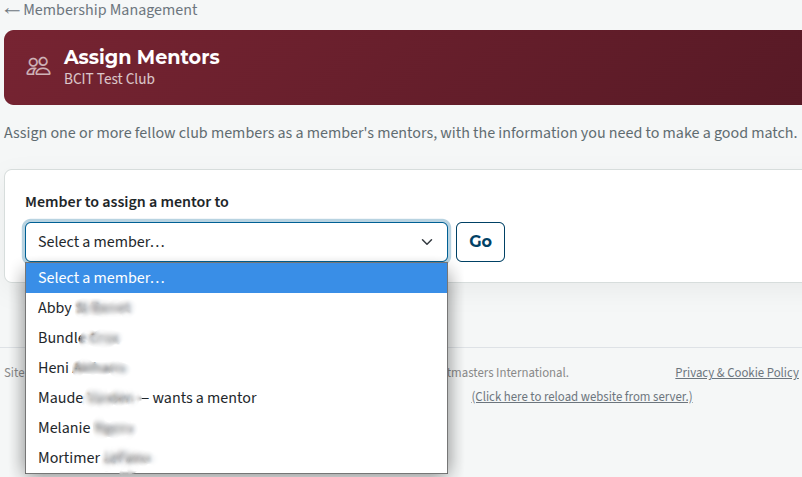
You see a drop-down field from which you select the member whom you wish to be mentored.
You then see a screen like the following.
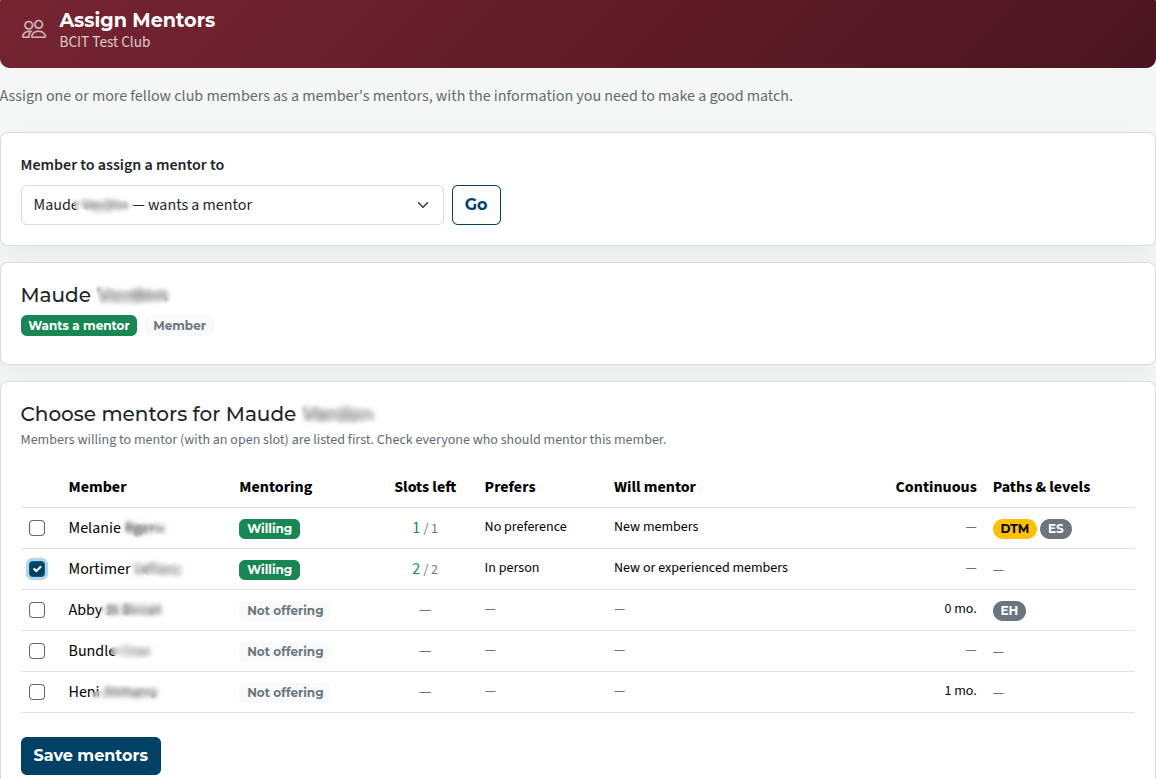
The listing shows all members, and the ones offering to be mentors are indicated.
Make choice(s) and save.
When you have saved, the wording will change to indicate that the mentor has been assigned.
Encourage new members to download and fill in the New Member profile form, and to indicate if they would like to be assigned a mentor.
Encourage more experienced members to consider mentoring others and to fill in the mentoring section of their profiles.

Latest Forum Posts
-
- Level 4 - Create a Podcast sets incorrect timing o...
- In Public Forums / FTH4 Support
- 32 minutes ago
-
- Unable to Edit Main Heading
- In Public Forums / FTH4 Support
- 34 minutes ago
-
- "Order" column on Agenda Templates tab.
- In Public Forums / FTH4 Suggestions and Improvements
- 43 minutes ago
-
- GoAccess
- In Public Forums / FTH4 Support
- 47 minutes ago