


- Details
- Category: FTH4
-
By Jane Atkinson
- Hits: 180
Custom groups
FreeToastHost allows you to send emails to groups of people.
These are shown and managed in Membership Management → Groups.
The built-in groups panel shows the groups that are active in the website. You can't edit these but you can use the "email" button to contact them.
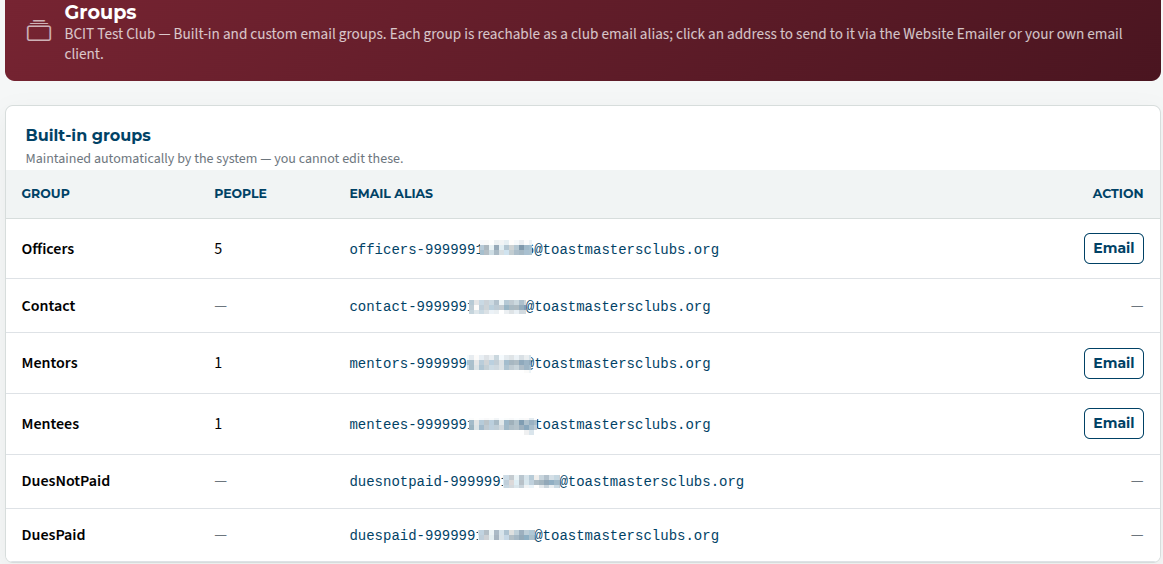
Custom groups can be useful for special events. They can created from members of one group of people only.
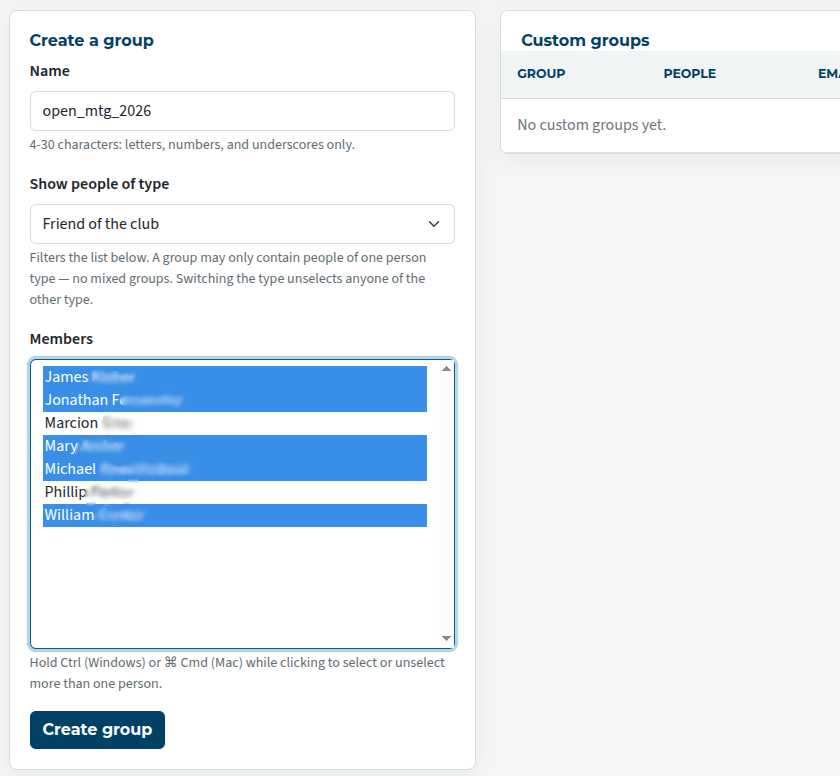
Enter the name of the group, choose the type of people for the group, and choose their names from the list. To make multiple selections, hold down the Ctrl key (Windows and Linux) or the Cmd key (Mac).
Once the group is created, it will show up in the list of Custom Groups.
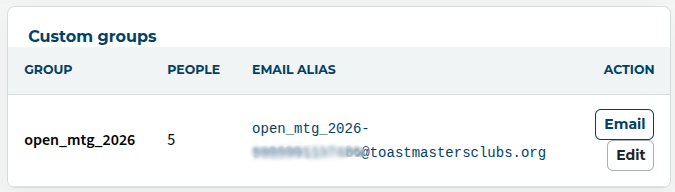
You can either email it from the list, or you can use the email alias in your email client. (You can copy it into your address book if you wish.)
Groups with only one member (who is a club member) can receive emails from the public. The "Make one-member custom groups publicly accessible" in Email and Contact Forms →Email Settings needs to be checked, otherwise only members can send to it.
Groups of this kind can be useful as additional officer email addresses, or as contact points for events such as Speechcraft courses.

Latest Forum Posts
-
- Level 4 - Create a Podcast sets incorrect timing o...
- In Public Forums / FTH4 Support
- 31 minutes ago
-
- Unable to Edit Main Heading
- In Public Forums / FTH4 Support
- 33 minutes ago
-
- "Order" column on Agenda Templates tab.
- In Public Forums / FTH4 Suggestions and Improvements
- 42 minutes ago
-
- GoAccess
- In Public Forums / FTH4 Support
- 46 minutes ago