


- Details
- Category: FTH4
-
By Jane Atkinson
- Hits: 176
Membership reports
Membership reports can be accessed from Manage Members → Reports
They offer useful summaries of information relating to members and guests. Nothing can be edited here; that is done elsewhere.
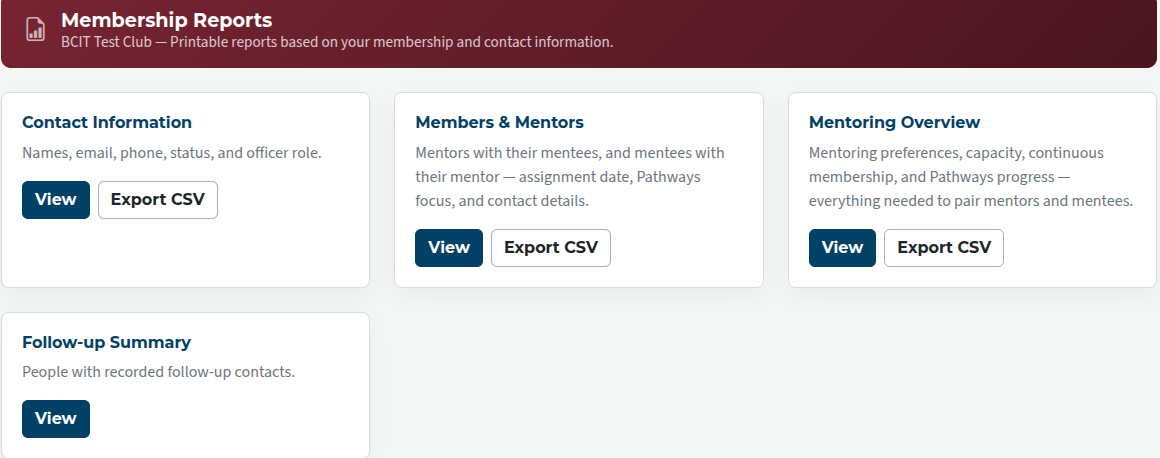
Contact information — This defaults to members, but the information for any group can be viewed or exported.
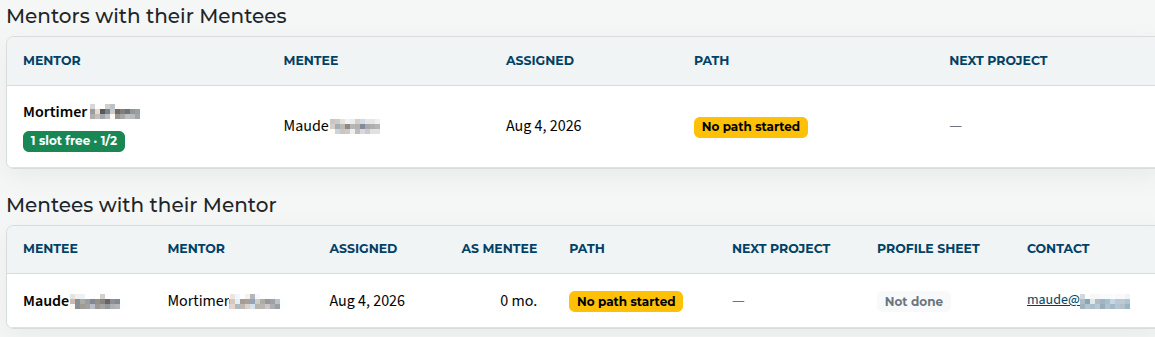
Members and Mentors — Shows members who have mentors, and, separately, members who are mentoring others.
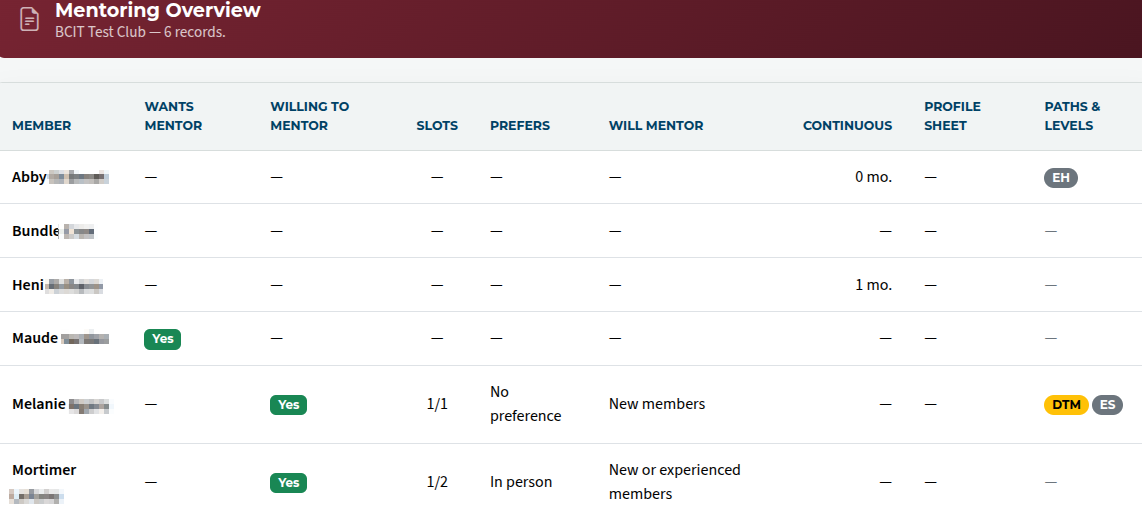
Mentoring Overview — Shows preferences and information about all club members regarding mentoring, so that the VP Ed (or other officer in charge of mentoring) can assign mentors more effectively.
Follow-up summary — Shows a summary of contacts with guests or others.
Reports can either be viewed online, or exported to CSV in most cases.

Latest Forum Posts
-
- Level 4 - Create a Podcast sets incorrect timing o...
- In Public Forums / FTH4 Support
- 33 minutes ago
-
- Unable to Edit Main Heading
- In Public Forums / FTH4 Support
- 34 minutes ago
-
- "Order" column on Agenda Templates tab.
- In Public Forums / FTH4 Suggestions and Improvements
- 44 minutes ago
-
- GoAccess
- In Public Forums / FTH4 Support
- 48 minutes ago