


- Details
- Category: FTH4
-
By Jane Atkinson
- Hits: 203
Membership settings
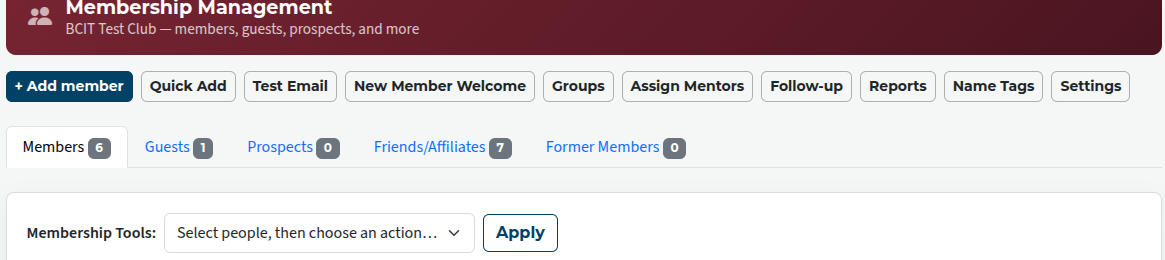
In the Membership Management area, click on the settings button.
This takes you to a screen where you can choose which officers will receive emails notifying them of membership activity.
If you want the new member to receive the new member welcome email as soon as they opt in, check the box (circled). Otherwise, the email will need to be sent manually.
The three lists below it allow you to select which officers are notified when an opt-in email is sent out, when a new member opts in, and if a new member is declined or deleted.
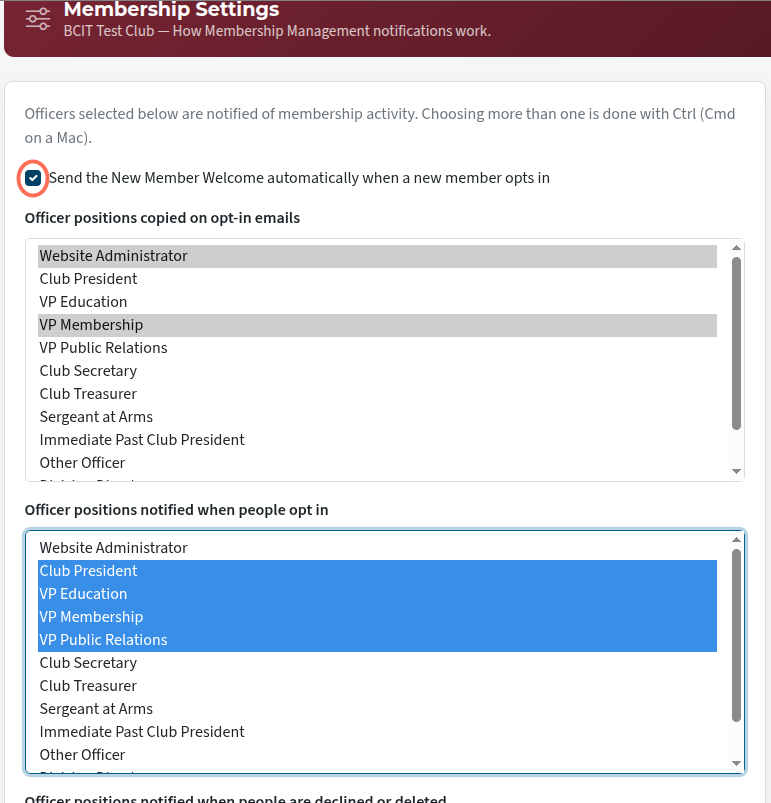
To choose more than one officer, hold down the Ctrl key (Windows or Linux) or the Cmd key (Mac) while you make your choices.
Members who do not opt in within 30 days of receiving an opt-in email will be automatically deleted from the site.

Latest Forum Posts
-
- Level 4 - Create a Podcast sets incorrect timing o...
- In Public Forums / FTH4 Support
- 33 minutes ago
-
- Unable to Edit Main Heading
- In Public Forums / FTH4 Support
- 34 minutes ago
-
- "Order" column on Agenda Templates tab.
- In Public Forums / FTH4 Suggestions and Improvements
- 44 minutes ago
-
- GoAccess
- In Public Forums / FTH4 Support
- 48 minutes ago