


- Details
- Category: FTH4
-
By Jane Atkinson
- Hits: 178
Membership tools
The Membership Tools are shortcuts to allow for quick and/or bulk action. Use the check boxes alongside the name(s) to select who should be affected.
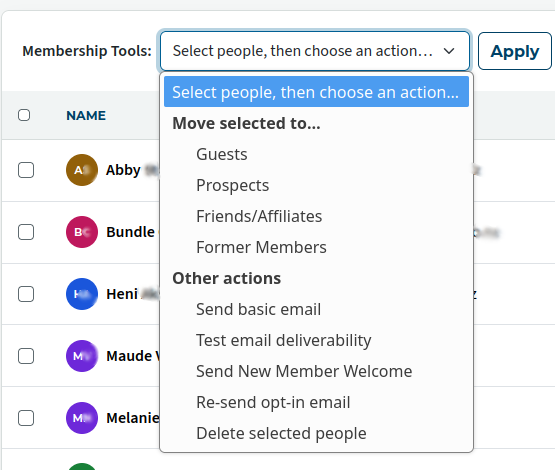
With one exception — Send basic email — the options carry out their action with no further interaction once you click on Apply.
Move selected to — Moves person from the current site-membership section to the one chosen. E.g. from Guest to Member.
Send basic email — Opens a dialogue box with the name(s) as the recipients.
Remember to sign off with your name and role, as the system won't otherwise tell the recipients who the message is from.
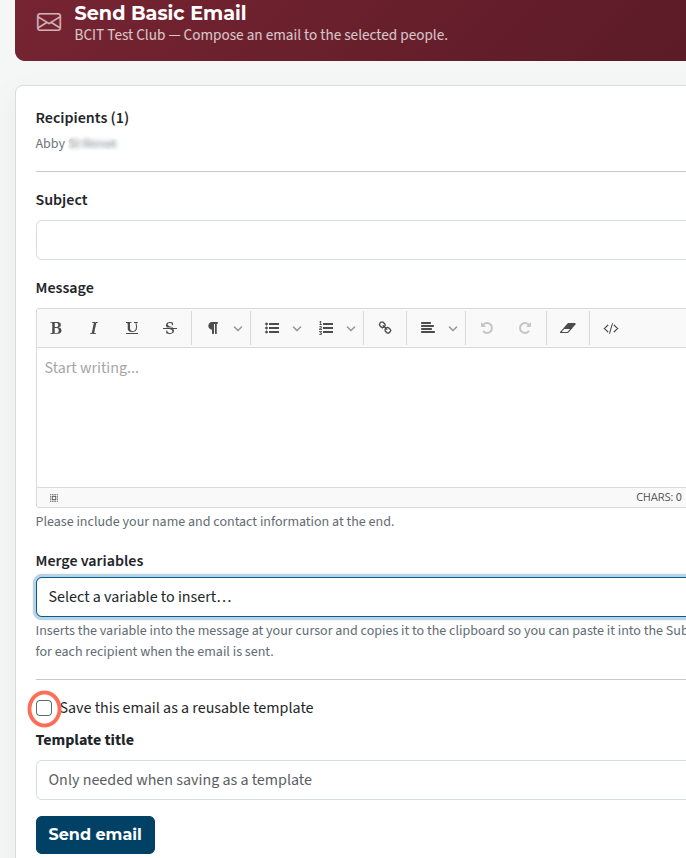
You can save the email as a template for future use if you wish. Use the "Save template" or "Update existing template" buttons at the bottom. These don't send the email; that is done separately.
Test email deliverability — This is intended to check the specific addresses selected. There is no dialogue before clicking Apply, but you'll see a dialogue box when the results appear. You can use this if you want to test additional email addresses. (See this page for detail.)
Send New Member Welcome — Sends the welcome email.
Re-send opt-in email — Re-sends the email if the person hasn't opted in to the site. If they have already opted-in, the email isn't sent and a message stating this appears.
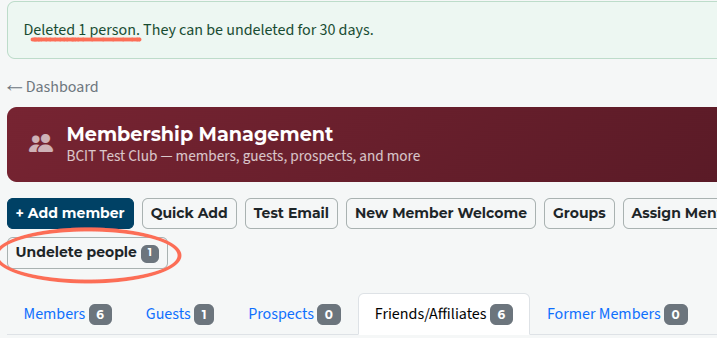
Delete selected people — No "are you sure" warning, but you are notified that they are undeletable for 30 days. An "undelete" button (circled) with the number of undeletable people appears above the membership list

Latest Forum Posts
-
- Level 4 - Create a Podcast sets incorrect timing o...
- In Public Forums / FTH4 Support
- 33 minutes ago
-
- Unable to Edit Main Heading
- In Public Forums / FTH4 Support
- 34 minutes ago
-
- "Order" column on Agenda Templates tab.
- In Public Forums / FTH4 Suggestions and Improvements
- 43 minutes ago
-
- GoAccess
- In Public Forums / FTH4 Support
- 47 minutes ago