


- Details
- Category: FTH4
-
By Jane Atkinson
- Hits: 196
Reconciling agendas
Past agendas are the basis of reports and records. These need to be accurate to be useful to the club. In addition, points and roles / speeches are not added to report cards until the agenda has been reconciled.
Reconciling an agenda involves editing the roles to reflect what actually happened at the meeting.
Make the changes in same way as you would if editing a current or future agenda, and save. Then click on Reconcile now.
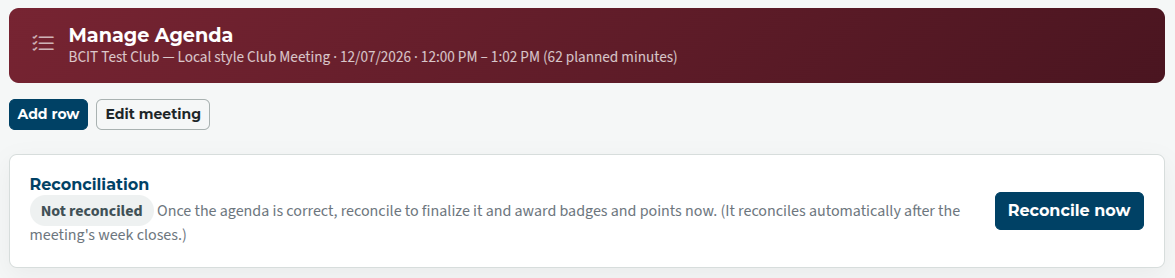
When the reconciliation is done, speeches will show as assigned to Pathways projects.

If you've made a mistake or missed something, you can un-reconcile, make the additional changes, then reconcile again. Once the reconciliation is corrected, click on Recompute badges and points to update these.
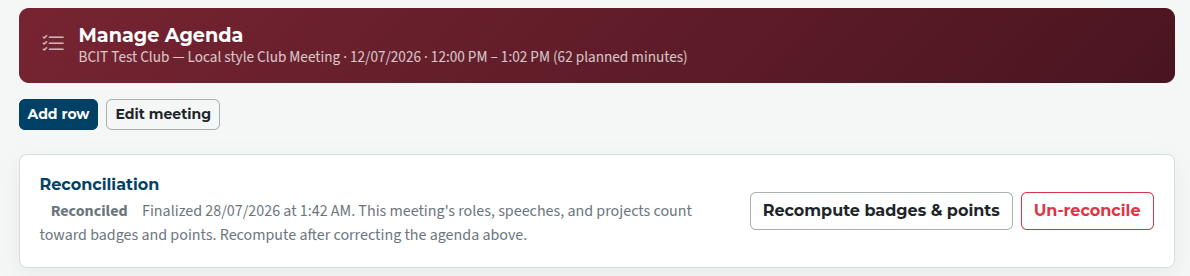
Occasionally, further adjustment might need to be made. See Pathways Report Cards, Recognition & Points
It's best to reconcile the agenda as soon as possible after a meeting, when it's easiest to remember what the changes were.

Latest Forum Posts
-
- Level 4 - Create a Podcast sets incorrect timing o...
- In Public Forums / FTH4 Support
- 34 minutes ago
-
- Unable to Edit Main Heading
- In Public Forums / FTH4 Support
- 35 minutes ago
-
- "Order" column on Agenda Templates tab.
- In Public Forums / FTH4 Suggestions and Improvements
- 45 minutes ago
-
- GoAccess
- In Public Forums / FTH4 Support
- 48 minutes ago