


- Details
- Category: FTH4
-
By Jane Atkinson
- Hits: 272
Updating club contact on Toastmasters International site
To update your club contact address and website, an officer of your club needs to:
Go to www.toastmasters.org and login to the site.
You will be taken to your home page.
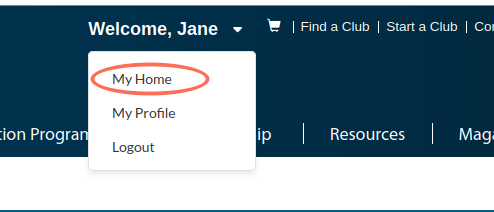
If you are already on a different part of the site, choose "My Home" from the dropdown below your name.
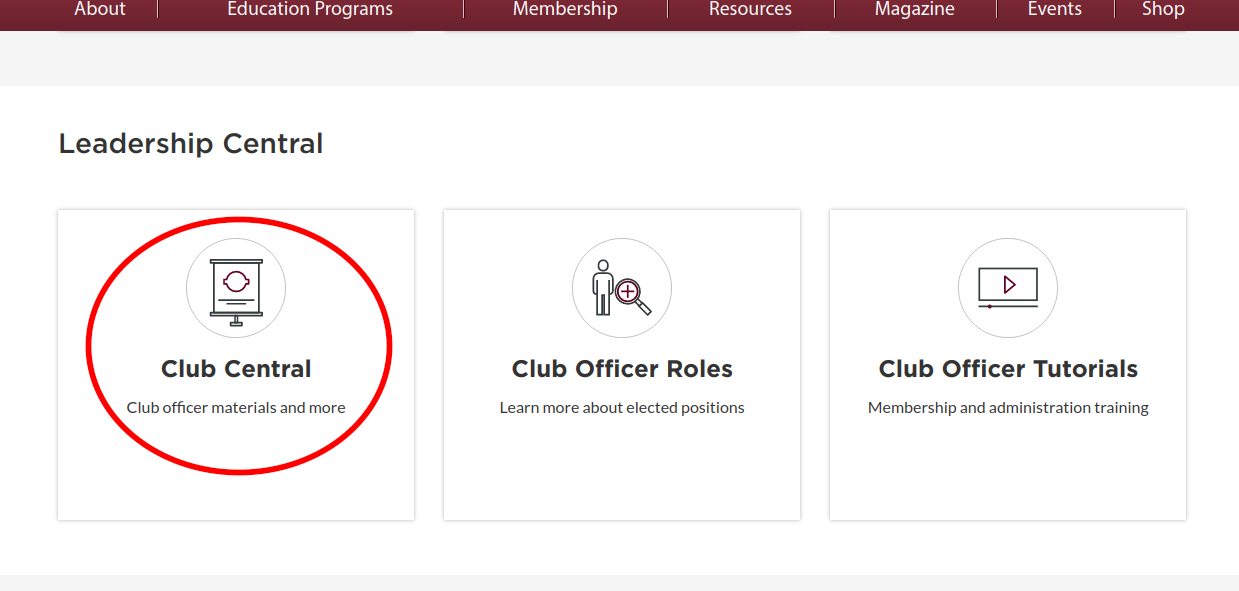
Scroll down to the Leadership Central panel and click on the Club Central button.
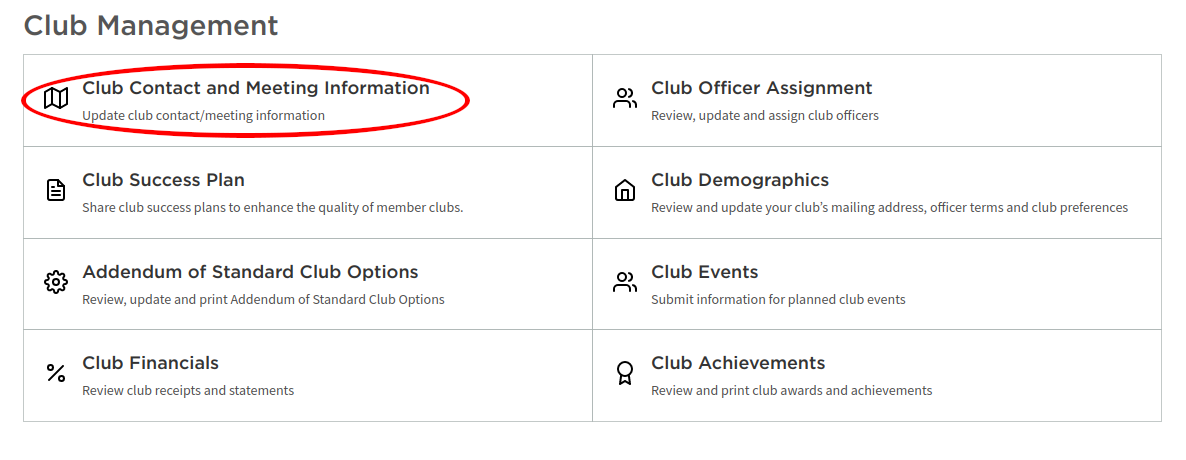
Click "Club Contact and Meeting Information" in the panel.
IMPORTANT: If you are an officer in more than one club, make sure you are editing the right one!
Change the Contact email to the new one and click Save (at the bottom of the page).
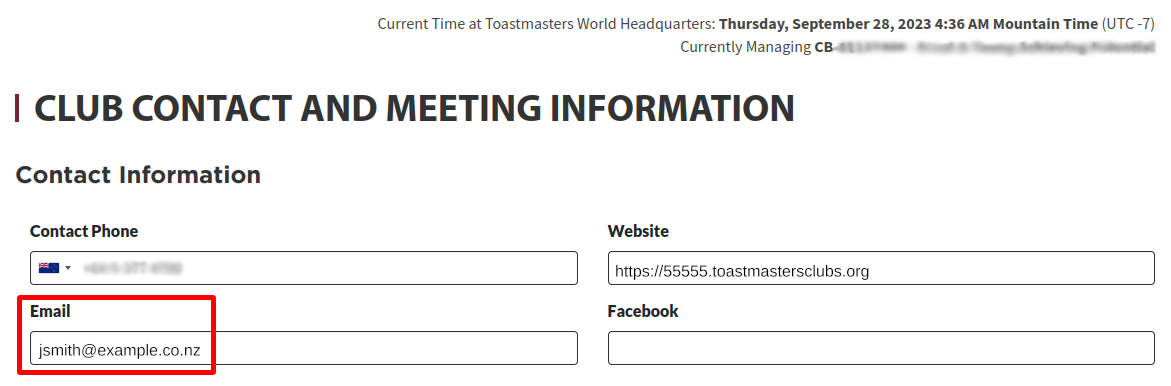
NOTE: It is a good idea to use the club number version of your website address in the Website field, as shown here. This address will always work, even if you change your site alias or domain name.
There may be a delay before the Find a Club listing on the TI website is updated with the new information.

Latest Forum Posts
-
- Old Website UI Issue with Merge to FTH. Cannot edi...
- In Public Forums / FTH4 Support
- 3 minutes ago
-
- FTH4 Making your club standout
- In Public Forums / FTH4 Suggestions and Improvements
- 2 hours 2 minutes ago
-
- VP Membership email alias not getting forwarded
- In Public Forums / FTH4 Support
- 5 hours 22 minutes ago
-
- update meeting info
- In Public Forums / FTH4 Support
- 6 hours 9 minutes ago
-
- Changing the photo on the FTH club website's homep...
- In Public Forums / FTH4 Support
- 8 hours 13 minutes ago