


- Details
- Category: FTH4
-
By Jane Atkinson
- Hits: 364
Contact forms
There are two forms for contacting the club directly from the website. The Contact form allows a member of the public to get in touch with the club, while the Mentoring form is for members only.
Guest contact form
The Guest Box details can be left as they are, or changed to suit your club if necessary.
Contact form redirects can be defined by officer role OR by member name.
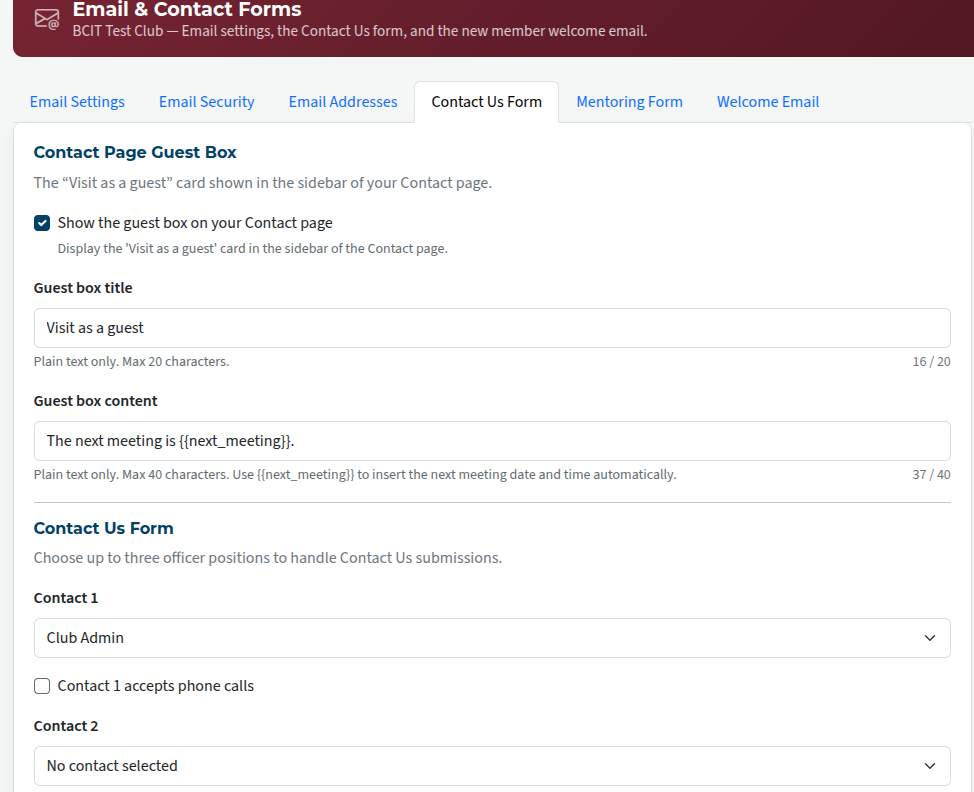
Enable/disable

Contact form greeting and closing
This setting allows you to personalise the greeting and closing to suit your club.
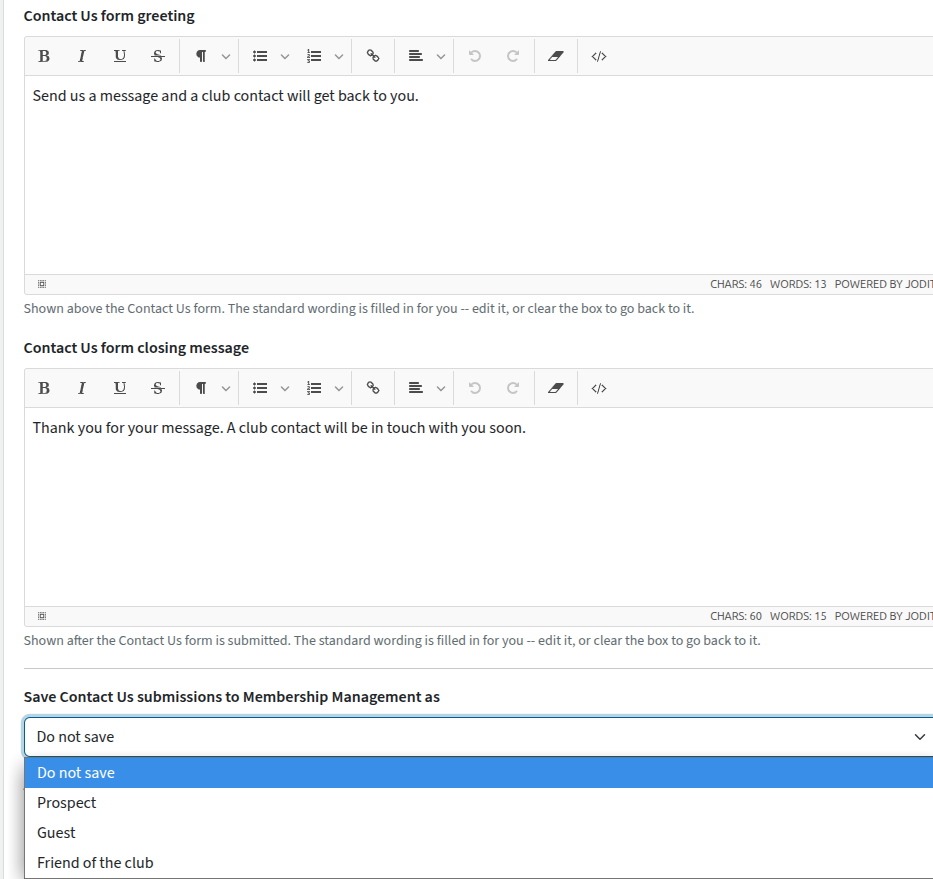
Saving information entered in the form
If you enable this setting, the system stores the person's details in a group, which saves having to add them manually later on.
If the person leaving the message has not clicked the "opt in" box on the contact form, their details won't be recorded.
Mentoring form
This setting selects the person to whom the email gets sent. This is usually the VP Ed, but may be another officer or a specific member if necessary.
Select using the drop-down list.
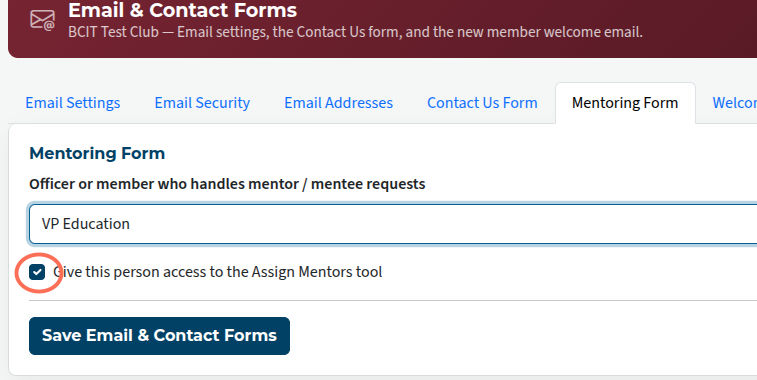
Access to Assign Mentors tools
Click on the box (circled in the image) and save if the person who is handling mentor/mentee requests doesn't otherwise have access to Membership Management.
This gives them access to the Assign Mentors tools only, not the whole Membership Management area.

Latest Forum Posts
-
- Live timer sheet
- In Public Forums / FTH4 Support
- 11 minutes ago
-
- FTH Emails Not Going Through
- In Public Forums / FTH4 Support
- 14 minutes ago
-
- Not able to open club web site
- In Public Forums / FTH4 Support
- 20 minutes ago
-
- Members's input attending is not saved in Attendan...
- In Public Forums / FTH4 Support
- 23 minutes ago
-
- Could someone please reset our FTH web site?
- In Public Forums / FTH4 Support
- 1 hour 12 minutes ago