


- Details
- Category: FTH4
-
By Jane Atkinson
- Hits: 289
Creating a meeting agenda
There are two ways to create a meeting agenda.
You can create it from a template or an existing agenda, or build it from scratch.
There are two templates supplied out of the box with every club site: a standard meeting template and a contest template. In addition, there may be other templates which have been set up for your club to use.
Creating an agenda from scratch may be more time-consuming, but may be more efficient if your agenda is going to be completely different from any previous one.
Either way, once you have your agenda, you can fine-tune the roles (if necessary) so that it's how you want it.
Creating an agenda
Go to Manage Meetings.
Click on Create Meeting.

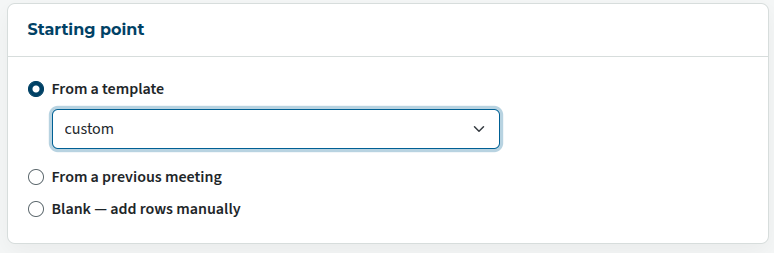
You then have three choices: a template, an existing meeting, or blank — add rows manually.
Check that the meeting details are how you want them: date, time, title and so on.
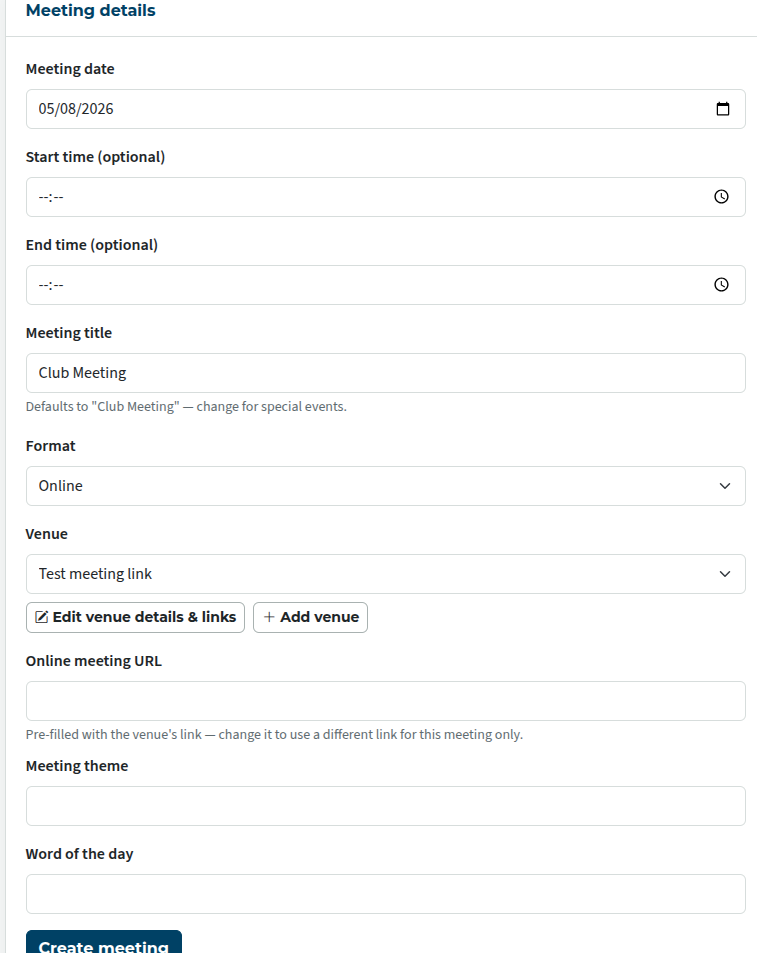
If you're not sure of any of these, you may come back and edit them later.
You can either leave the meeting description and timing adjustments as they are, or change as necessary.
See setting up templates for more detail on changing these.
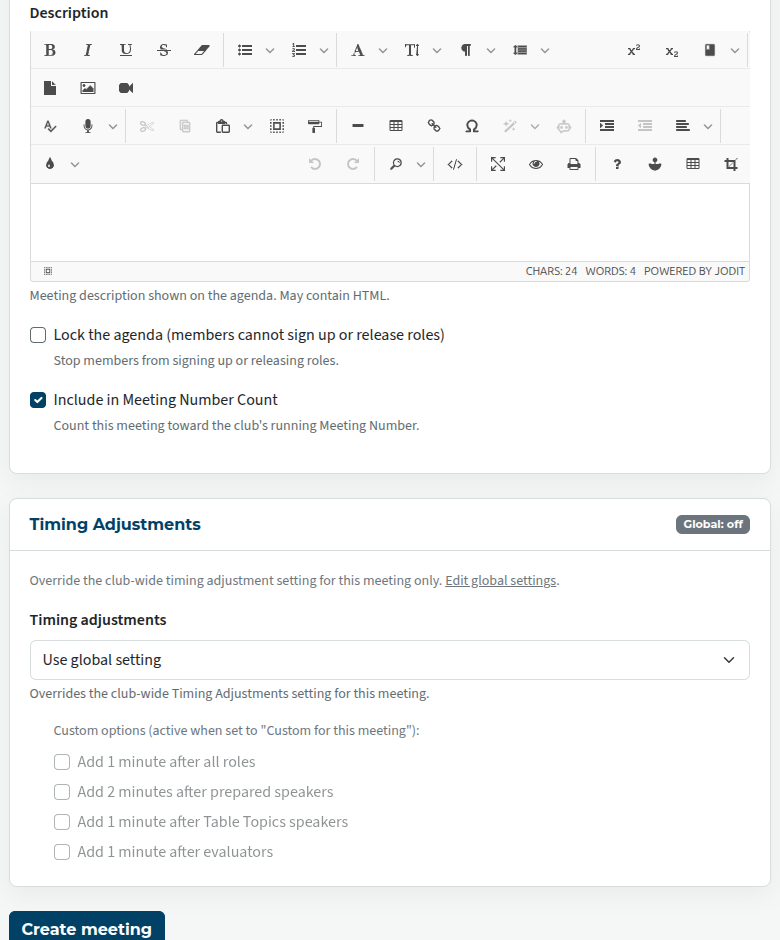
"Lock the agenda" is useful for agendas created several weeks in advance of a meeting. You may not want people to sign up that far ahead of time.
"Include in Meeting Number Count" is used by clubs who want to track how meeting they have had, so that they can, for example, celebrate the 500th or 1,000th meeting. In some cases, they might not want to include contests or Annual Business Meeting in that number.
Finally, you have the choice of generating one agenda or a series.
Be aware that generating a series can have its downside, if you later end up having to delete a large number of unwanted ones individually. There is no "bulk delete" function.
Use the "Create meeting" button for a single meeting, or "Create meetings" for a series.
Editing an agenda
To edit a meeting agenda, see Editing agendas and templates.

Latest Forum Posts
-
- Level 4 - Create a Podcast sets incorrect timing o...
- In Public Forums / FTH4 Support
- 35 minutes ago
-
- Unable to Edit Main Heading
- In Public Forums / FTH4 Support
- 36 minutes ago
-
- "Order" column on Agenda Templates tab.
- In Public Forums / FTH4 Suggestions and Improvements
- 46 minutes ago
-
- GoAccess
- In Public Forums / FTH4 Support
- 49 minutes ago