


- Details
- Category: FTH4
-
By Jane Atkinson
- Hits: 257
Creating and modifying agenda templates
Before you begin
It may be tempting to go straight to the templates tab if you are in a hurry. However, it will be quicker overall if you check first that the role definitions, default meeting description and venues have been set to suit your club.
Setting up a new template
There are two pre-loaded templates with every FTH site: a standard meeting agenda and a contest agenda. If the first one suits the way your club runs a meeting, you may use it as is. Task completed!
Most likely, you will want to make at least some adjustments.
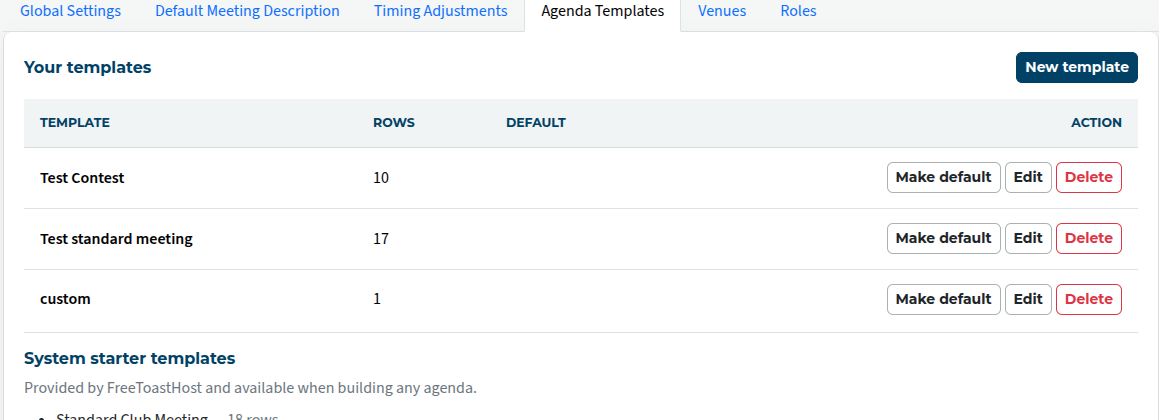
Go to Agenda Templates. Click on New Template.
You can start with an existing template, or build one from scratch. Make your choice from the drop-down menu.
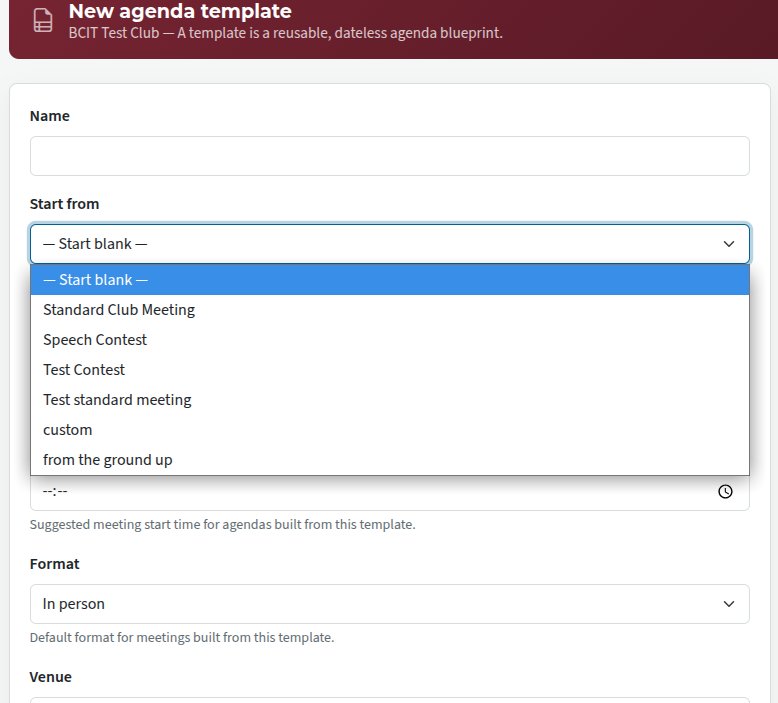
Fill in the other details as needed, and save.
If you already have a meeting agenda that you'd like use as a template, you can save it as a template. See the Setting up a Meeting Agenda page for details.
Give it a distinctive name so that it can't get confused with any other template (including the pre-loaded ones).
Editing a template
To add a role, or alter one that's already there, see Editing agendas and templates

Latest Forum Posts
-
- Level 4 - Create a Podcast sets incorrect timing o...
- In Public Forums / FTH4 Support
- 35 minutes ago
-
- Unable to Edit Main Heading
- In Public Forums / FTH4 Support
- 36 minutes ago
-
- "Order" column on Agenda Templates tab.
- In Public Forums / FTH4 Suggestions and Improvements
- 45 minutes ago
-
- GoAccess
- In Public Forums / FTH4 Support
- 49 minutes ago