


- Details
- Category: FTH4
-
By Jane Atkinson
- Hits: 348
Default club emails
FTH has a number of email addresses and aliases. The names are made up of the list name, plus your club number. A convenient listing, with explanations as to how they are used, is provided.
To access it, go to the Officers & Members button in the bar at the top of the screen.
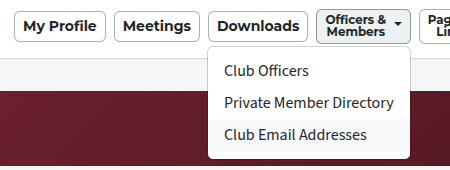
Choose Club Email Addresses from the drop-down.
You'll see a page like this:
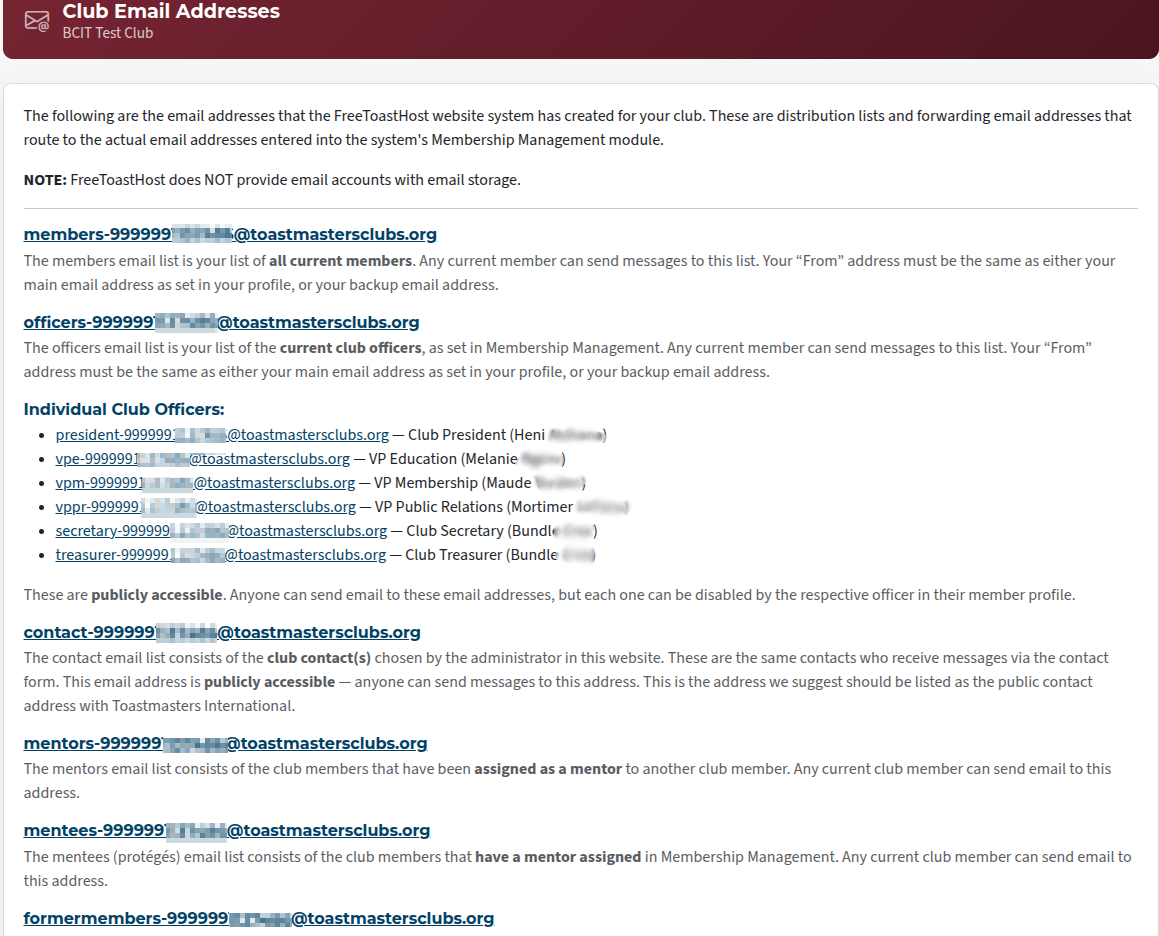
There are a lot of them. Only about half of the options are shown here.
Please note that there are different rules for using the addresses. Some can be used by the public, some by club members only, and some by officers only.
In all cases, if you are sending to an address that isn't available to the public, you need to send from the address that's in your profile (or your backup address if you have one).
Send to only one list at a time, and do not use BCC.
Helpful hint: if you are advertising a club email alias, or sharing it with non-members, make sure that it's one that the public can send to.

Latest Forum Posts
-
- Live timer sheet
- In Public Forums / FTH4 Support
- 12 minutes ago
-
- FTH Emails Not Going Through
- In Public Forums / FTH4 Support
- 15 minutes ago
-
- Not able to open club web site
- In Public Forums / FTH4 Support
- 22 minutes ago
-
- Members's input attending is not saved in Attendan...
- In Public Forums / FTH4 Support
- 25 minutes ago
-
- Could someone please reset our FTH web site?
- In Public Forums / FTH4 Support
- 1 hour 14 minutes ago