


- Details
- Category: FTH4
-
By Jane Atkinson
- Hits: 309
Downloading files
Access file downloads from the bar at the top of the screen.
You will see only files that you can download.
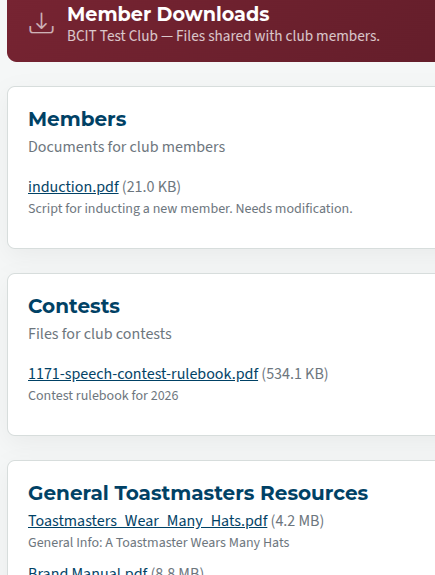
Click on the > shape (circled) if you need to reveal or hide the file listing.
Click on the file that you wish to download.
If it's an image or a .pdf file, it will download directly to your computer. It will not display in your browser, unless your browser is configured to do so.
Note: There is NO file upload facility for members, other than your profile picture. If you think something needs to be added to the site, talk to your site admin, VP PR, or anyone else who has been put in charge of website files.

Latest Forum Posts
-
- Live timer sheet
- In Public Forums / FTH4 Support
- 12 minutes ago
-
- FTH Emails Not Going Through
- In Public Forums / FTH4 Support
- 15 minutes ago
-
- Not able to open club web site
- In Public Forums / FTH4 Support
- 22 minutes ago
-
- Members's input attending is not saved in Attendan...
- In Public Forums / FTH4 Support
- 25 minutes ago
-
- Could someone please reset our FTH web site?
- In Public Forums / FTH4 Support
- 1 hour 14 minutes ago