


- Details
- Category: FTH4
-
By Jane Atkinson
- Hits: 352
Emailing an agenda
Click on the email agenda button.
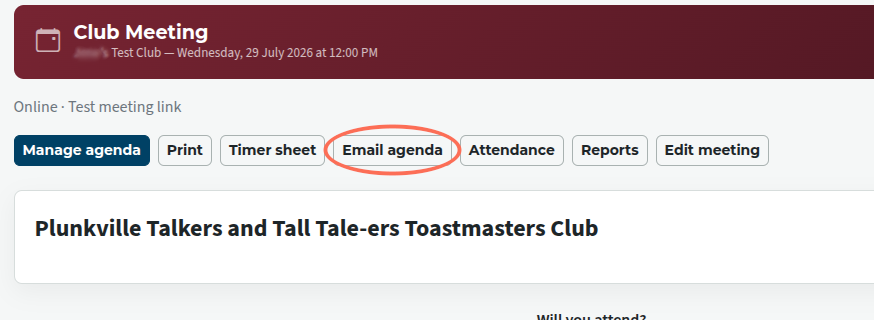
If you are an ordinary member who is NOT the Toastmaster or other individual with edit access, you may only send the agenda to yourself.
The following sending details are for the admin, VP Ed, Toastmaster and any others with edit rights.
You're presented with list of people or groups who may receive it. Click on one or more.
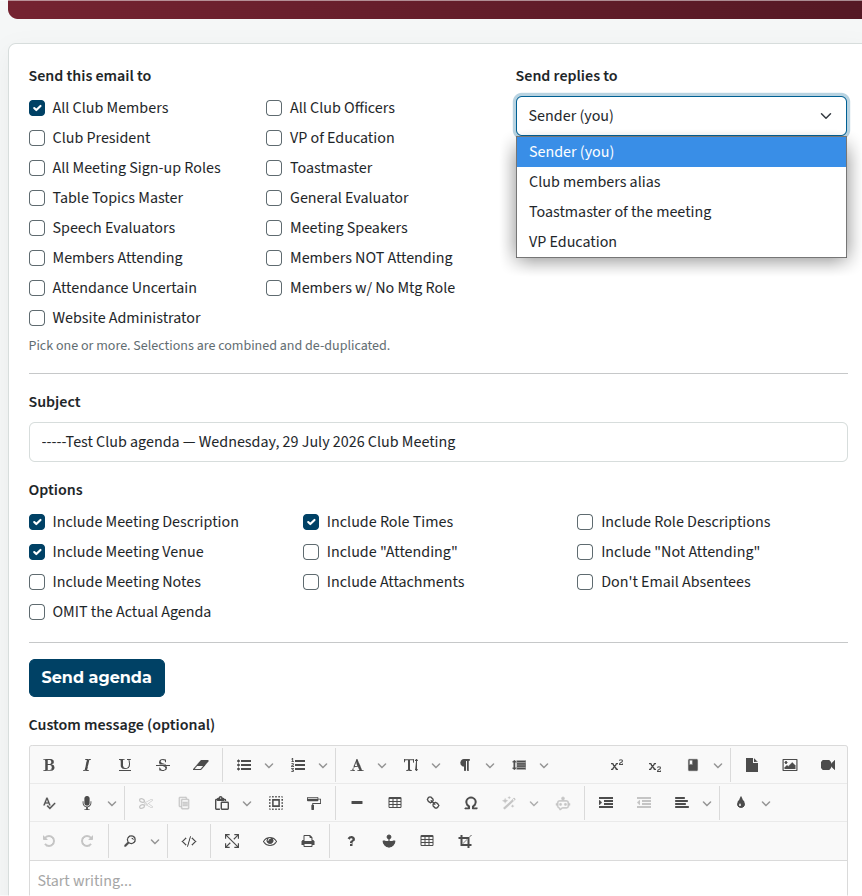
Also choose who is going to get replies.
It is probably a good idea not to use "club members alias" (i.e. all members) unless it is really necessary.
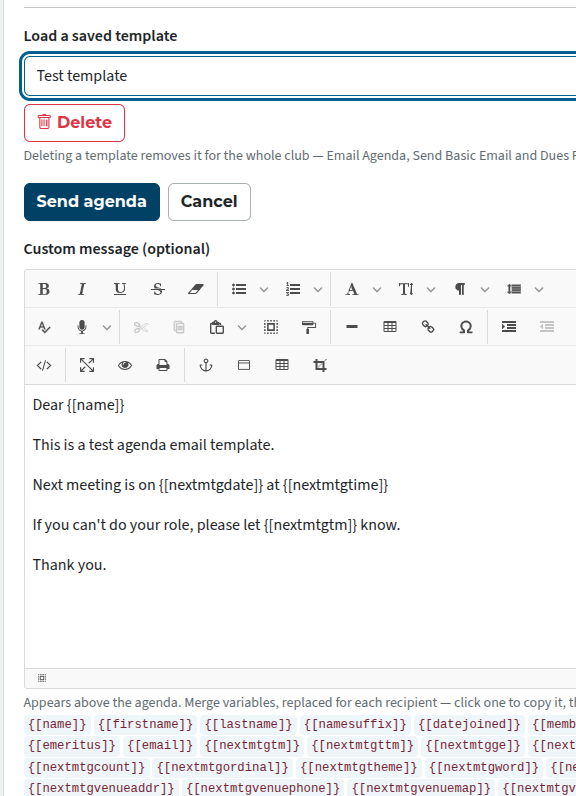
Add a custom message if you wish. You can use any of the variables; these will be filled in with the correct options when the email is sent. Place them between outer curly braces and inner square brackets, like this: {[name]} , or you can click on a variable in the list and then paste it into your email.
If you wish to use a previously-saved template, select it from the "Load a saved template" list.
If you don't want to save your email as a template, click on Send agenda now.
Email templates
Agenda emails can be saved as templates for future use.
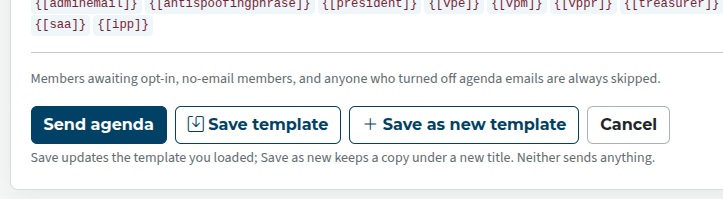
To save an email as a new template, click on Save as new template and give it a name.
If you have used an existing template and want to update it, click on Save template.
- Both of these actions will not actually send anything. That only happens when you click on Send agenda.
You can delete a template by selecting from the template list above the custom message and clicking on the Delete button. Check first that it's not needed by any other club members.

Latest Forum Posts
-
- header in an Agenda
- In Public Forums / FTH4 Support
- Just now
-
- Live timer sheet
- In Public Forums / FTH4 Support
- 13 minutes ago
-
- FTH Emails Not Going Through
- In Public Forums / FTH4 Support
- 16 minutes ago
-
- Not able to open club web site
- In Public Forums / FTH4 Support
- 23 minutes ago
-
- Members's input attending is not saved in Attendan...
- In Public Forums / FTH4 Support
- 26 minutes ago