


- Details
- Category: FTH4
-
By Jane Atkinson
- Hits: 120
Online timer sheet
The online timer sheet is an interactive version of the printed timer sheet. It incorporates a stopwatch, and the names are editable.
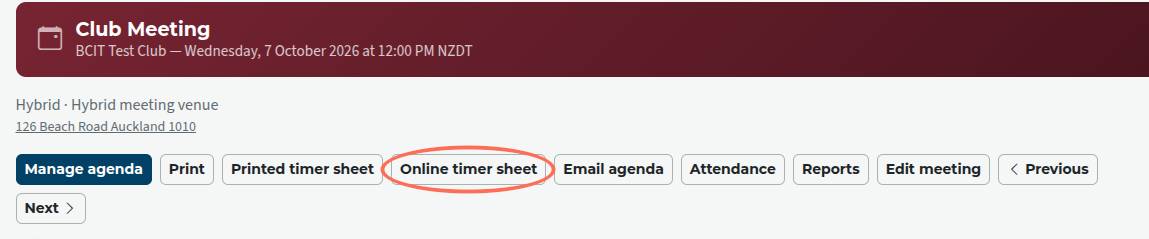
Click on the Online timer sheet button (circled) just above the agenda header.
The names shown initially are what's on the agenda.
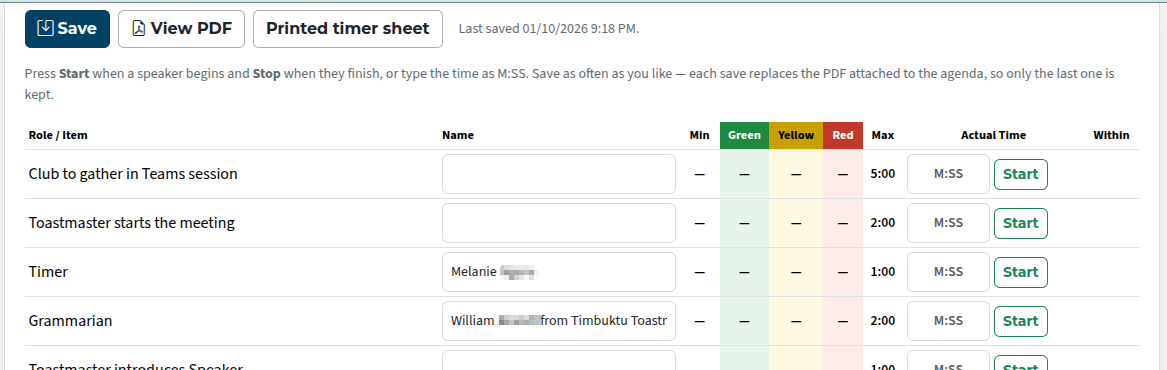
Names in the name fields can be updated manually. This is useful for incorporating last-minute changes and for recording the names of guests who are Table Topics speakers.
If there are more Table Topics speakers than your club usually has (perhaps a speaker cancelled), they can be added as needed.
There are two types of timed items. One kind is the items that are featured in speech contests: speaker, evaluator and Table Topics speaker. They have a minimum time, green, yellow and red times, and a maximum time. These times are indicated on the sheet.
The other kind is everything else. These only have a maximum time, and anything less than that will be counted as "within time". There is, however, nothing to stop your club from having its own green and yellow times for these items.
Clicking on the Start button starts a stopwatch. The "Within" column lets you know if the time is within the qualifying range for a contest.
When the speaker reaches a designated time, the background of the stopwatch will change colour.

Speaker has reached minimum, but not "green" yet.

Speaker has reached "yellow".

Speaker has reached "red" and gone over the 30 seconds grace time, and is disqualified in a contest.
To stop the stopwatch, click on Stop.
If you don't want to use the online stopwatch, you can type the times into the time field, using the format m:ss
The notes field at the end can be used for recording additional details.
Remember to save the timer sheet. It can be saved multiple times.
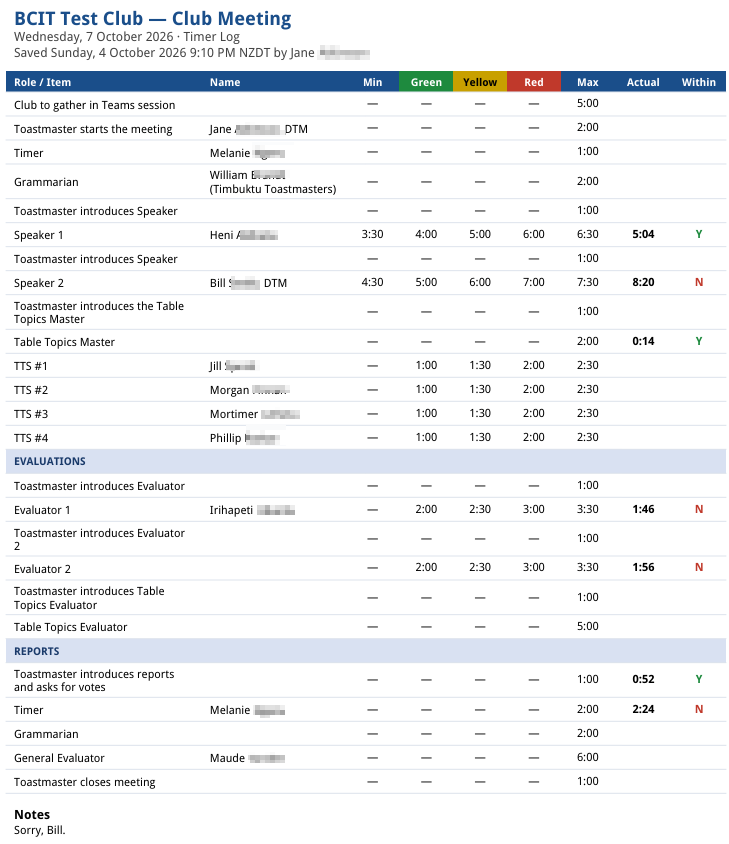
When saved, the sheet is attached to the agenda as a PDF meeting document.

Latest Forum Posts
-
- header in an Agenda
- In Public Forums / FTH4 Support
- 58 minutes ago
-
- FTH Emails Not Going Through to outlook
- In Public Forums / FTH4 Support
- 3 hours 30 minutes ago
-
- Update a member's email address
- In Public Forums / FTH4 Support
- 3 hours 34 minutes ago
-
- Agenda Printing - Website Link Split in two, Word ...
- In Public Forums / FTH4 Support
- 3 hours 40 minutes ago
-
- Members's input attending is not saved in Attendan...
- In Public Forums / FTH4 Support
- 8 hours 6 minutes ago