


- Details
- Category: FTH4
-
By Richard Taylor
- Hits: 446
Pathways report card for members
Your Pathways progress can be tracked in your FTH member account.
The FTH Pathways Report Card is a convenient summary of your Pathways progress. It's not an official record.
The official record of your Pathways progress exists only in Base Camp on the Toastmasters International site. Make sure that you update it after every speech or other activity.
Two key points must be understood in order to maintain an accurate Pathways Report Card in your FTH member account:
- FreeToastHost has NO access to member or Pathway information at Toastmasters.org.
- EVERYTHING in your FTH Pathways Report Card comes from the club’s agenda history containing the details of the speeches you have given.
Getting started
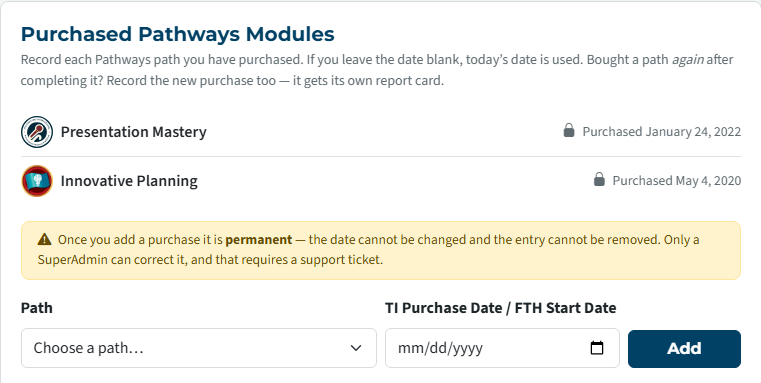
For a Pathway to appear in the ‘Pathways project’ drop-down list when you enter your Speech Details, you must first register the purchased Pathway in ‘My Profile’.
At the bottom of your ‘My Profile’ page, select a Path from the drop-down list and enter a date in TI Purchase Data/FTH Start Date. This date does not have to be accurate. It does have to pre-date the first speech project that you’ve entered in a meeting agenda.
Building your Report Card
As you work through the levels and projects in your Pathway and give speeches at club meetings, enter the 'Speech Details' in the agenda and select the Path/Project. Only the Pathways you have added in the ‘Purchased Pathways Modules’ section of 'My Profile' will appear on the ‘Pathways project’ drop-down list on an agenda's 'Speech Details'.
As you work through your Pathway and enter the ‘Pathways project’ in your Speech Details, your Report card is built.
In the Pathways Report Card section of your member Dashboard, select Open report card or in My Profile select My Pathways Report Card.
Nothing can be edited on this page. See the following sections of this document for procedures to make corrections or add missing information to your report card.
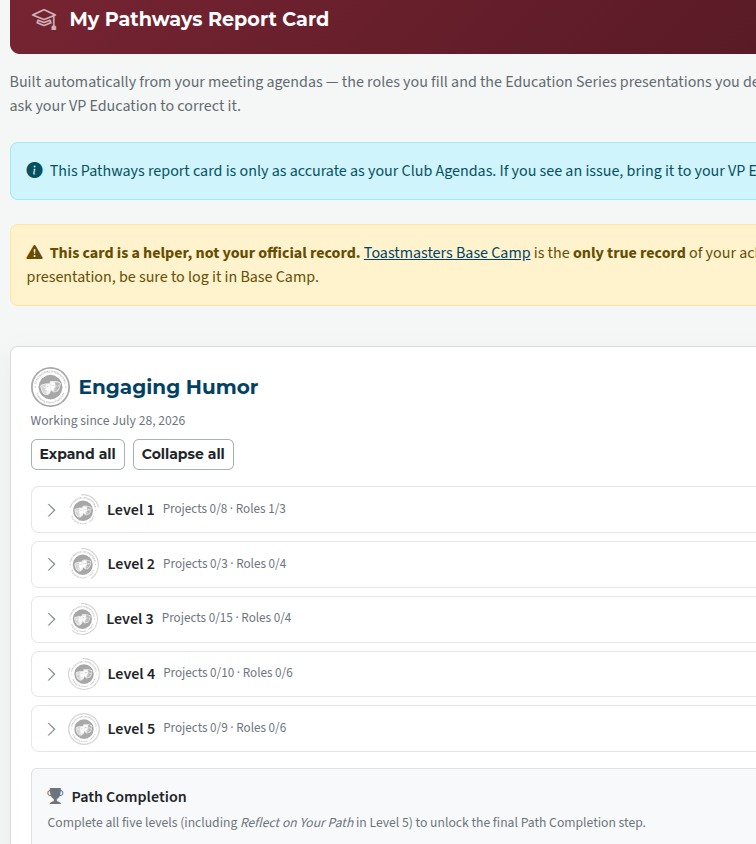
To see further detail for a level, click on it.
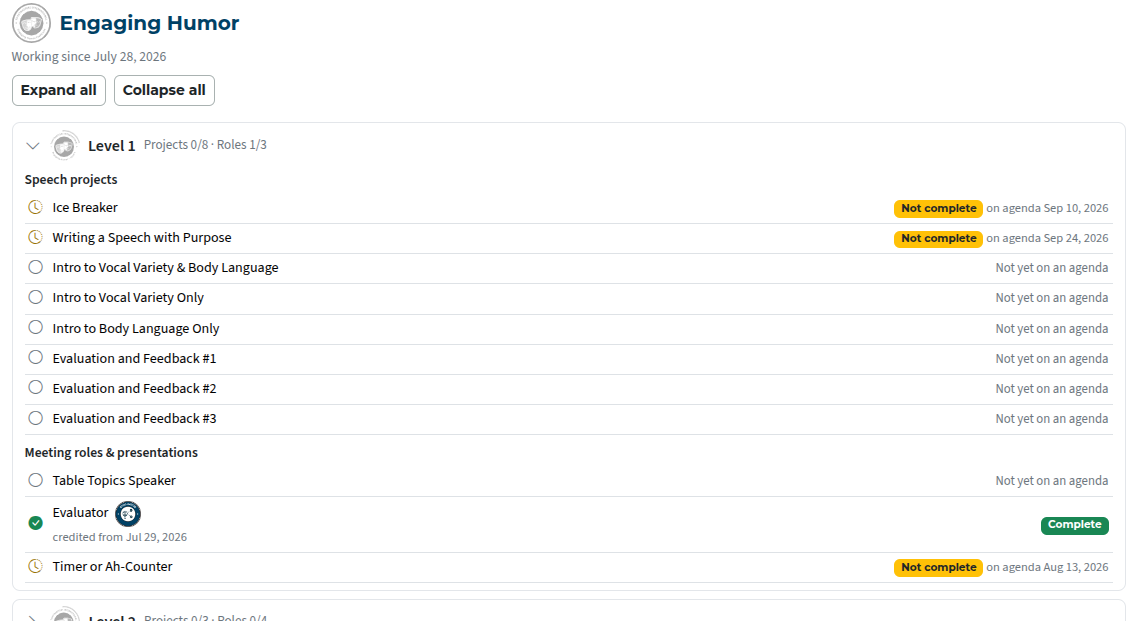
Incorrect info on a report card
If something is wrong on your report card, it’s because something is wrong on a past agenda. You must work with your club’s VPE to make these types of corrections. Past agendas can be corrected by officers with access to ‘create/edit new agendas’ and the club admin.
Before FTH support can proceed with changing a purchase date or remove an incorrect Pathway, the past agendas must first be corrected by the club.
Review your speech history
Your speech report shows all your speeches recorded at your club - make sure they have been assigned to the correct path. Your VPE can correct them.
Once records are corrected, you can submit a support request for removal of paths that do not apply.
Select 'Meetings' at the top of your club site then 'Reports' right under the page header.
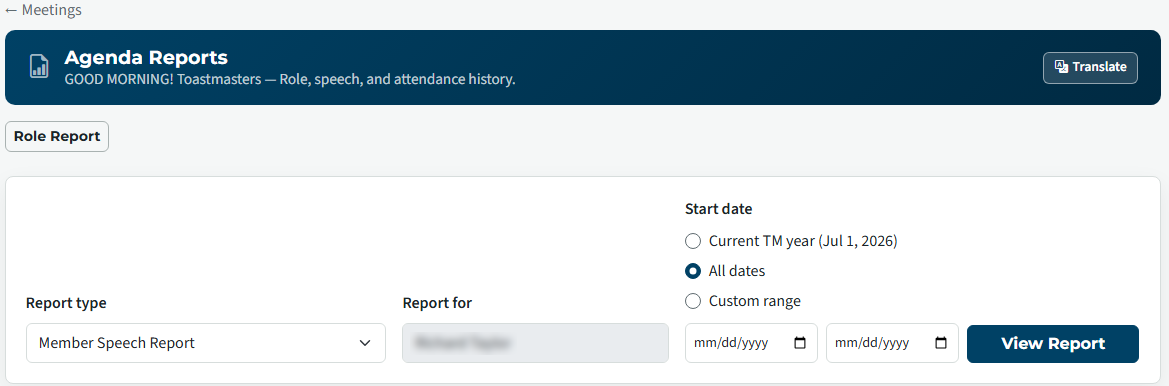
In the Report Type drop-down list select 'Member Speech Report' in either the Web Page or Spreadsheet report sections.
Review the 'Path / Manual' column for any Pathways that don't belong in your report. When one is identified, the 'Date' column will show which agenda must be corrected.

Adding missing participation info from other clubs.
Many Toastmasters have completed a Pathways speech as a member or guest at another club or before joining their current club that uses an FTH site.
FTH cannot access a member's official Pathways record but we can provide a way for you to plug these types of holes in your Pathways Report Card.
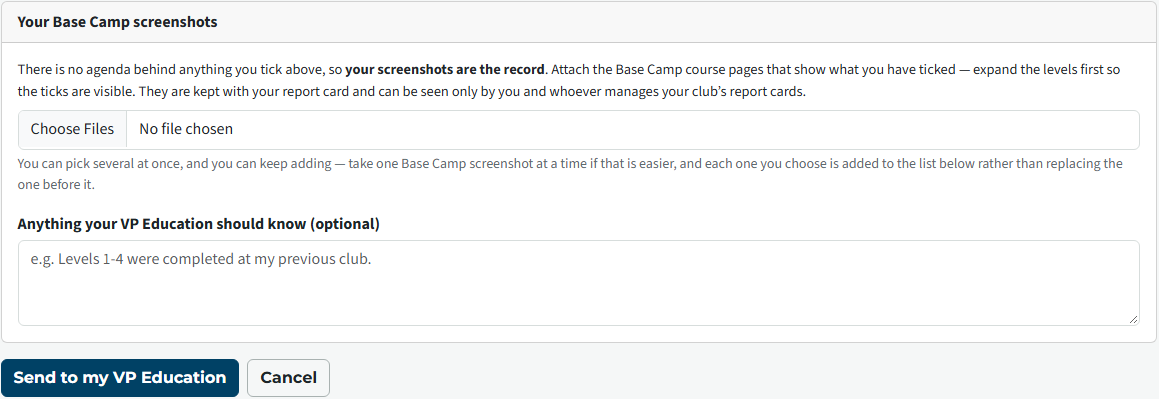
Use the Check Against Base Camp feature to mark the projects completed elsewhere and upload the screenshot of your Basecamp progress. This will provide the necessary information for the VPE to check and approve the additions to your report card.

The screenshot is the official record of your Pathway for the club VPE to validate the missing information that is not contained in a past agenda.
FTH has no access to your account at toastmasters.org so this screenshot will become a part of your Pathways record on FTH.
Screenshots must clearly show the actual Basecamp status that matches the tick-marks next to Pathways projects that you are submitting to the VPE.

Latest Forum Posts
-
- header in an Agenda
- In Public Forums / FTH4 Support
- Just now
-
- Live timer sheet
- In Public Forums / FTH4 Support
- 13 minutes ago
-
- FTH Emails Not Going Through
- In Public Forums / FTH4 Support
- 16 minutes ago
-
- Not able to open club web site
- In Public Forums / FTH4 Support
- 23 minutes ago
-
- Members's input attending is not saved in Attendan...
- In Public Forums / FTH4 Support
- 26 minutes ago