


- Details
- Category: FTH4
-
By Jane Atkinson
- Hits: 300
Signup and attendance for members
Members can assign themselves to roles from an actual meeting agenda. Signup / Attendance is a window that gives an overview of upcoming meetings. Use whichever you find easiest to work with.
You also have the choice of downloading spreadsheets of open roles and the forward planner (roles that you've taken).
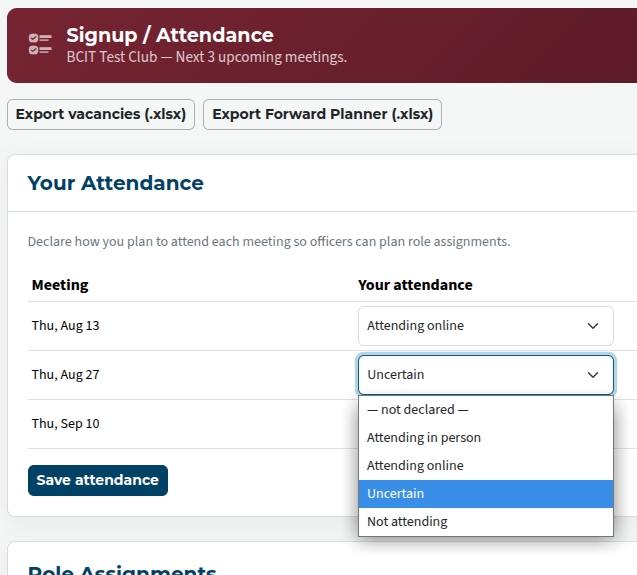
The top part of the screen has an area where you can show how you plan to attend the meetings. In the case of hybrid meetings, you'll need to choose between in-person or online.
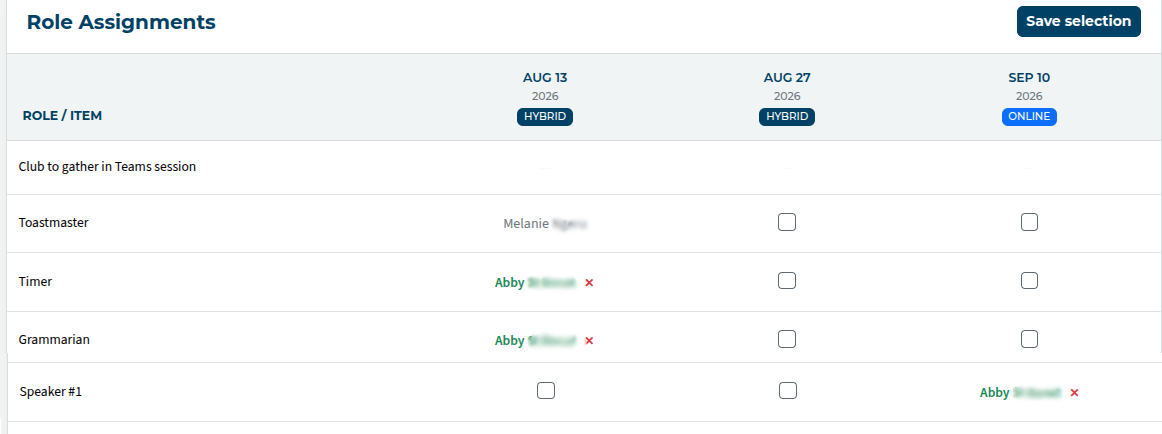
The lower part shows the meetings and roles. Open roles have checkboxes that you can click on if you want to take a role.
Check the box(es) and save.
If you've taken (or been assigned) a role, your name appears, with a small red X alongside it. Clicking on the X releases the role.
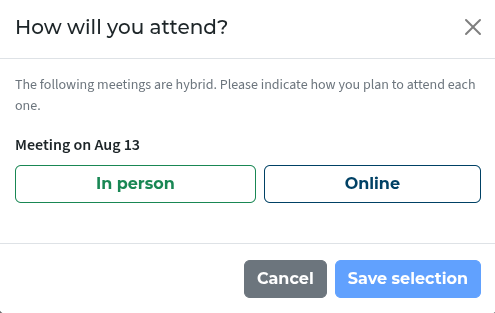
If you've taken a role in a hybrid meeting, you'll see a popup asking you to specify whether you'll be attending in person or online.

Latest Forum Posts
-
- header in an Agenda
- In Public Forums / FTH4 Support
- 1 minute ago
-
- Live timer sheet
- In Public Forums / FTH4 Support
- 14 minutes ago
-
- FTH Emails Not Going Through
- In Public Forums / FTH4 Support
- 17 minutes ago
-
- Not able to open club web site
- In Public Forums / FTH4 Support
- 24 minutes ago
-
- Members's input attending is not saved in Attendan...
- In Public Forums / FTH4 Support
- 27 minutes ago