


- Details
- Category: FTH4
-
By Jane Atkinson
- Hits: 434
Site dashboards
FTH4 has a clear separation between public and member (or admin) areas. When you are logged in, you don't see the public site at all, unless you choose to visit it.
What you see depends on whether you are a member, a club officer, or the club admin.
In addition, everyone will see the navigation bar at the top of the screen. This bar is visible on every part of the page when you are in a logged-in area.

The site doesn't make much use of "cancel" buttons. Often, to get back to a previous area, you need to click on the back arrow just above the coloured bar (circled). The exact wording will change, depending on which part of the site you are in.
If you want to go back to the original dashboard that you saw when you logged in, click on club name (top left) or the button with your name on it.
Dashboards
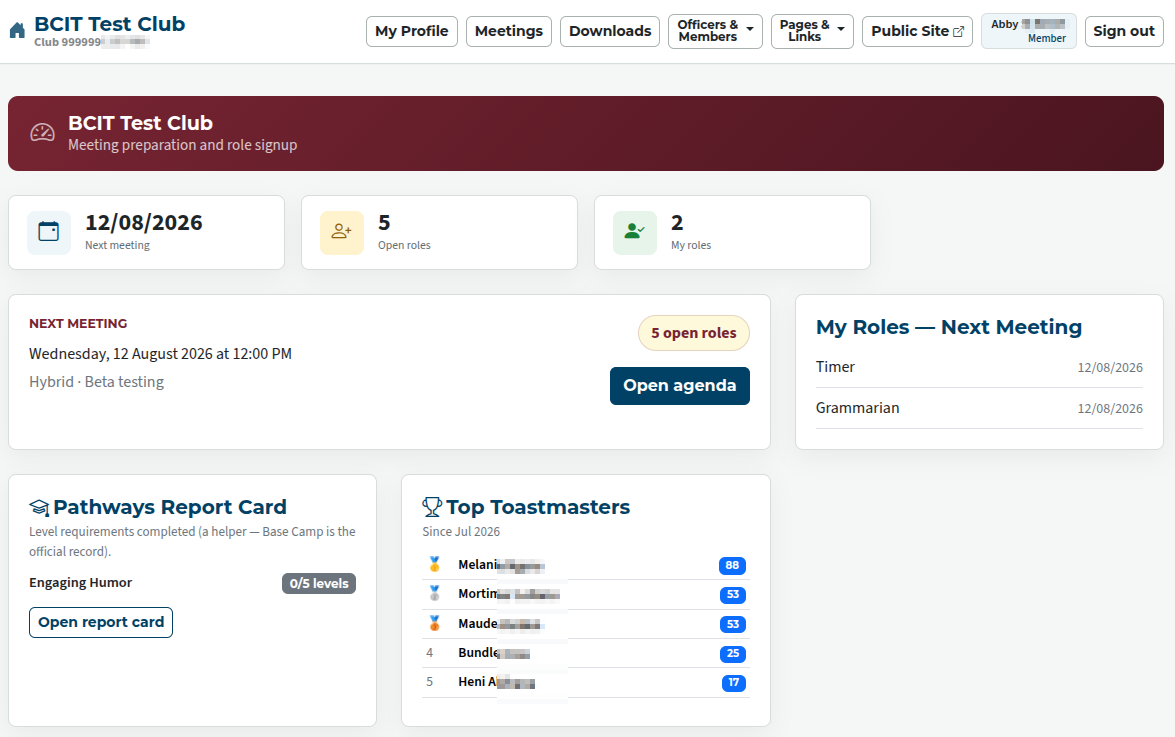
Member dashboard
A member sees:
- Information about the next meeting and links to the agenda
- A link to the Pathways Report Card details
- A summary of the most active Toastmasters in the club (if the club is using this feature)
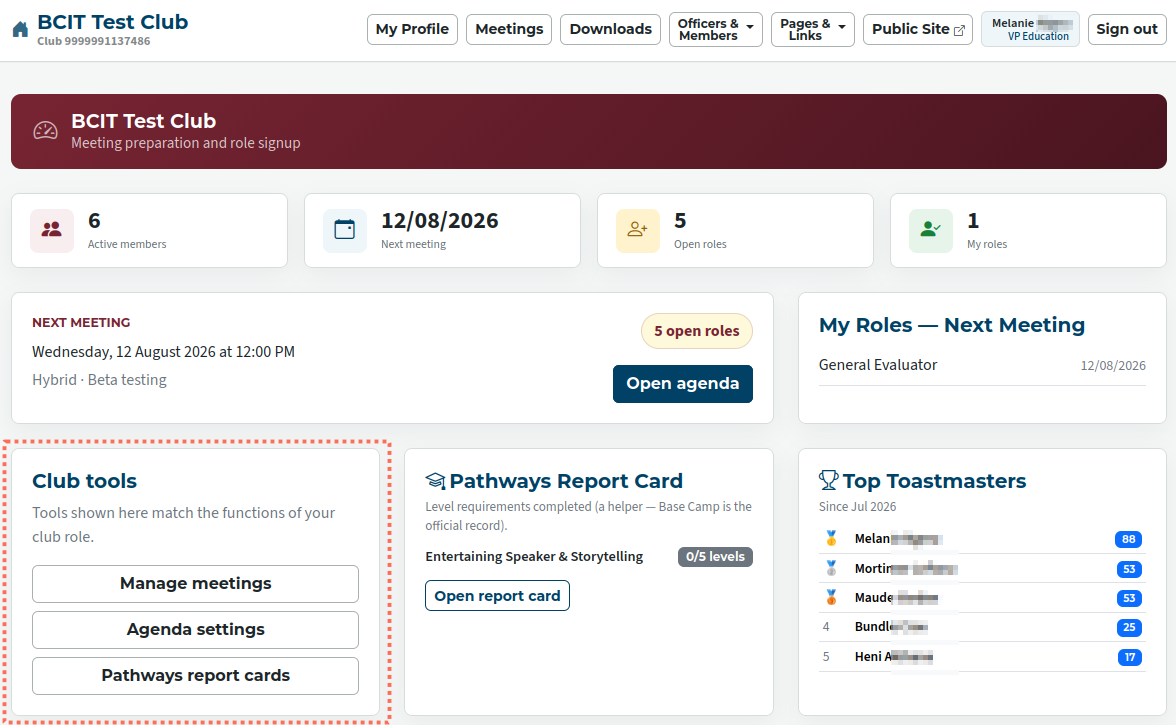
Officer dashboard
A club officer sees the same things as a member, plus an area with links to the admin functions which they can use (outlined).
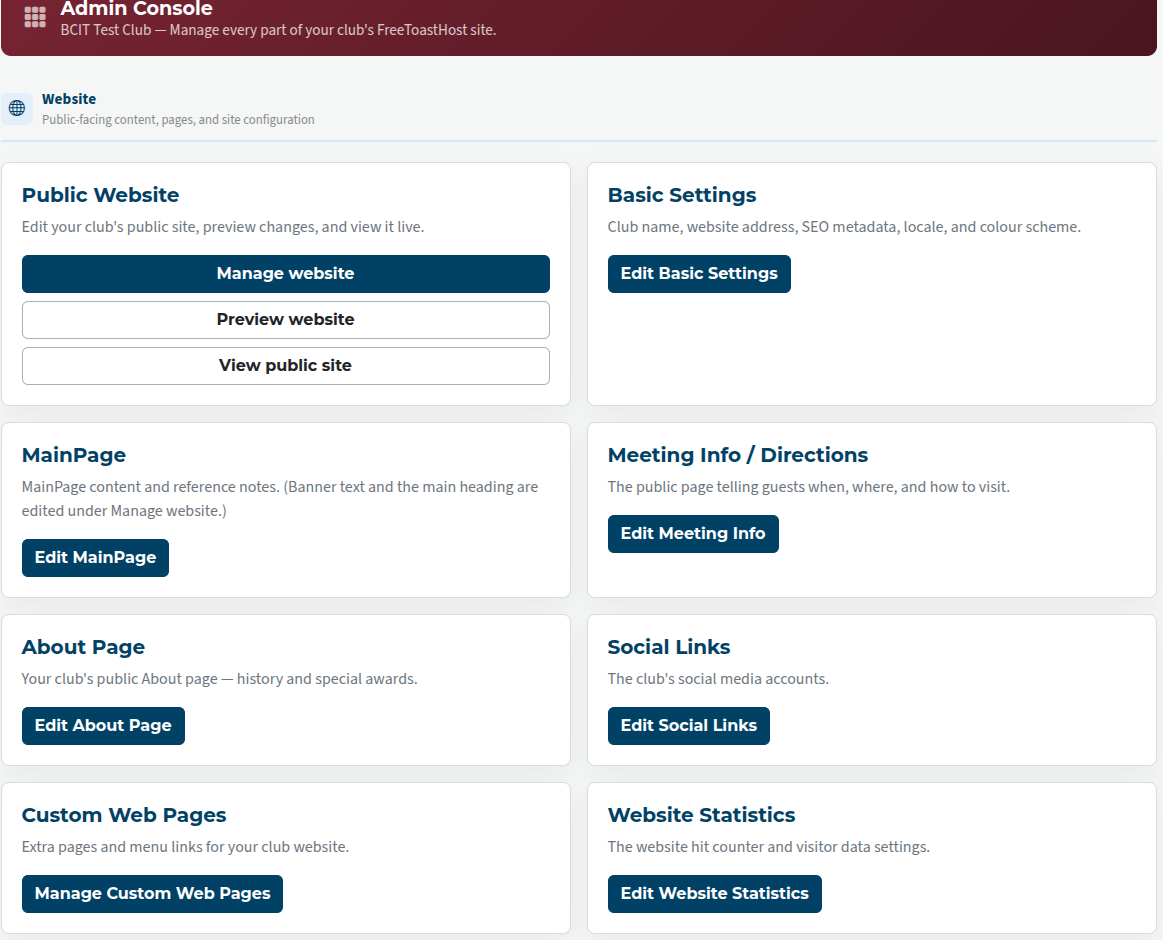
Club admin dashboard
The club admin does not see any of the details that the member or officer does, but only the admin dashboard or console.
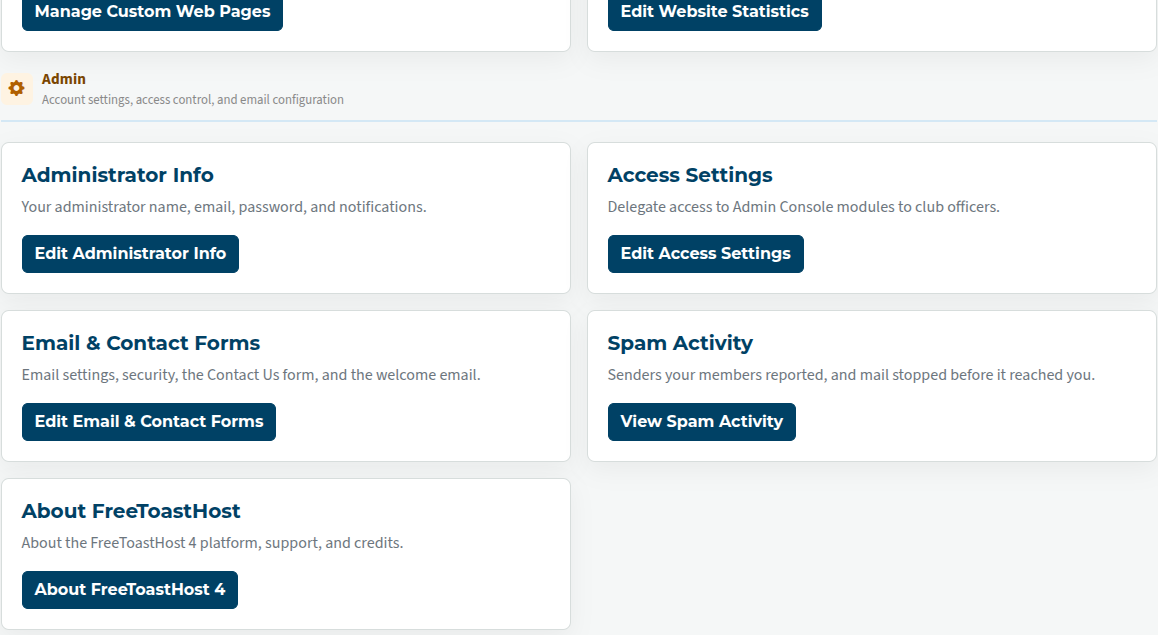
It's divided into three general areas: website, for setting up the site and default pages; admin, for account settings, access control, and email configuration; and officer-centric, for the functions that are delegated to officers such as membership and agendas.
If you're not sure who you are logged in as (admin or member), look at the button in the top row with your name on it. It will specify your role.
Website section of the club admin dashboard
Administrative section of the club admin dashboard
Officer-centric portion of the club admin dashboard
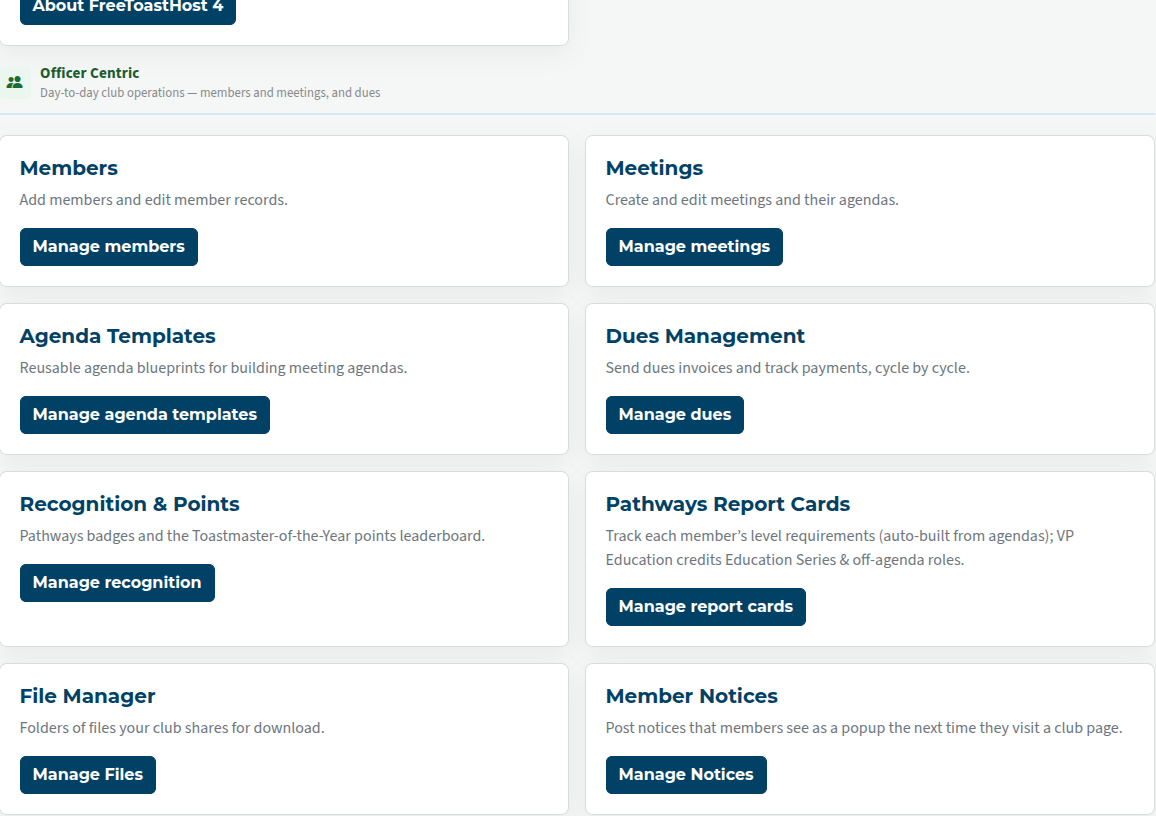
The club admin dashboard is quite detailed. Fortunately, you won't need to use all of this on a day-to-day basis, especially once the site is set up.

Latest Forum Posts
-
- Live timer sheet
- In Public Forums / FTH4 Support
- 11 minutes ago
-
- FTH Emails Not Going Through
- In Public Forums / FTH4 Support
- 14 minutes ago
-
- Not able to open club web site
- In Public Forums / FTH4 Support
- 21 minutes ago
-
- Members's input attending is not saved in Attendan...
- In Public Forums / FTH4 Support
- 24 minutes ago
-
- Could someone please reset our FTH web site?
- In Public Forums / FTH4 Support
- 1 hour 13 minutes ago