


- Details
- Category: FTH4
-
By Jane Atkinson
- Hits: 361
Speech and role reports
Speech and role reports summarise a member's activity.
Members can access them from Meetings → Reports. VP Ed and admin also have the option of using the Manage Meetings button on their dashboard.
The resulting dialogue is very similar for members and VP Ed / admin.
This is the member's version.
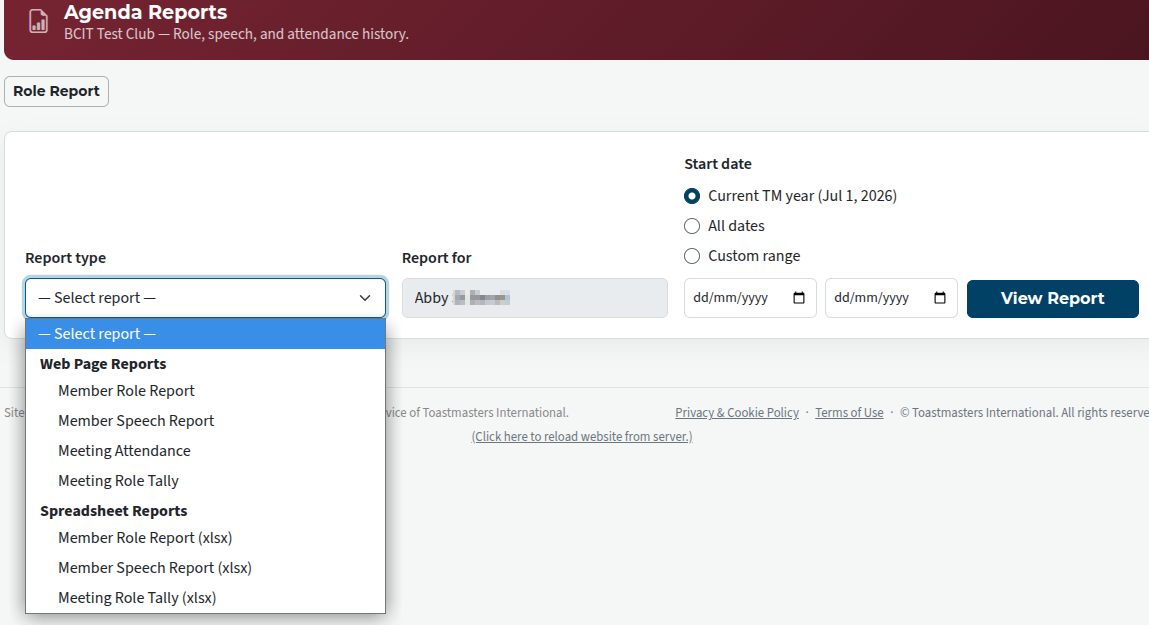
The main differences are:
Members can only run reports on their own record, while VP Ed and admin can run them for any member or for the whole club.
The VP Ed and admin have the choice of a few more formatting options than the member does.
To run the report, choose the time span, the report type from the drop-down list, and, in the case of VP Ed and admin, choose who it is to be run for. Members will just see their own name.
The following image shows a member's role report.
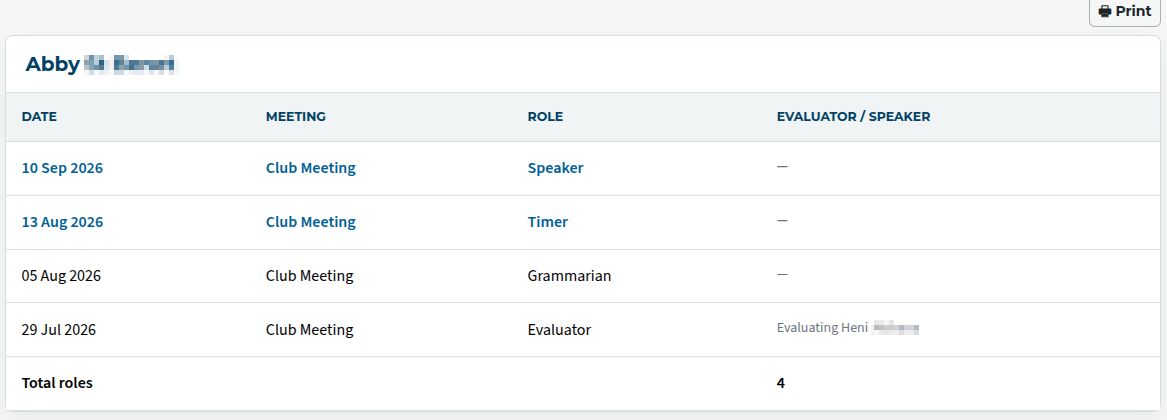
Excel spreadsheet (.xlsx) reports will be downloaded, not displayed.

Latest Forum Posts
-
- header in an Agenda
- In Public Forums / FTH4 Support
- Just now
-
- Live timer sheet
- In Public Forums / FTH4 Support
- 13 minutes ago
-
- FTH Emails Not Going Through
- In Public Forums / FTH4 Support
- 16 minutes ago
-
- Not able to open club web site
- In Public Forums / FTH4 Support
- 22 minutes ago
-
- Members's input attending is not saved in Attendan...
- In Public Forums / FTH4 Support
- 25 minutes ago