


- Details
- Category: FTH4
-
By Jane Atkinson
- Hits: 399
Website settings
Basic Settings aren't always items that you can see, but they are important for your site to work properly. They need to be set before almost anything else is done.
Go to Basic Settings (circled) in the admin dashboard.
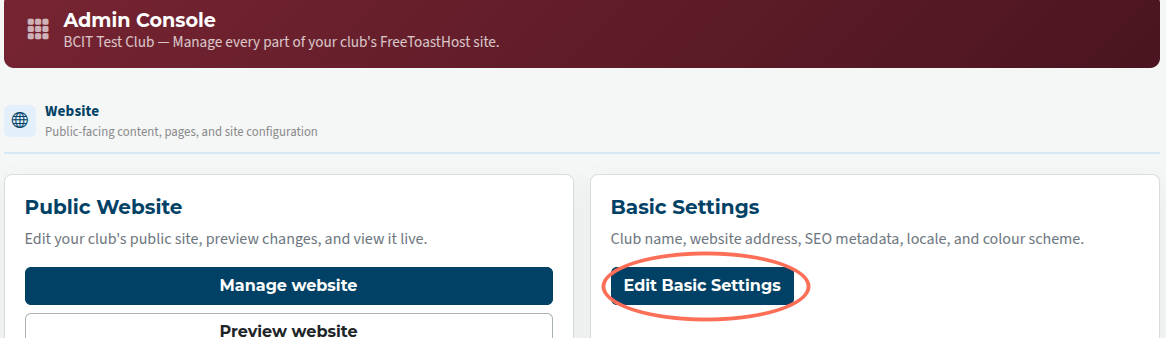
You'll see a panel with a number of items to be filled in.
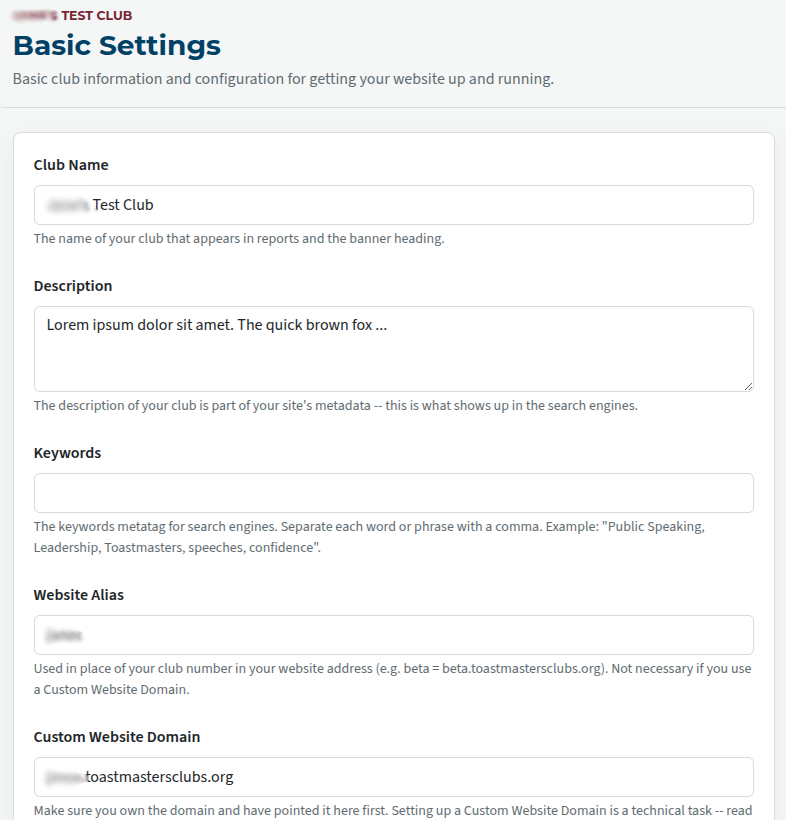
Club name — enter your club name here.
Description — this is the bit that the search engines look for.
Keywords — use these if you wish, but they are probably less important than the description.
Alias and Custom Domain — you can use both, but most clubs use one or the other.
Alias is easier to manage, costs nothing, and doesn't need renewal; if you aren't sure, it's probably the better choice.
If you're using a custom domain, please enter the registrar information, renewal dates and so on in the box provided.
That makes it much easier for your successor to know when renewals are due and whom to contact.
Note: if neither alias nor domain will work, you can still access your site by using the club number address: e.g. 9999955555.toastmastersclubs.org
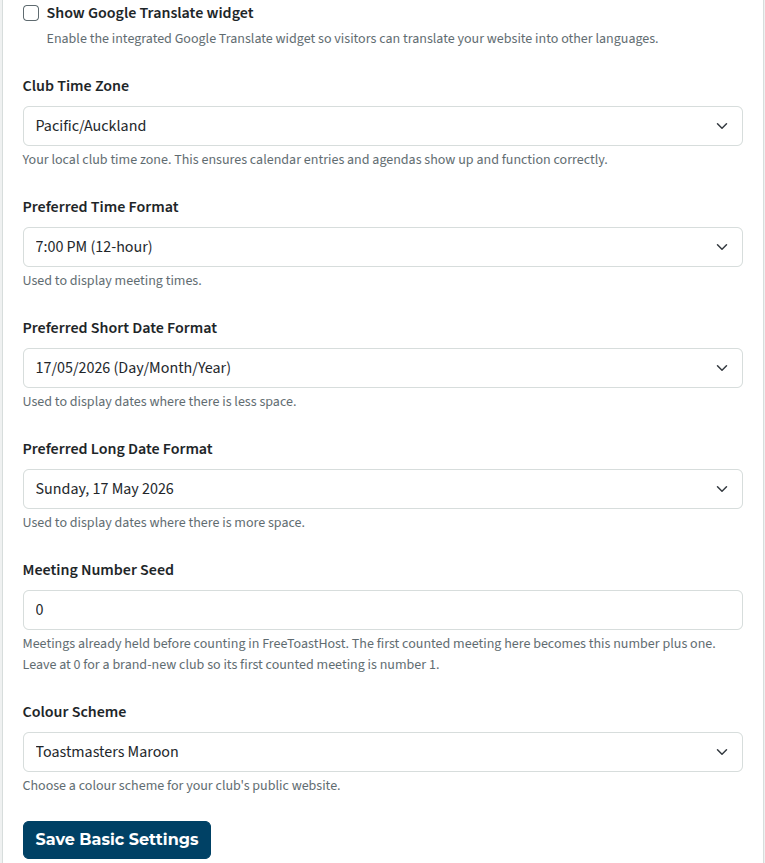
Google translate widget is optional
Club timezone is essential. This affects the proper display of times on agendas and calendar items.
Date and time formats — choose the ones your club prefers, or which are used in your locality
Meeting number seed — some clubs like to keep track of how many meetings they have had. This field allows you to enter the number of meetings your club has had before starting with FTH.
Colour Scheme — You can choose between Toastmasters Blue and Toastmasters Maroon
Remember to Save.

Latest Forum Posts
-
- Live timer sheet
- In Public Forums / FTH4 Support
- 11 minutes ago
-
- FTH Emails Not Going Through
- In Public Forums / FTH4 Support
- 14 minutes ago
-
- Not able to open club web site
- In Public Forums / FTH4 Support
- 20 minutes ago
-
- Members's input attending is not saved in Attendan...
- In Public Forums / FTH4 Support
- 23 minutes ago
-
- Could someone please reset our FTH web site?
- In Public Forums / FTH4 Support
- 1 hour 12 minutes ago