


- Details
- Category: Documentation
-
By FreeToastHost
- Hits: 658
GoAccess Basic Guide
Introduction
GoAccess is a program that processes your site's logs so that you get a useful summary of what your site is doing. This can help you to determine how well your publicity is working, what time of day to do maintenance, and even what day you should have your new content ready in order to catch the peak traffic for the week.
Below is a brief summary of the different charts and lists. See the definitions at the end for some additional clarification.
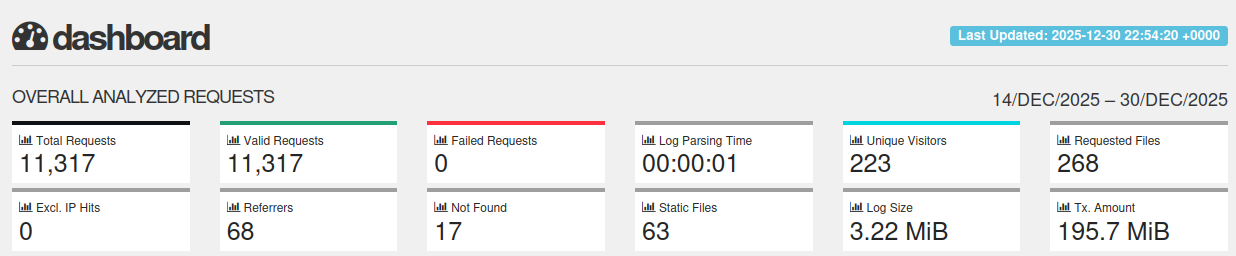
Overall Website Activity
This section shows how many actions visitors made on your website while GoAccess was watching it. An action might be viewing a page, downloading a file, or opening an image. If the number suddenly becomes much larger or smaller, it may mean something has changed with your traffic or your website.
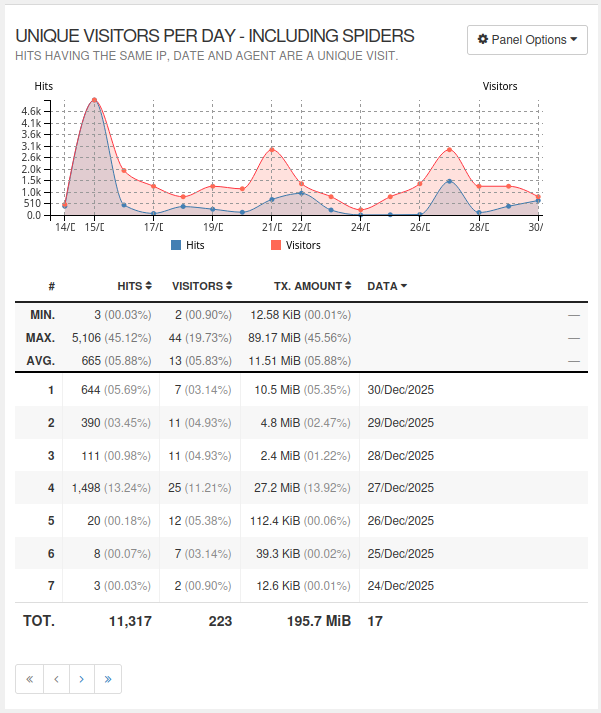
Daily Visitors (People and Search Engines)
This helps you see how many different visitors came to your site each day. Visitors include real people and search engines like Google that scan your pages. If the number goes down a lot, your website may not be getting attention or may be harder to find.
Most Viewed Pages
This lists the pages that people visit the most. It helps you learn what information is popular. If something unexpected appears at the top, you may want to check why.

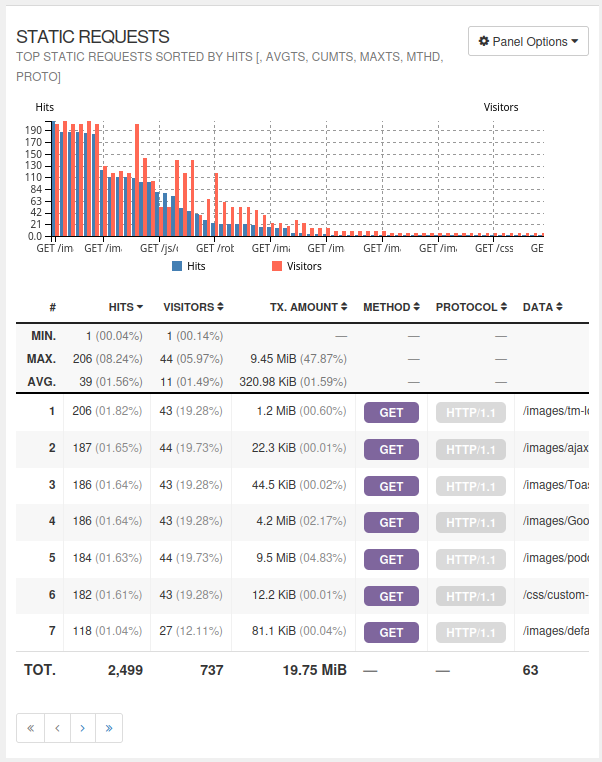
Images and Other Files
[missing]This shows how often pictures, documents, and design files are loaded. Lots of views here may mean many people are using those files, or a file might be too large and loading too slowly.
Page Not Found
(Error 404)
These are pages that visitors tried to reach but were not found. A missing page can mean an old link, typing error, or a page that was removed. If a page you expect to work shows up here, its link may need fixing.

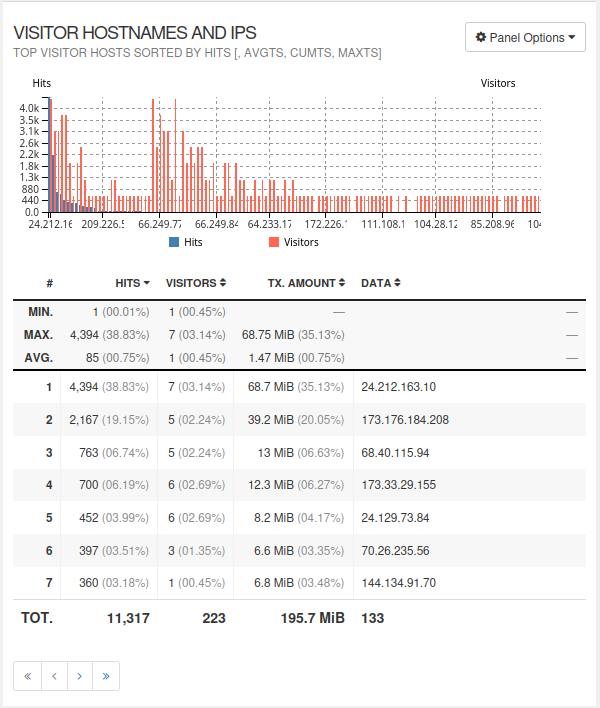
Who Is Visiting
(by Internet Address)
This helps you see where your visitors are coming from. Many repeat visits from the same address might mean regular users—or automated scanning tools.
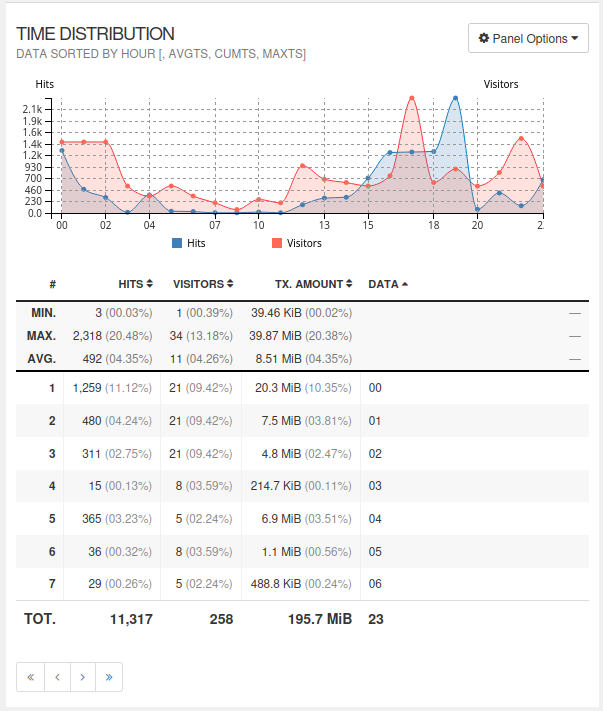
When Visitors Come
This section shows when people are most likely to be on your website. It helps you choose the best time to do updates, so fewer visitors are affected.
How Visitors Arrived
This tells you where visitors clicked from before they reached your site. It helps show which links or campaigns are working.
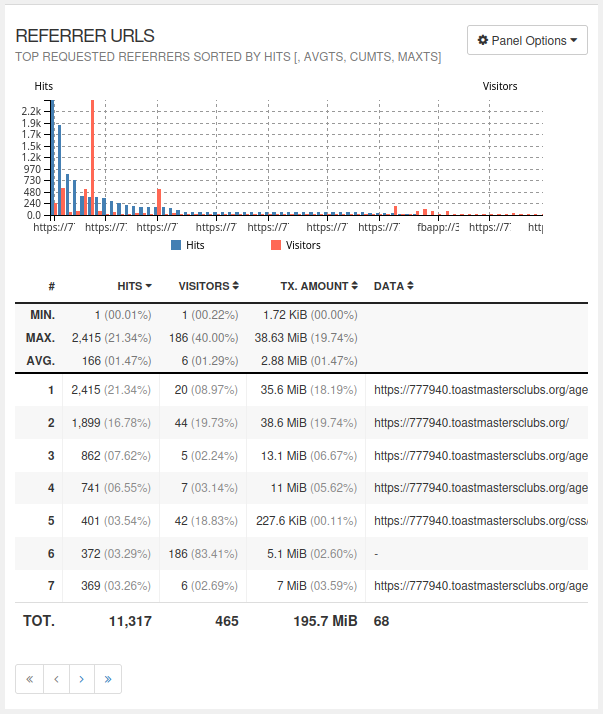
Websites Sending Visitors
This lists other websites that send people to yours. It shows which partners or links are helping people find you.

Search Phrases from Google
Sometimes this shows the words people typed into Google before coming to your website. Most searches are private today, so results may be limited.
Notes and definitions
Where a chart has two vertical scales (one at each end), they refer to different graphs. The fact that one is larger than the other at a particular point doesn't necessarily mean it's more important.
Hits vs visits: a hit is a request for a single file. A page is usually made up of several files, such as the actual text, the CSS (stylesheet) file and one or more images. A pageview, therefore, usually involves more than one hit. A visit is the time spent by a single viewer on one occasion, who may look at one or more pages. Visitors may return on more than one occasion.
Referring sites: this gives just the site name, and no further detail. Example: this might be your District website.
Referrer URLs: the exact address of the page or item where the request came from. Gives more info than just the site name. Example: this might be a "list of active clubs" page on your District website.
Static requests: are requests for a specific file, such as an image, or CSS (stylesheet) file. As a rule, these will get automatically requested whenever the page that they're on is requested.
Time of visits: these are UTC. You'll need to take the difference between your local time and UTC into account when working out the busiest/quietest times of day.
If you are curious and want in-depth info on how GoAccess works and what else it will do, try GoAccess - Manual Page. But be warned: it is rather geek-focused.

Latest Forum Posts
-
- Agenda email on PDF
- In Public Forums / FTH4 Support
- 59 minutes ago
-
- Reset an FTH site for a club that has not used it ...
- In Public Forums / FTH4 Support
- 1 hour 9 minutes ago
-
- Word of the DAY
- In Public Forums / FTH4 Support
- 1 hour 10 minutes ago
-
- Old Website UI Issue with Merge to FTH. Cannot edi...
- In Public Forums / FTH4 Support
- 1 hour 12 minutes ago
-
- Pathway speeches aligned to Speaker
- In Public Forums / FTH4 Support
- 12 hours 35 minutes ago