


- Details
- Category: FTH4
-
By Jane Atkinson
- Hits: 296
Responding to emailed agendas
When an agenda is emailed, it contains signup links for any role that hasn't been filled.
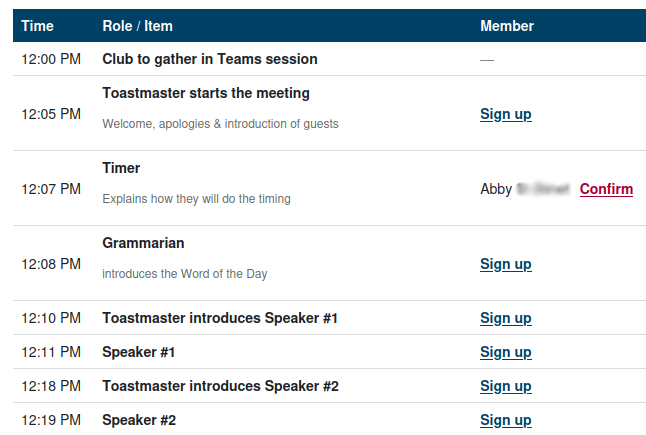
In addition, there may be "confirm" links for roles that you've taken or been assigned, if the club has decided they want to use these.
If you click on any of these, what happens next depends on whether or not Agenda signup mailto in your member profile email settings is checked.
If it is unchecked, you will be taken to the website. If you're not already logged in, you'll be asked to do so.
If it is checked, your email client will be opened with the response details already filled in, ready for sending. Send the email without making any changes to it. If you use more than one email address, make sure that you are sending from an email address that is in your member profile.
You will receive a reply confirming your action.
If you take a role via an email link, you'll still need to confirm (if the club has set this as a requirement).

Latest Forum Posts
-
- header in an Agenda
- In Public Forums / FTH4 Support
- Just now
-
- Live timer sheet
- In Public Forums / FTH4 Support
- 13 minutes ago
-
- FTH Emails Not Going Through
- In Public Forums / FTH4 Support
- 16 minutes ago
-
- Not able to open club web site
- In Public Forums / FTH4 Support
- 23 minutes ago
-
- Members's input attending is not saved in Attendan...
- In Public Forums / FTH4 Support
- 25 minutes ago