


- Details
- Category: FTH4
-
By Jane Atkinson
- Hits: 8
Pathways report cards, recognition and points
Important:
Any report or notification on the FTH site is for information and encouragement only. The true record is the one on the TI website. Please make sure it's updated after every speech.
Recognition and points
The Recognition and Points system is a way to show who are the most active members, and hopefully to encourage increased activity from the others as well.
This is what a member sees (a fairly new one, in this case):
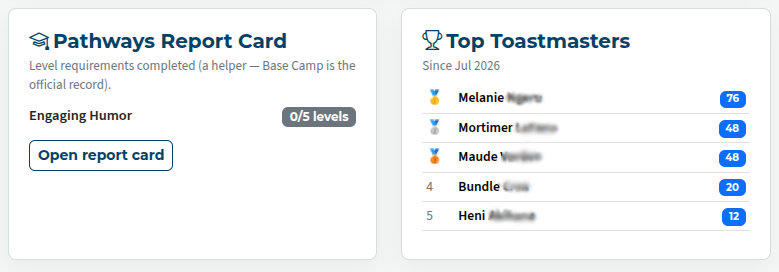
It's up to your Exec committee whether they wish to use this or not. Check with them before enabling anything. This is done in the Recognition and Points area of the admin console.
The default points assigned make a good starting point, but they can be changed if desired.
Agendas need to be reconciled before they are counted in the points total.
Pathways report cards
The agendas build an excellent record of Pathways progress, as far as speeches are concerned. Manage Pathways report cards allows for inclusion of non-speaking-role requirements, such as meeting roles and between-meeting activities. Speeches and activities done at other clubs, or before this club joined FreeToastHost, can also be added here.
To alter a Pathways record, go to Manage Pathways Report Cards. A list of members' names will be shown.
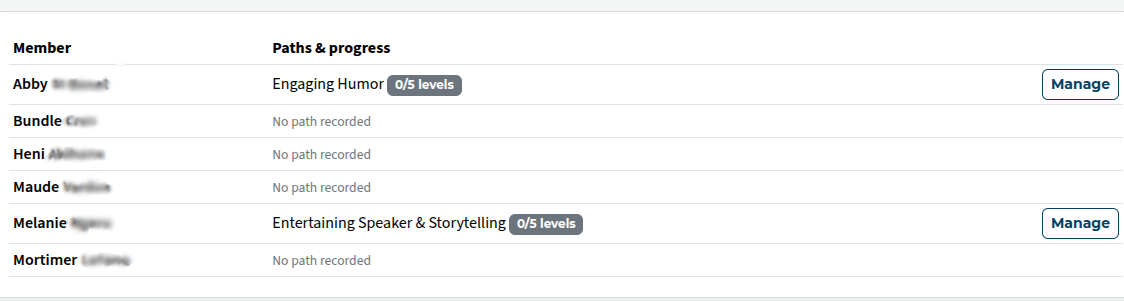
Click on Manage to view and amend a member's record.
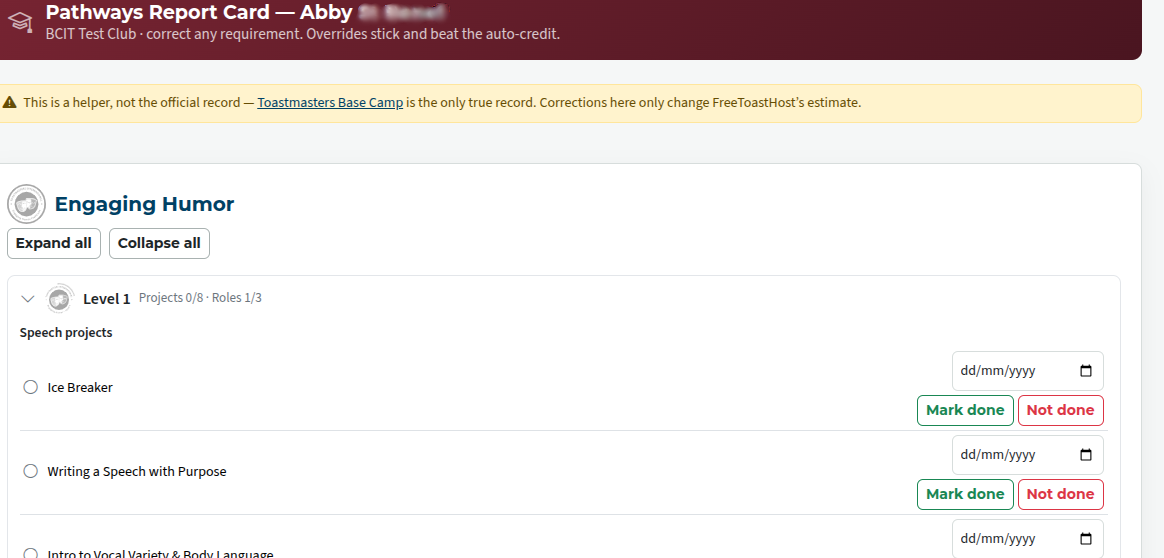
Anything that's included in this area overrides the automatic calculation of progress. Make sure, therefore, that it's done thoughtfully.

Latest Forum Posts
-
- Calendar Event Un-check All-day clears date
- In Public Forums / FTH4 Beta Support ONLY
- 6 minutes ago
-
- Instagram Link in Bio results in Forbidden You don...
- In Public Forums / FTH4 Beta Support ONLY
- 18 minutes ago
-
- Club 9623 - Can all members use members-9623@toast...
- In Public Forums / FTH3 Support
- 1 hour 6 minutes ago
-
- Checklist to convert to FTH4?
- In Public Forums / FTH3 Support
- 3 hours 12 minutes ago
-
- Custom JavaScript on the home page - will it trans...
- In Public Forums / FTH3 Support
- 3 hours 21 minutes ago